Chapter 10 SETUP MODE
5.
The edited text has been registered.
6.
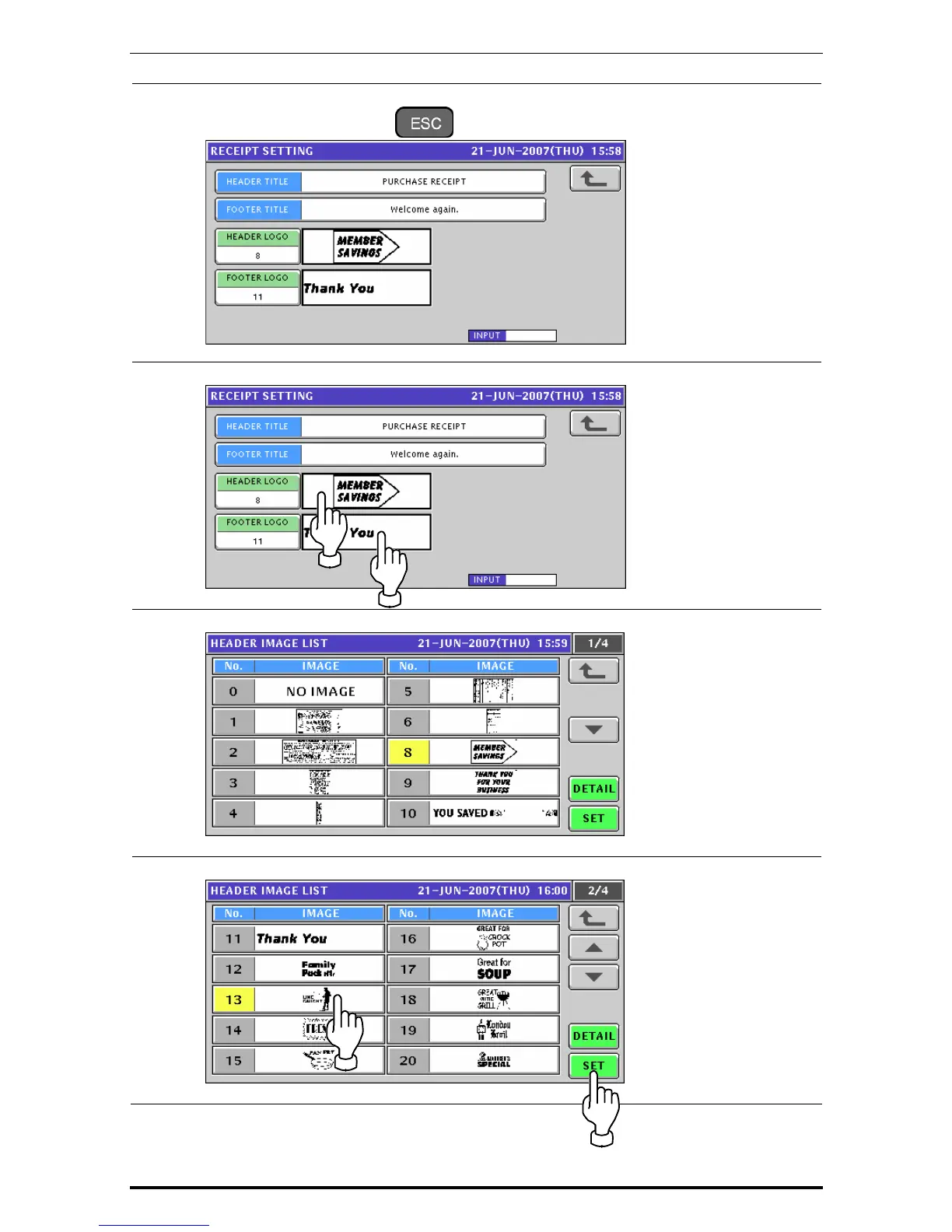
To edit the header and footer logo images, press the corresponding field.
7.
The Image List screen appears.
8.
Select a desired image by pressing the corresponding filed, and press the [SET] button.
10-36 Uni-7 User’s Manual


 To Next Page
 Loading...








