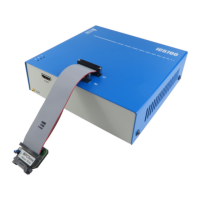
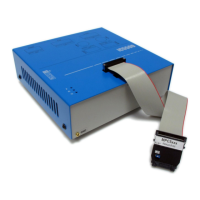
This debug adapter is used to connect the iC5000 and the iC5700 BlueBox to the Cortex-M
based target. It’s used to connect to the embedded target featuring a 10-pin 1.27mm target
debug connector with the Cortex-M pinout.
The debug adapter connects to the 25cm 40-pin ribbon cable coming from the BlueBox and to
the target debug connector on the other side. Refer to the BlueBox User Manual for more
details on connecting the debug adapter.
The following pinout is valid on the target side:
10-pin Cortex-M pinout
10-pin 1.27mm Cortex-M Debug Adapter features resettable fuses on pins 1, 2, 4, 6, 8 and 10.
These fuses protect debug signals against overcurrent and cycle back to a conductive state
after the excessive current fades away.
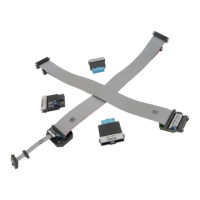
The debug adapter connects to the target through one of the two 10-pin 1.27mm connectors.
Note that only one is to be connected to the target!
The one at the end of the cable is with a so called “strain relief” option (Samtec FFSD-05-01-N-
SR) and is the robust type when it comes to connecting and disconnecting it from the target
very often. This is the recommended connection connector to be used. However, the
connector is a bit wider and therefore the target must have a matching part populated.
Matching part on the target side is e.g. Samtec ESHF-105-01-L-D (full frame connector) or
Samtec FTSH-105-01-F-DV-K (connector without the frame at the side).
The second connector is 1cm away from the first one toward the blue box and is a “standard”
type (Samtec FFSD-05-01-N). It’s much less robust and is prone to fail if the cable is not handled
cautiously or just connected/disconnected too many times. This connector should be used
when the target doesn’t provide the matching target connector for the “strain relief” type


 To Next Page