Inspection and Installation
Copyright © ITECH Electronic Co., Ltd. 1
Chapter1 Inspection and Installation
1.1 Verifying the Shipment
Open the package and check the articles within package box before operation.
In case of any non-conformity, missing or appearance wearing, please contact
ITECH immediately.
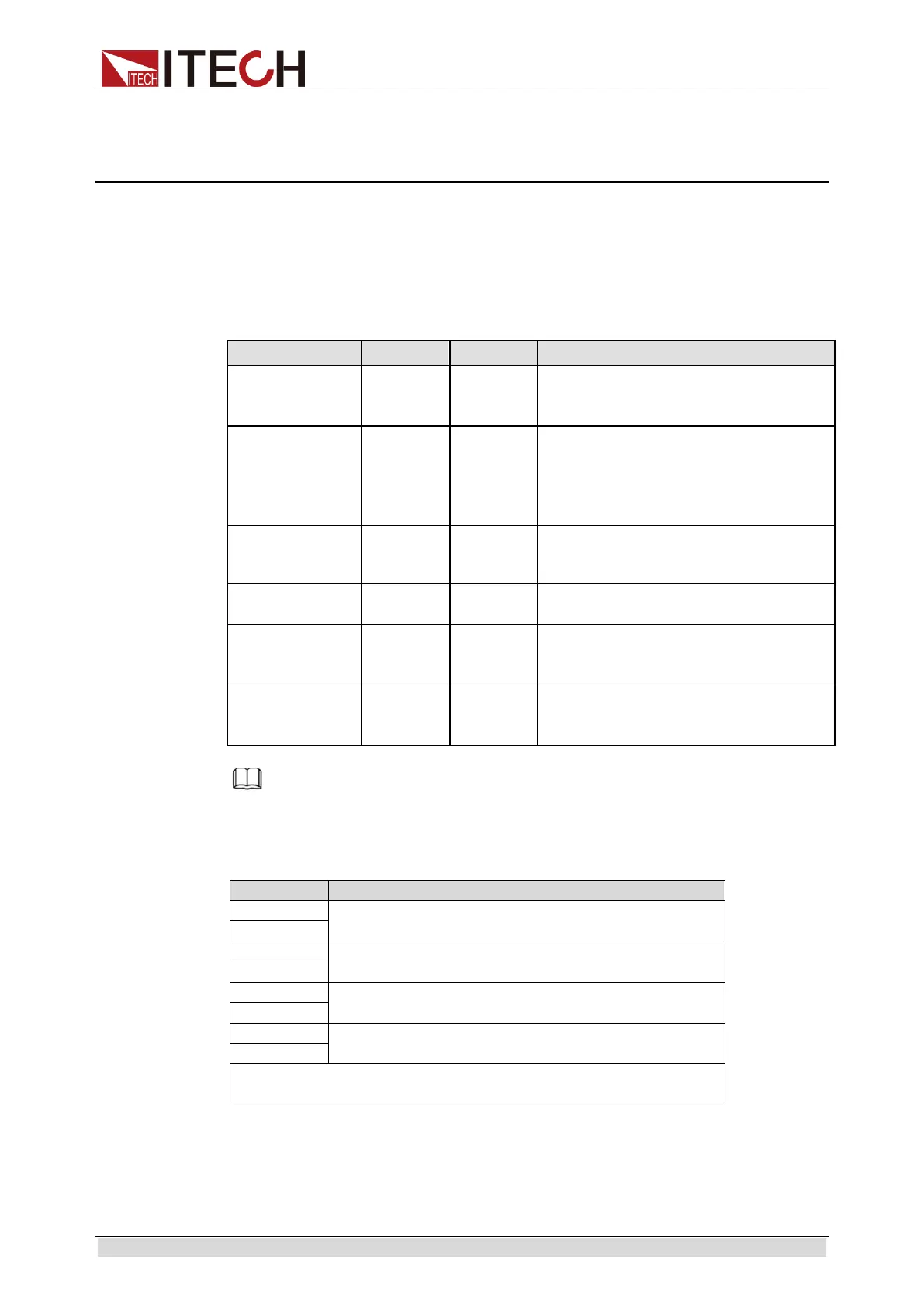
The package box should comprise:
Electronic load 1
IT8900
series
Please refer to 2.1 Brief Introduction
for complete models of IT8900 series
Power line 1
IT-E171/
IT-E172/
IT-E173/
IT-E174
The User may select different power
lines based on local outlet
specification. For detailed
specifications, refer to
1.3 Installation
communication
1 - -
x -
Number of the power cords vary
depending on the model.
CD 1 -
Comprising user manual and
documents related to programming
and grammatical guidelines.
alignment
1 - Test report before delivery.
Note
After confirming that package contents are consistent and correct, please appropriately
keep package box and related contents. The package requirements should be met when
the instrument is returned to factory for repair.
The IT8900 series load output test lines is shown in the following table.
Specification (Length: 2 meters)
120A
240A
360A
350-500A
The number of test cables shipped with different models
are different, subject to the actual product.
1.2 Instrument Size Introduction
The instrument should be installed at well-ventilated and rational-sized space.
Please select appropriate space for installation based on the electronic load



 To Next Page