Function and Features
Copyright © ITECH Electronic Co., Ltd. 31
triggering source selection screen.
SOURCE MANUAL
3. Press to select trigger method and press [Enter] to complete
setting.
Manual (Def): Manual trigger
External: external signal trigger
Hold: special command trigger
Bus: BUS command trigger
Timer: timer trigger
4. Press [Esc] to exit setting. The system displays original values under
different modes.
3.9 Dynamic test function
Through dynamic test operation, the electronic load can be switched between
two setting parameters based on setting rules. This function can be used to test
dynamic performances of power supply. For dynamic test operation, press
[Shift] + 2 (Tran) key on the front board to enter the dynamic test menu. Before
test, firstly, set parameters related to dynamic test operation, including dynamic
test mode, A value, B value, pulse width time, frequency, duty ratio, etc. Under
CC mode, current ascending and descending slopes should be set for dynamic
test.
The dynamic test mode can be divided into continuous mode, pulse mode and
toggle mode.
3.9.1 Continuous mode
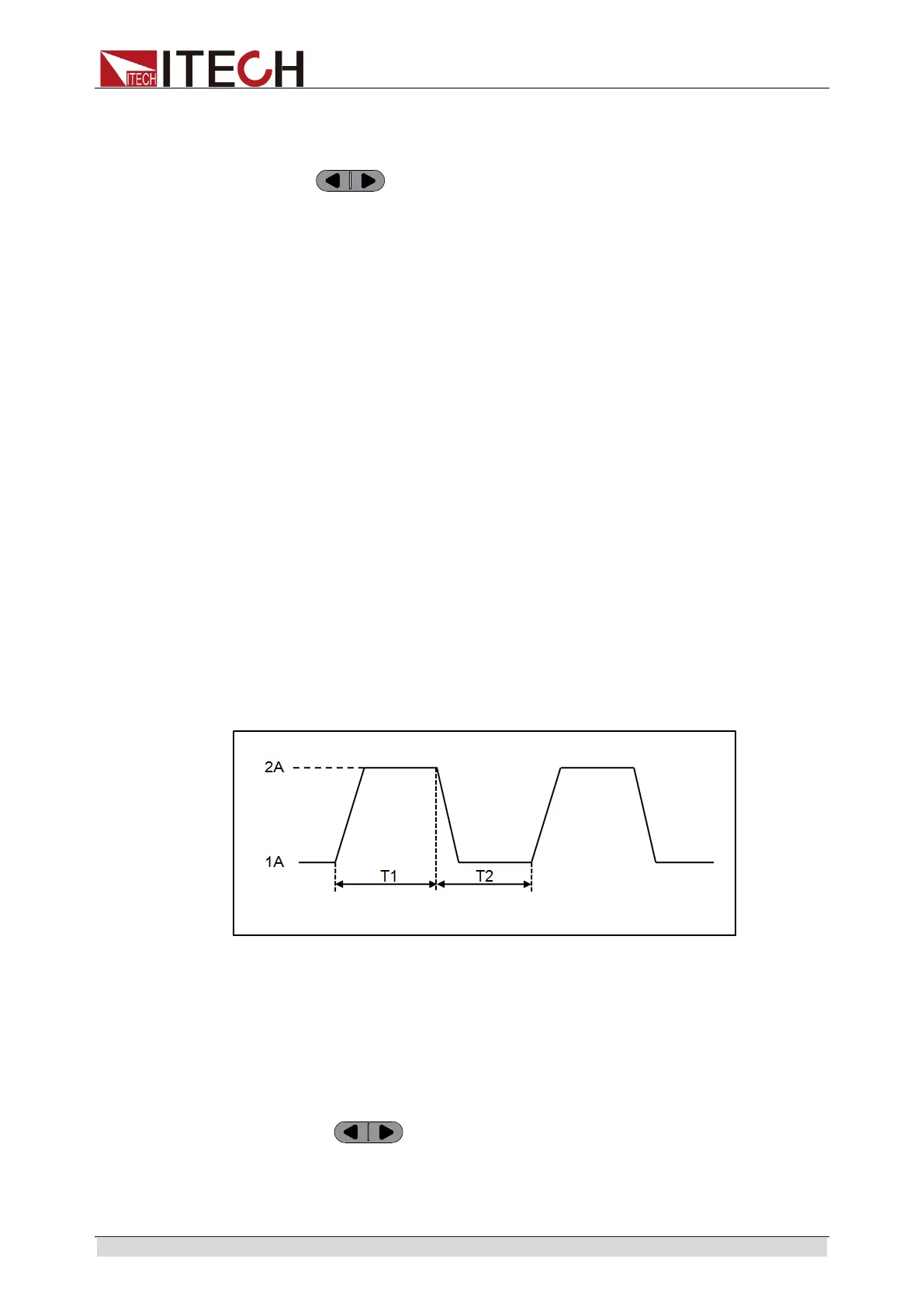
Under continuous mode, after enabling dynamic test operation, the load will be
switched continuously between A value and B value.
Taking CC mode as example (operations under other modes are similar), when
output voltage and current of the tested instrument are 10 V and 3 A
respectively, the load current will switch from 1 A and 2 A. Set the dynamic test
parameters and perform the test as follows:
1. Press [Shift] + 2 (Tran) keys.
TRANSITION
On Off
2. Operate key and move to On. Press [Enter] key and select
Continuous. Press [Enter] key (The Trig lamp that indicates VFD screen
status is on).
TRANSITION
Continuous Pulse Toggle
Dynamic test in continuous mode



 To Next Page