Function and Features
Copyright © ITECH Electronic Co., Ltd. 48
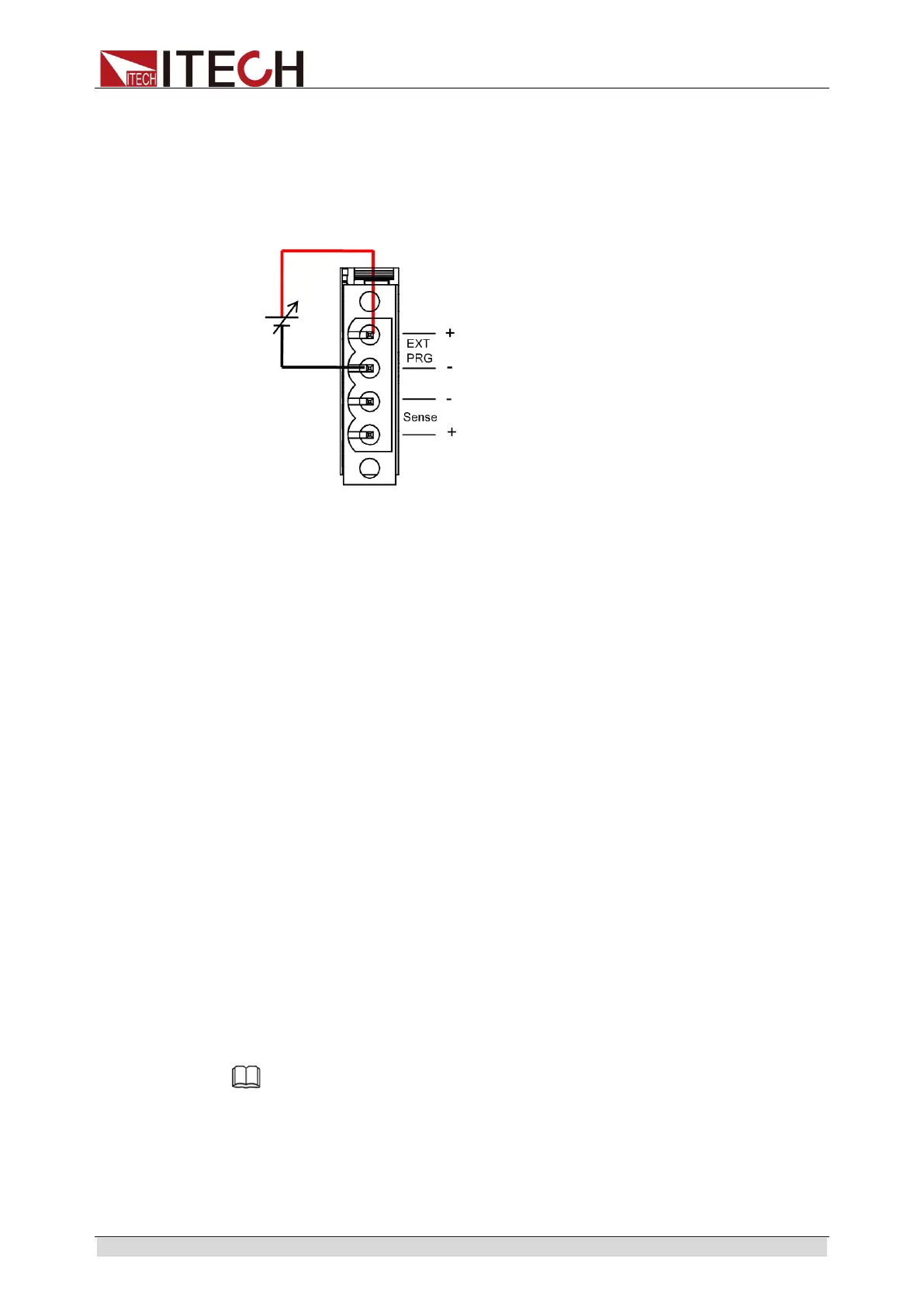
3.19.3 External analog quantity test
Loading current of the electronic load can be controlled by EXT PRG (positive
and negative) analog quantity terminals on rear board. Connect 0-10V
adjustable voltage at the EXT PRG terminal to analog input from 0- full range so
as to adjust input current of load (10V corresponds to current of load at full
range).
3.19.4 External On/Off Control
The load input switches can be controlled by the external TTL electrical level.
During external input control, the [On/Off] key will become invalid and the load
input switches can only be controlled by the external TTL electrical level. The
load input will be switched on in case of low level external input; and the load
input will be switched off in case of high level external input.
3.19.5 Voltage fault indication
When load is under overvoltage protection or terminal reverse polarity
protection, VF pin voltage fault indication terminal outputs high level.
3.19.6 Current monitoring (I Monitor)
The 0-10V analog quantity output signal of current monitoring output terminal
represents input current to which the terminal belongs from 0 to full range. An
external voltmeter or oscilloscope can be connected to display input current
change.
3.20 Auto Test Function
The IT8900 series electronic load delivers strong auto test functions, which can
analog several tests. A total of 10 groups of test files can be edited, and each
group test file has 10 steps. Therefore, a maximum of 100 steps can be edited
and saved in EEPROM.
Edit test files following steps below:
Note
In the following editing procedures, "Y indicates selected status. To cancel selected status,
press numeric key of corresponding step again.
Edit test files
1. Press [Shift] + 6(Prog) keys.
PROGRAM



 To Next Page