Inspection and Installation
Copyright © ITECH Electronic Co., Ltd. 10
AC power input level
Working voltage for IT8900 series electronic load is 100V~240V, AC power
input level: 100V~240V 50Hz/60Hz
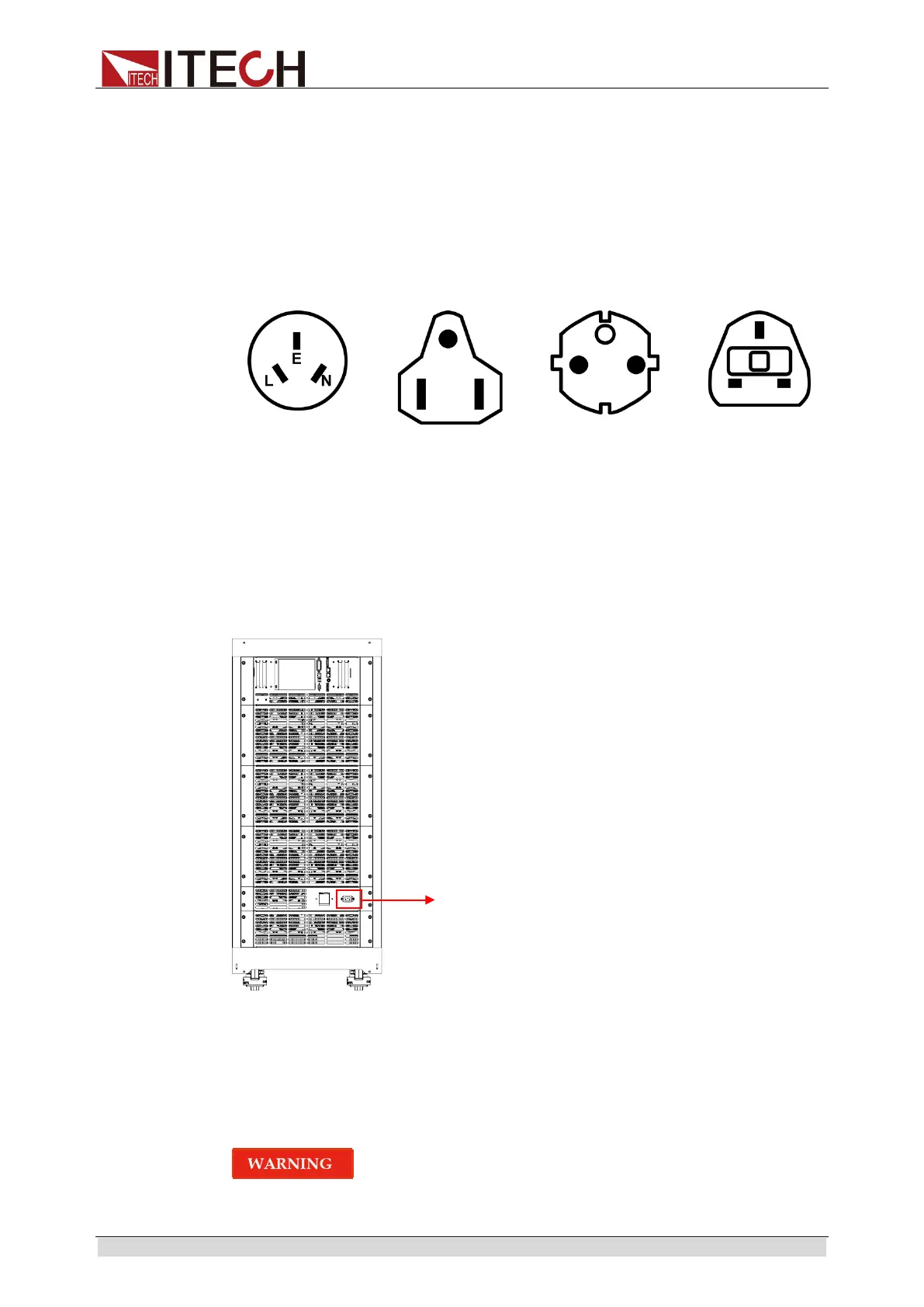
Categories of power lines
Please select appropriate power lines appropriate to local voltage based on the
specifications of power lines below. If purchased model fails to meet local
voltage requirements, please contact distributor or factory for change.
China
IT-171
America, Canada,
Japan
Europe
IT-E173
Britain
IT-E174
Connecting the power cord
Before connecting the power cord, please ensure the power switch of the
instrument is turned OFF. Only use the power cord supplied as a standard
accessory. A summary of connection procedures is given below.
1.5 Connecting Test Lines
The test cables of IT8900 series are the standard accessories shipped with the
package box. Please refer to 1.1 Verifying the Shipment for the specification
of test cables.
Before connecting test lines, be sure to switch off the power supply
of the test loop in order to avoid electric shock.
Connecting the power cord



 To Next Page