Function and Features
Copyright © ITECH Electronic Co., Ltd. 46
List operation running
15. Press [CC]/ [CV]/ [CR]/ [CW] key or any composite function key to exit List
test function.
For direct recall of existing List files and triggering of List operation, refer to
steps below:
Operation steps
1. Press [Shift] +3 (List) keys and ensure that ON lamp flicks. If not, press
[Enter] before operation. Press key to select Recall. And press
[Enter] for confirmation.
LIST
On Recall Edit
2. Select edited files and press [Enter] for confirmation.
Recall List File=1
3. Operate key and move to on. Press [Enter] key (The Trig lamp
that indicates VFD screen status is on). Press [Esc] key to exit setting.
LIST
On Recall Edit
4. Press [On/Off] key to open input and press [Shift] + .(Trigger) key
(Triggering key)
List operation.
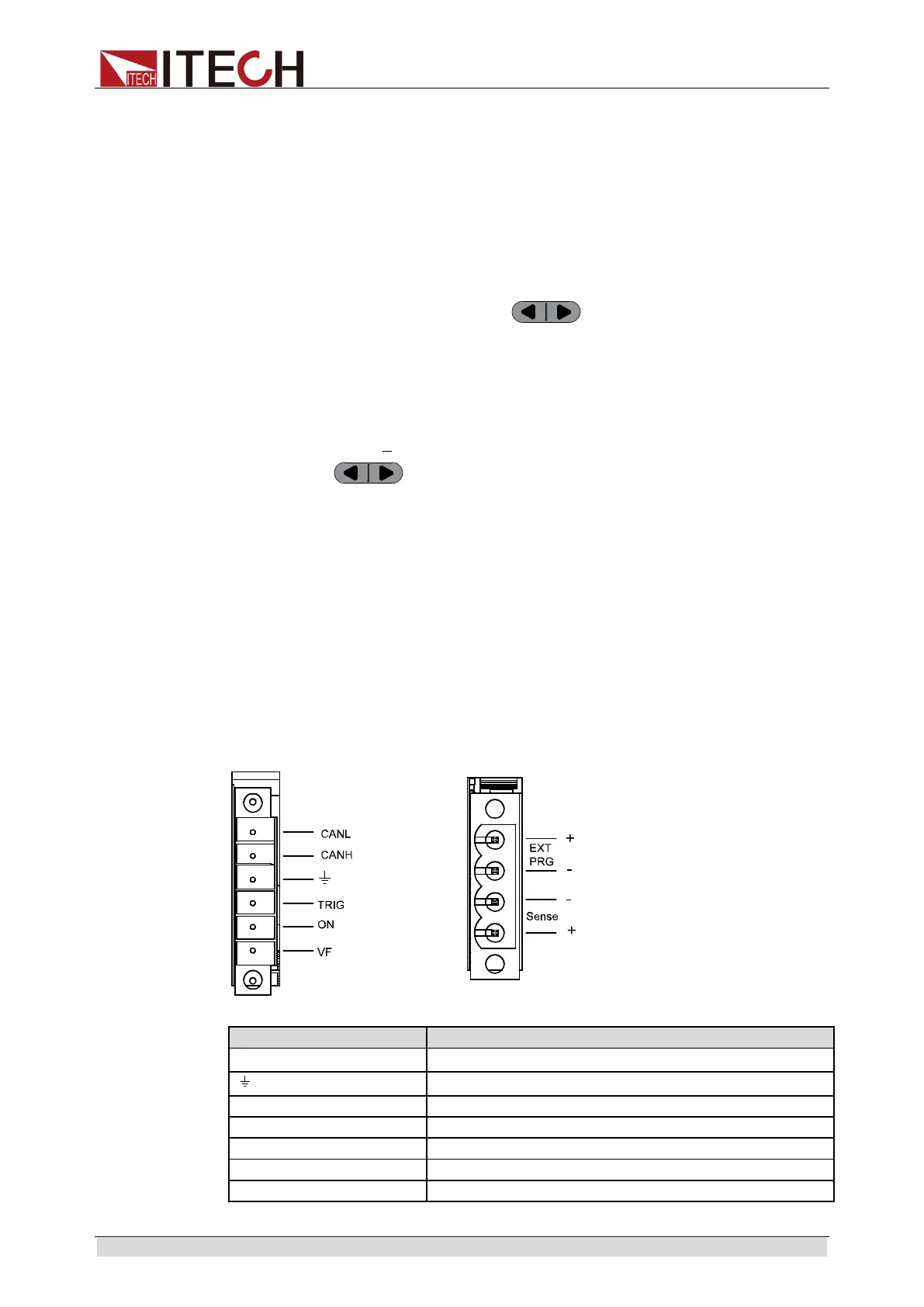
3.19 Terminal function of rear panel
Terminals on IT8900 rear panel comprise remote sensor terminal, external
trigger terminal, external analog control terminal, voltage fault indication
terminal, external On/Off control terminal and current monitoring terminal.
Terminal schematic (as shown below):
CANH,CANL
CANH and CANL terminal for CAN communication
Negative input terminal for TRIG, ON and VF
Positive input terminal for trigger
Positive input terminal for external On/Off control
Positive input terminal for voltage fault indication
External analog control terminal



 To Next Page