Function and Features
Copyright © ITECH Electronic Co., Ltd. 26
Note
If the above method is for editing auto test step (as mentioned below), constant resistance range
can also be set.
3.2.4 Constant power operation mode (CW)
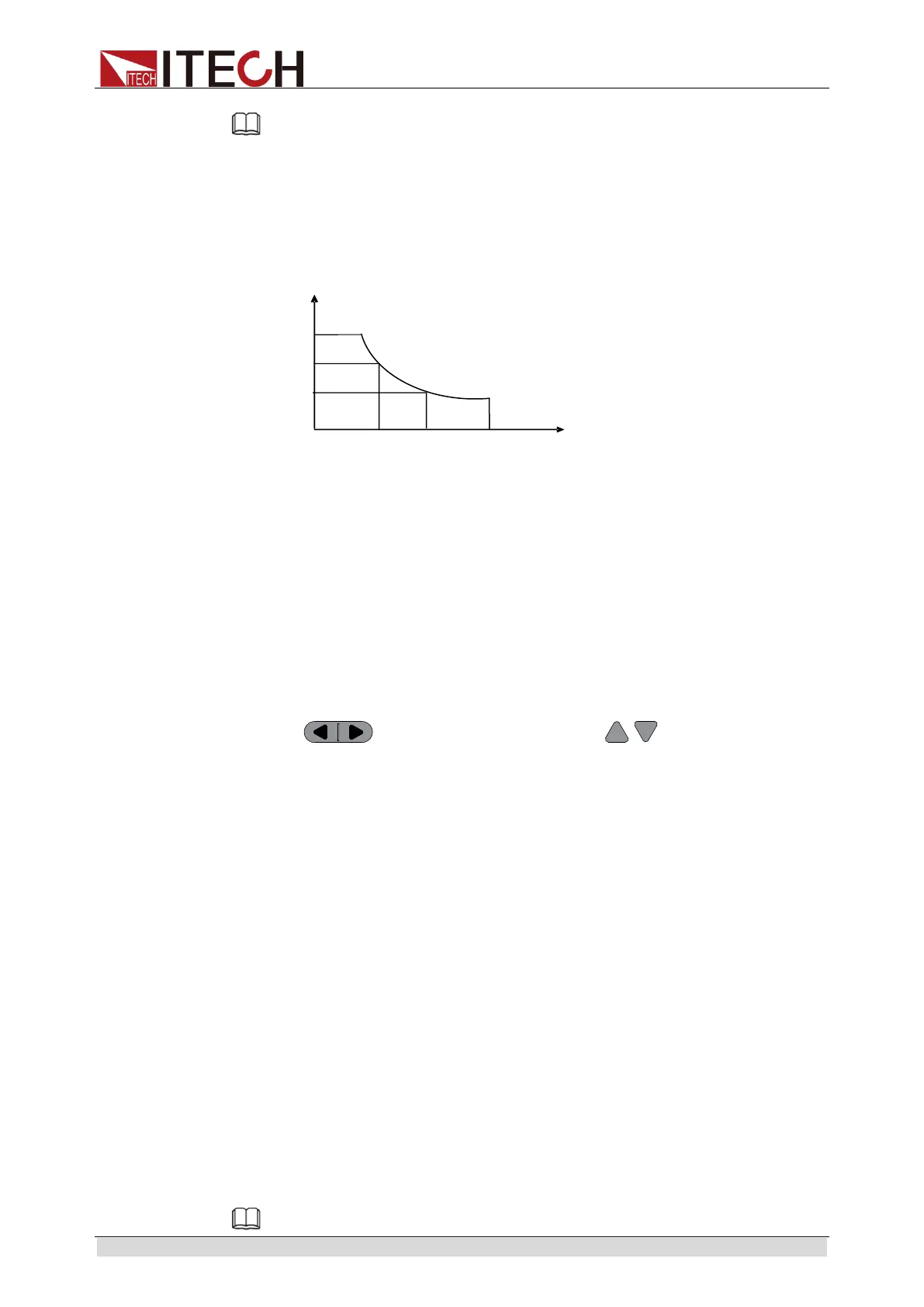
Under CW mode, the electronic load will consume a constant power, as shown
below. If input voltage rises, the input current decreases and power P (= V * I)
will maintain at setting power. As shown in Fig. 3-4.
Fig. 3-4 Voltage-Current Relation Schema under CW Mode
Under CW mode, the electronic load provides three ways to modify constant
power.
Rotate adjusting knob to set constant power value.
Use numeric keys to input power value and press [Enter] key to confirm set
constant power value.
Use moving cursor and press to adjust values at
corresponding positions.
Operation steps
1. Press [CW] key and [Shift] + [CV] to enter parameter setting screen.
Constant Power
Range=400.00W
2. Set maximum working power value and press [Enter] for confirmation.
Constant Power
Range =300.00W
3. Set maximum voltage value and press [Enter] key.
Constant Power
High=130.00V
4. Set minimum voltage value and press [Enter] key.
Constant Power
Low=0.000V
5. Complete parameter setting.
10.0000V 0.0000A
0.00W CW=1.00W
Note
V3
I2



 To Next Page