Quick Start
Copyright © ITECH Electronic Co., Ltd. 14
4. Shift and Local keys
5. Function keys and composite key
6. Function keys
7. UP, DOWN, LEFT and RIGHT key, to move cursor
8. Adjusting knob
2.3 Keyboard Introduction
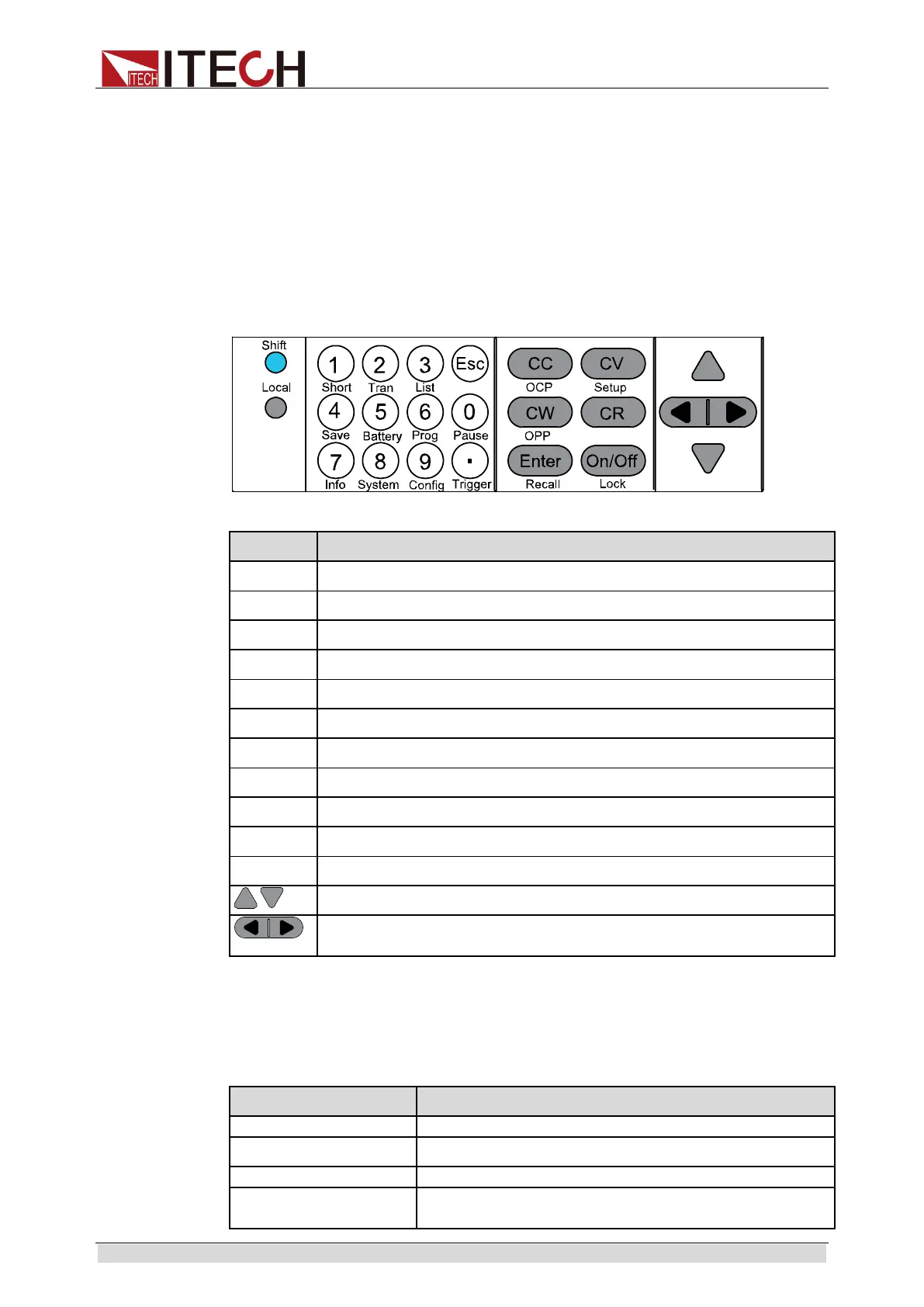
Keys at IT8900 key area are shown below.
Detailed description of keys:
Keys Name and functions
Shift
Composite key.
Local
LOCAL key, to shift local and remote operation.
0~9 0 -9 are numeric keys.
. Dot
Esc Esc key, to exit at any working status.
CC To select constant current mode and set current input value.
CV To select constant voltage mode and set voltage input value.
CR To select constant resistance mode and set resistance input value.
CW
To select constant power mode and set constant power input value.
Enter Enter key.
On/Off To control input status of load: on/off.
Up/Down key, to select menu items during menu operation.
Left/Right key, to adjust the cursor to the specified location to set the
value.
2.4 Fast function key
A combination of front panel keys and [Shift] composition keys in IT8900
Series can realize functions marked at key bottom. For details, see table below.
Keys Name and functions
To start or end short circuit test.
To set dynamic operation parameters.
To set list operation function.
To save existing setting load parameter values, e.g.,
voltage, current and power.



 To Next Page