Inspection and Installation
Copyright © ITECH Electronic Co., Ltd. 9
1.3 Connecting the cabinet
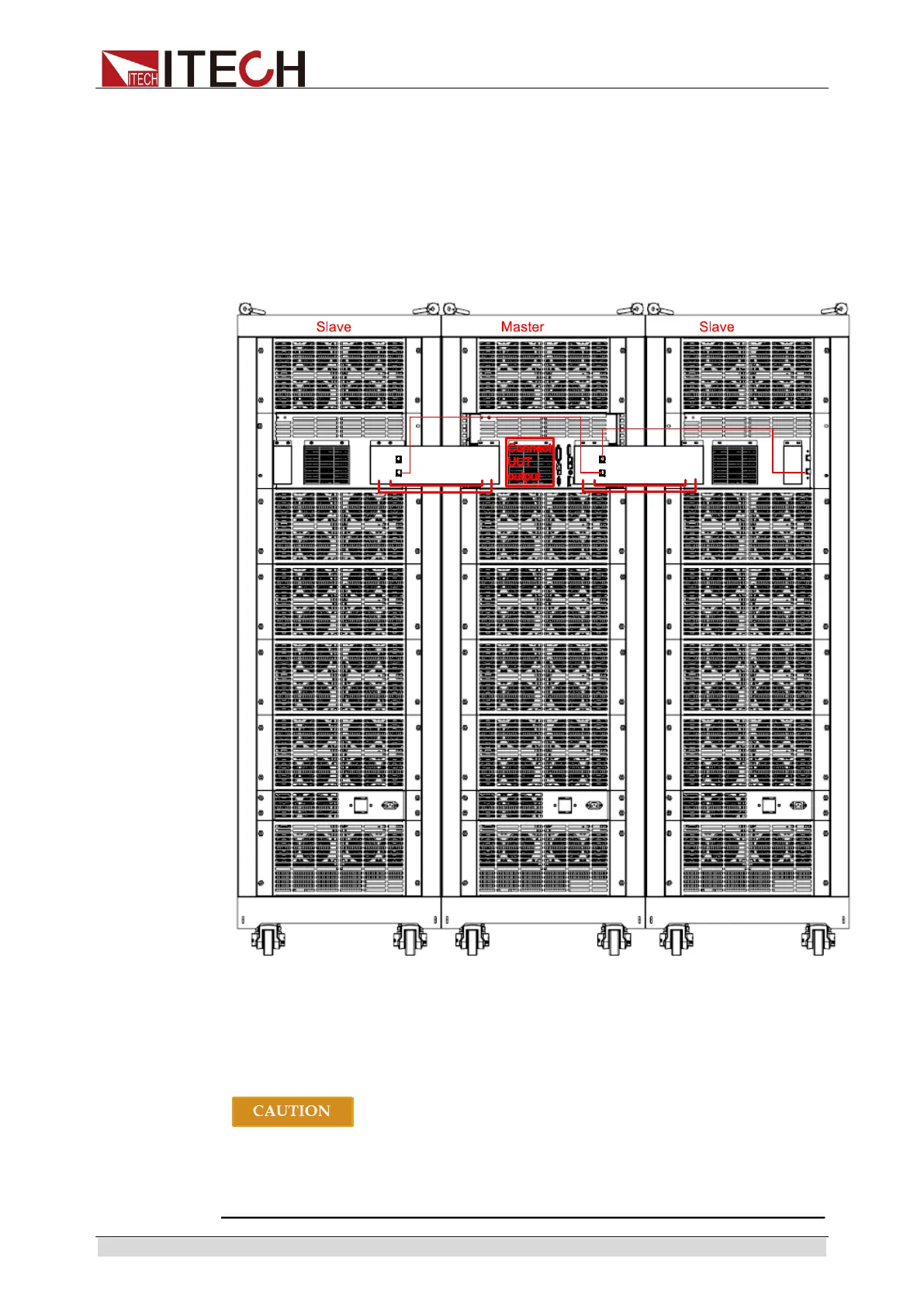
Over 48KW models of IT8900 series consist of two or three cabinets. The
cabinet with front panel is the system master and others are slaves.
The user needs to connect system bus and load input terminals among
cabinets. Before connecting, the user needs to take apart the rear panel which
covers the terminals by using a screwdriver. Take example of three cabinets,
the wiring diagram is shown as follows. Please refer to 2.6 Rear Panel
Introduction for the detailed rear panel introduction.
1.4 Connecting the Power Cord
Connect power line of standard accessories and ensure that the electronic load
is under normal power supply.
The power cords supplied with this product is certified for safety. In case
the supplied lines assembly needs to be replaced, or an extension lines
must be added, be sure that it can meet the required power ratings of this
product. Any misuse voids the warranty of this product.



 To Next Page