Function and Features
Copyright © ITECH Electronic Co., Ltd. 52
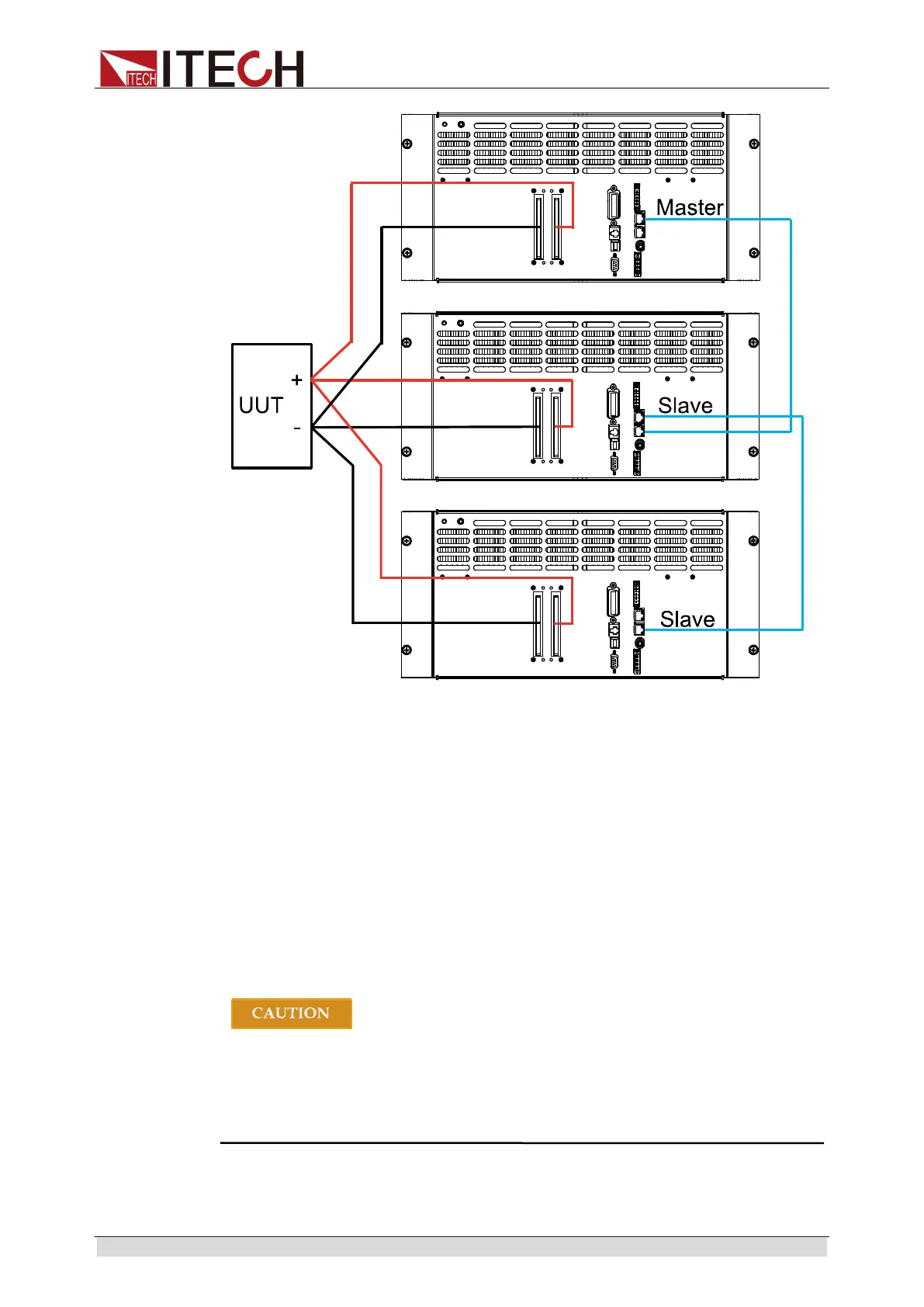
The master-slave connection for configuring 3 pcs electronic load is as follows:
1. Configure one electronic load as the Master and the other electronic load
as Slave.
2. Press the composite key [Shift] + 8(System) to enter the System Menu.
3. Press the Right key to select “Parallel” and press [Enter] for parallel
setting.
Single: Single mode.
Slave: Salve mode.
Master: Master mode. If Master mode is selected, you need to set the
number of Salves for the Master.
Total: total number of instruments in parallel. For example, Total = 3.
When connecting the system bus, please note the built-in terminal
matching resistance at the rear panel. If the resistance is removed,
the instrument may not work properly. The user can install the
terminal matching resistance on the Input end of the first system bus
and the Output end of the last system bus.



 To Next Page