15
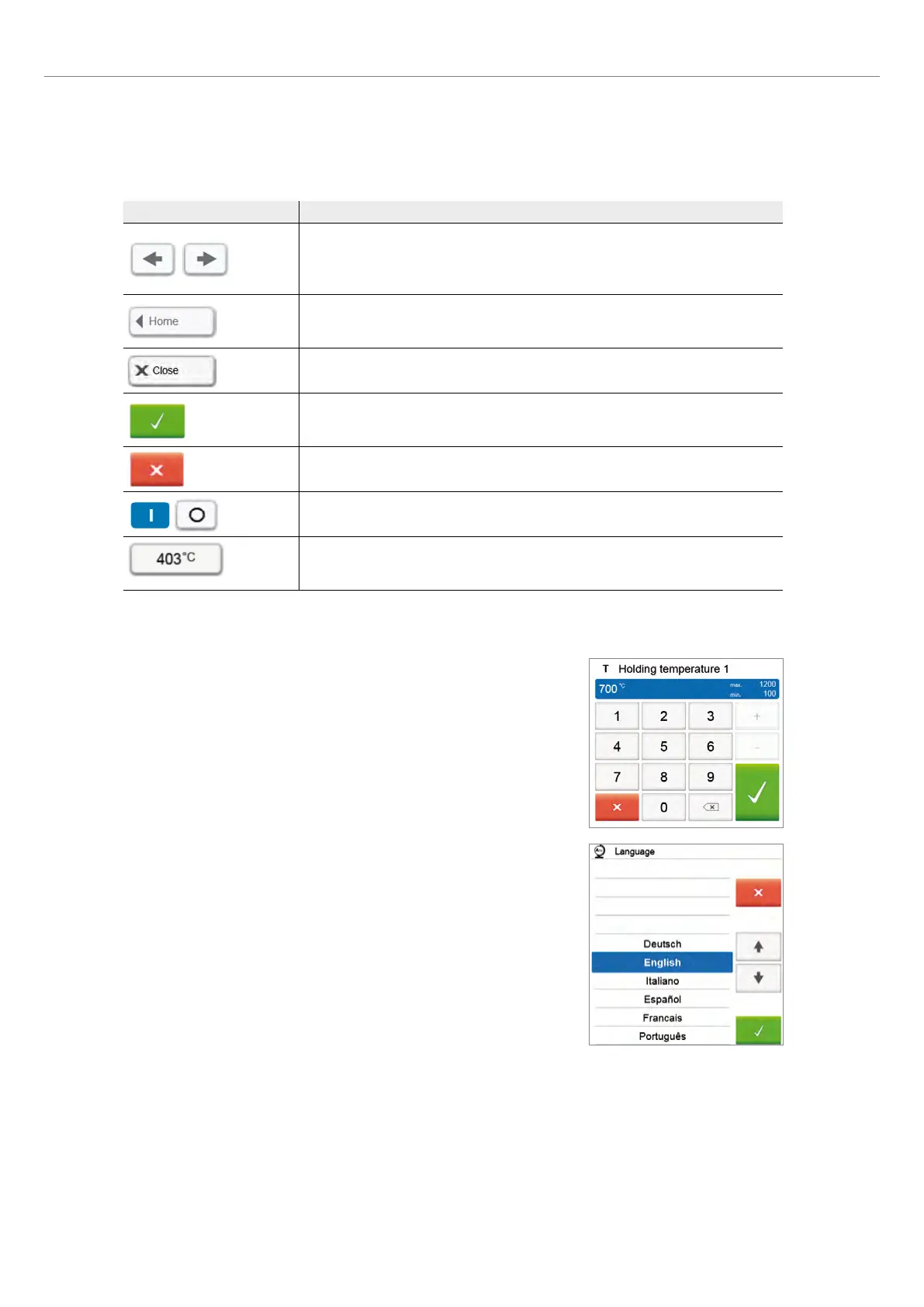
Explanation of the most important touch buttons
Button Function
Scroll left / Scroll right
With these buttons, for example, you can scroll to the next page of the home screen. As
an alternative, you can also swipe to the left or right with your finger on the display to
scroll to the next page.
Back with note
With this button, you can change to the next higher menu level. The button indicates to
which screen you change, e.g. to the home screen
Close
With this button, you can close sub-menus.
Confirm entry
This button is used to confirm an entry. If the button appears pale green, no entry has
been made yet or the value entered is not in the acceptable range.
Cancel entry
This button is used to cancel an entry. Changed values are not saved.
On/Off button
This button is used to switch functions on or off.
Parameter button
On pressing these buttons, a selection list or numeric pad appears for entering the
parameters.
Description of the numeric pad and selection list
– Numeric pad
The numeric pad enables the entering and changing of parameters, e.g. in firing
programs or set-up menus. Additionally, the currently set value is indicated, as well
as the minimum and maximum values.
An entry must be confirmed with the green button. As soon as a valid entry has
been confirmed, the numeric pad is closed. If the button appears pale green, the
value entered is not within the acceptable range.
The numeric pad can be closed with the red button, without any parameters being
changed.
– Selection list
In the selection list, the desired parameter can be selected by using the [Arrow
up/down] buttons. An entry must be confirmed with the green button. After
that, the selection list is closed.
The selection list can be closed with the red button, without any parameters being
changed.
2. Application















 To Next Page