16
Explanation of program screen
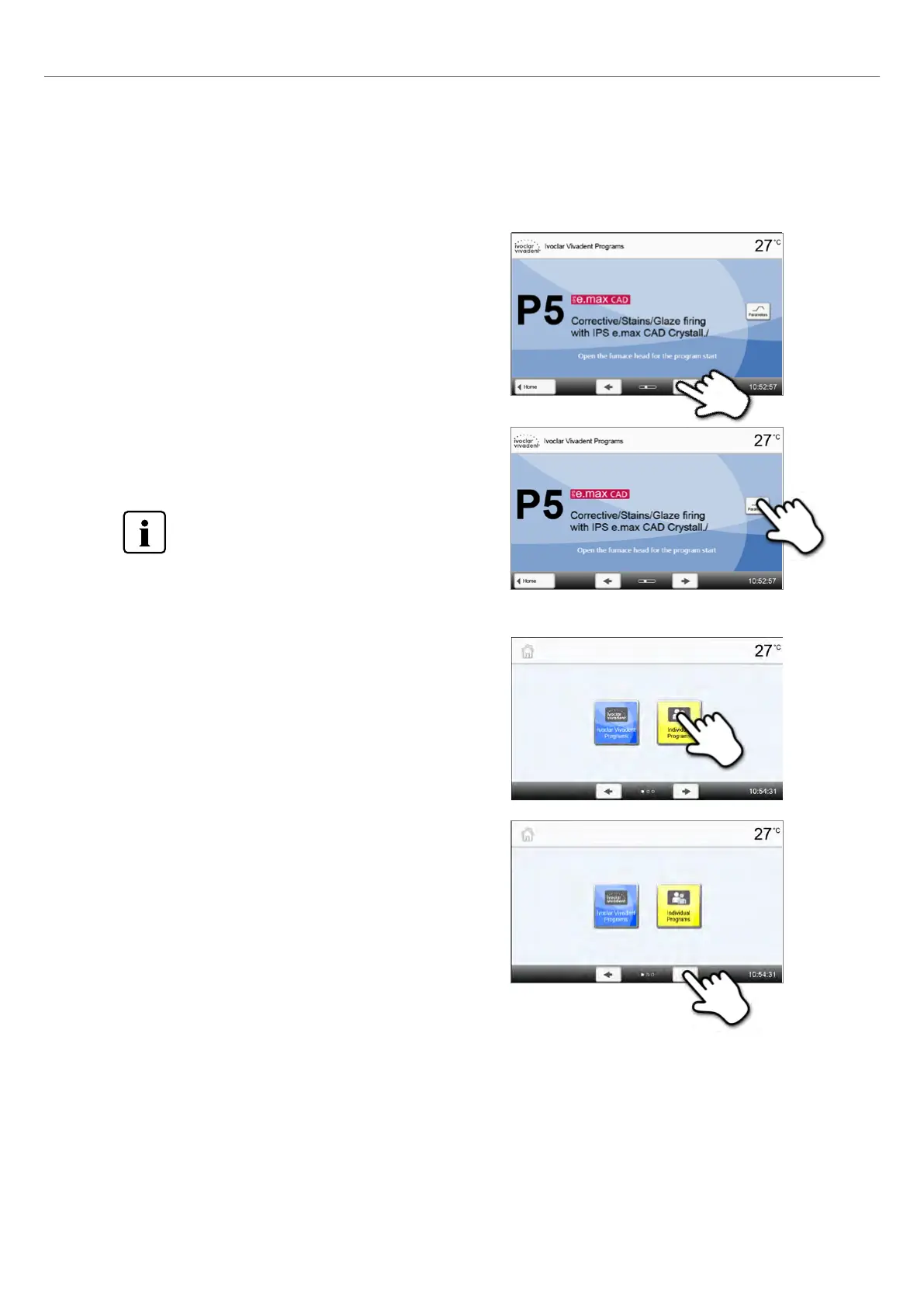
After the furnace has been switched on and the self-test has been completed, the program screen appears. Programs can
be selected, started, and edited from this screen.
The programs can be selected by pressing the [Arrow] buttons. The
main screen indicates the program number, program name and a
help text.
As an alternative, you can also swipe to the left or right with your
finger on the display to scroll to the next program.
The dots between the arrows indicate the number of pages.
The current page is marked with a light dot.
Description of the Home screen
With the Home button, you can change to the home screen. All
functions of the Programat CS6 can be selected from this screen.
By pressing a selection button, you will reach the corresponding
menu (e.g. programs, settings, calibration, etc.)
The next page of the home screen can be accessed with the [Arrow]
button, where additional functions are available.
The dots between the arrows indicate the number of pages.
The current page is marked with a light dot.
The [Parameters] button is used to switch to the program parameter
screen. Here you can edit the program parameters.
In locked Ivoclar Vivadent programs, the [Predrying]
button appears instead of the [Parameters] button.
See Chapter 2.2.2.4 for details.
Description of the speaker sounds
– After the self-test is completed
To inform the user that automatic self-test has been successfully completed, the selected melody is played.
– For error messages
Error messages are acoustically supported with the "error melody" (endless beep). The signal transmitter may be
switched off with the STOP key, while the error message still remains visible. If the error message is acknowledged with
the corresponding button, the signal transmitter is also switched off.
2. Application















 To Next Page