37
Step 2:
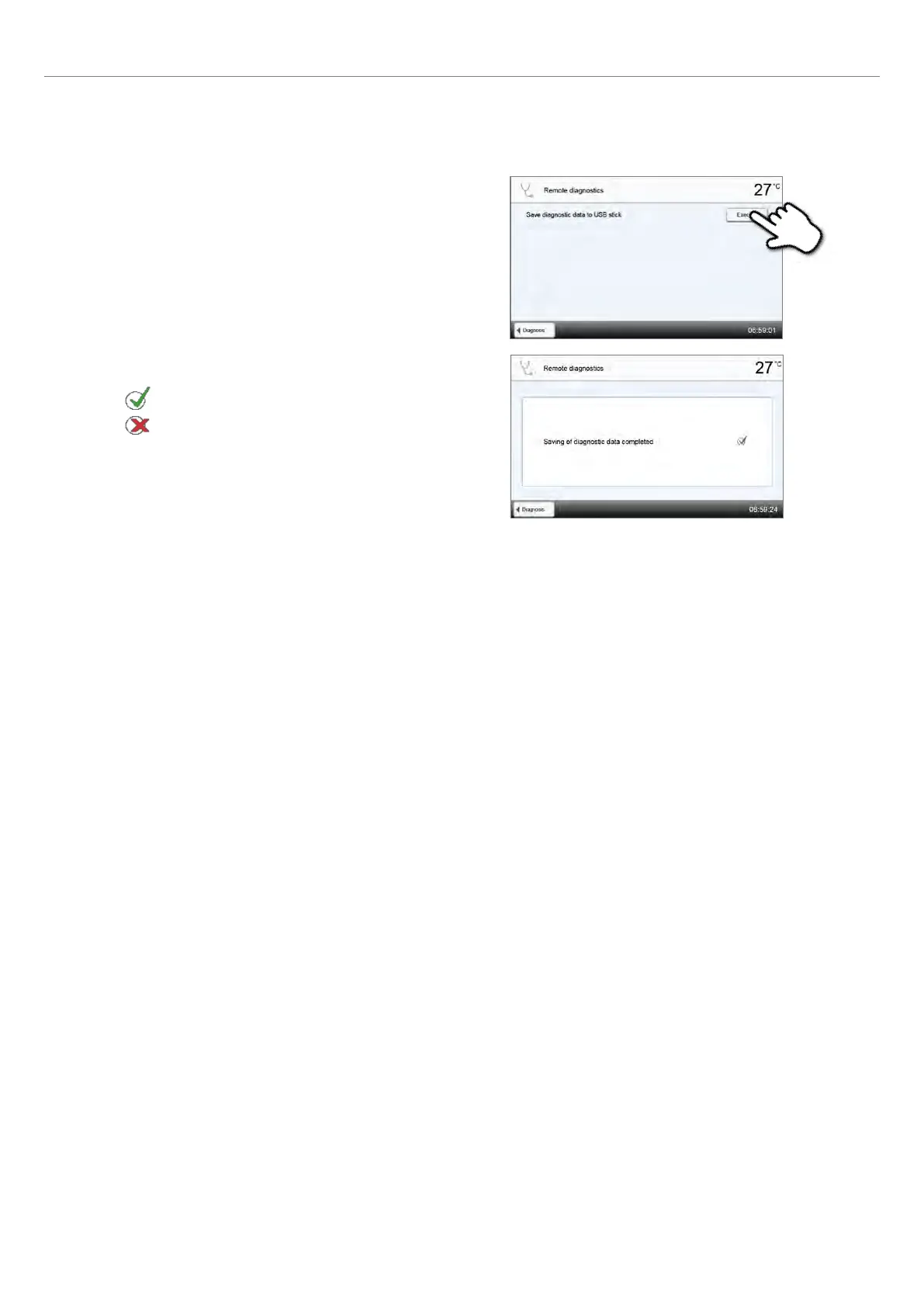
Generate a diagnosis file
Connect a USB stick with the furnace. Press the [Execute] button.
Step 3:
One of the following messages is being displayed
Diagnosis data backup complete
Diagnosis data backup failed
Step 4:
Forward or analyze the diagnosis file
Connect the USB flash drive with a PC. The file can now be analyzed by means of the PrograBase X10 software or sent to
any e-mail address. The PC must connected with the Internet for that purpose.
If the furnace is connected with a PC via Ethernet, the file can also be directly opened, forwarded or analyzed by the
PrograBase software.
Protocol table
If the protocolling function has been activated in the Settings menu (see Chapter 2.2.4.1), the last 20 programs are saved
in the protocol table. The saved protocols can be printed from this table, sent to a PC, or deleted.
Service menu
This menu is code-protected and is only used by After Sales Service.
DSA protocols
The last 20 DSA analyses are saved. The saved protocols can be printed from this table, sent to a PC, or deleted.
2. Application















 To Next Page