SeapiX – Operation Manual
SSD-C-1302 Ed. A – 01/2020 28
4.1.4 VIEWER PROCESSOR UNIT (VPU)
Once connected to the BPU, the Ethernet cable has been connected to the Viewer
Processor unit (VPU).
Location
The VPU is installed on the bridge.
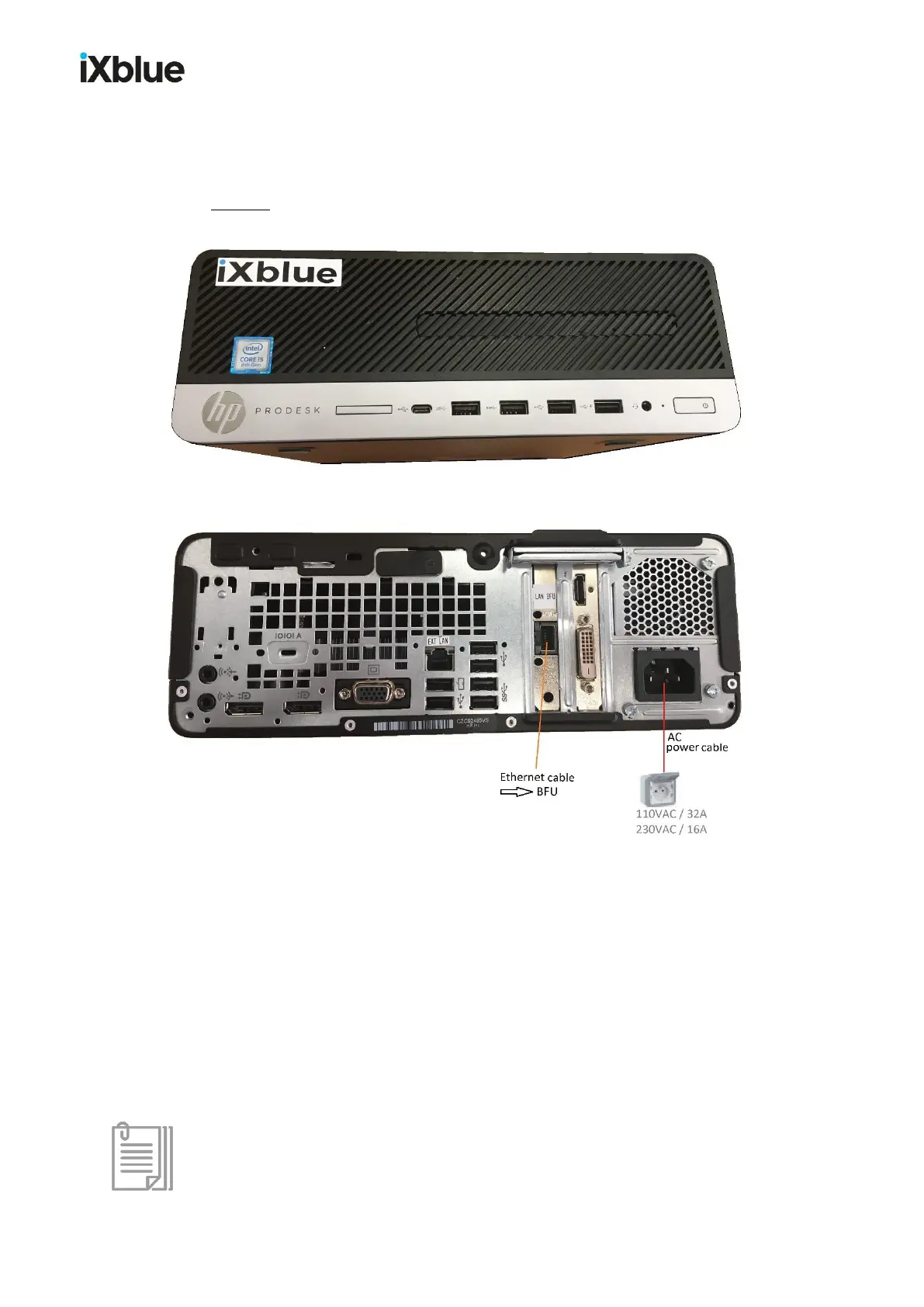
The connectors are located at the back of the VPU:
VPU back face and connections
• The VPU power cable is plugged into a 110 VAC or 230 VAC electrical outlet.
• The BFU-VPU Ethernet cable is connected to the RJ45 port (labeled LAN BFU).
• An Ethernet cable to connect to the vessel network is inserted into the RJ45 port (labeled
EXT LAN).
• 2 USB keys for the wireless keyboard and trackball are inserted into 2 USB ports – or
just 1 USB key for both is inserted into either port.
• The SeapiX VPU dongle is inserted into any USB port.
In case the VPU back face would not be easy to reach, please note that ports are
available on its front face.



 To Next Page