SeapiX – Operation Manual
SSD-C-1302 Ed. A – 01/2020 46
5.1.5.7 Biomass menu
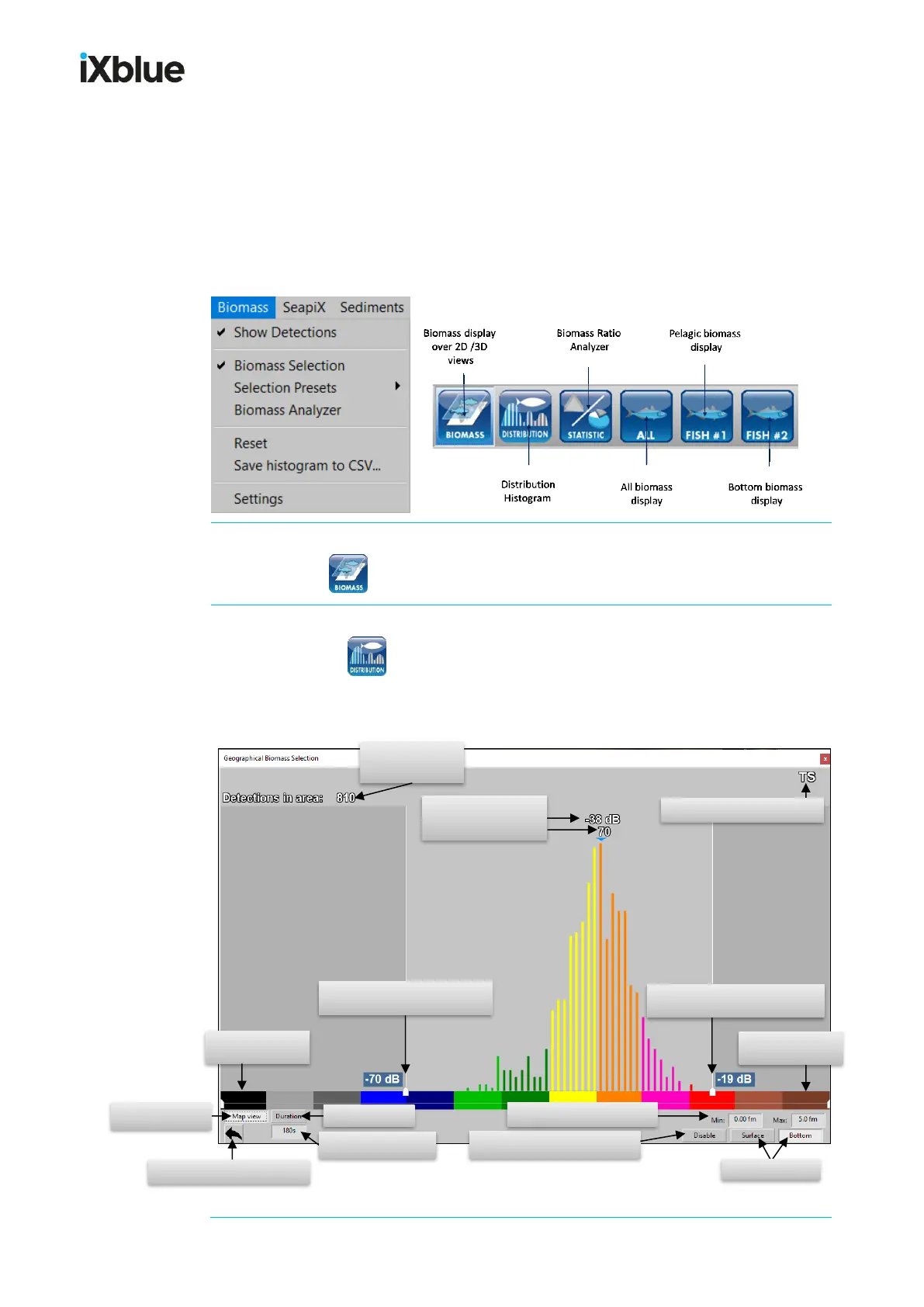
The new concept of a “Geographical Biomass Analyzer (GBA) developed by iXblue is a
statistical processing tool able to compute fish echoes distribution from an entire water
volume. The volumic distribution histogram calculation takes different filtering criteria into
account (such as the min. and max. acoustic response levels, the min. and max. depths of
the studied water layer, the geography of the selected area, the history of fish detection, ...).
All biomass functionalities are accessed from the menu and from Toolbar 1 buttons:
Biomass > Show Detections is checked/unchecked when you click it from the menu or
when you press .
Biomass > Biomass Selection is checked/unchecked when you click it from the menu
or when you press .
It opens the Histogram view which lets you see the fish distribution calculation at any
time, according to selected criteria:
Disabling the surface / bottom filter
Surface / bottom filter setting
calculation
Disabling the echogram selection
Lower color setting
of the color palette
Upper color setting
of the color palette
Biomass echo response filter:
minimum response in decilbels (dB)
Biomass echo response filter:
maximum response in decilbels (dB)
Processing mode: Fish gain (TS)



 To Next Page