SeapiX – Operation Manual
SSD-C-1302 Ed. A – 01/2020 42
5.1.5 MAIN MENU
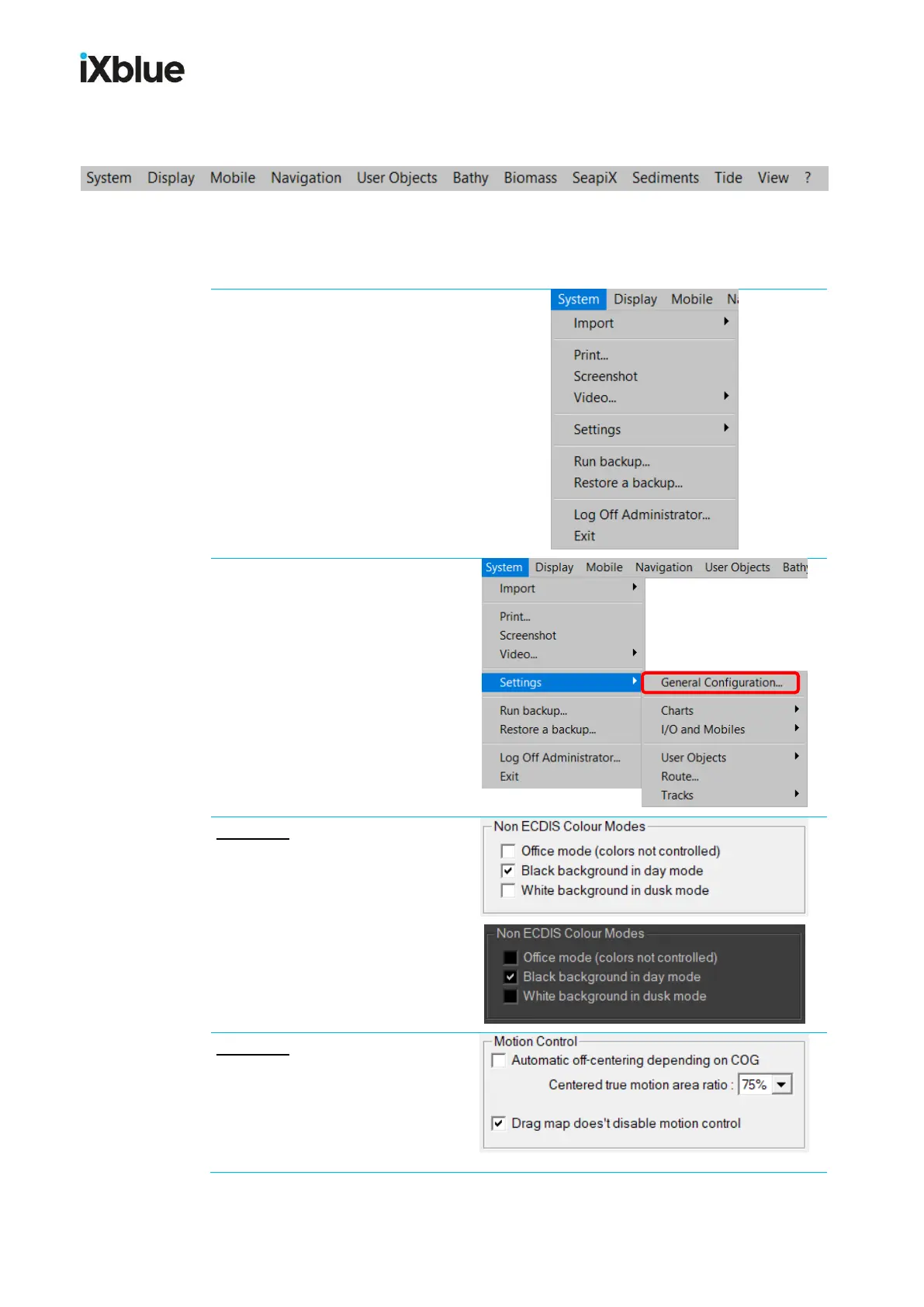
SeapiX main menu shows on top of the display:
This menu lets you fully configure then use your software.
2 modules are specifically dedicated to SeapiX: Biomass and SeapiX.
5.1.5.1 System menu
It mainly manages the
configuration, print, user changes
and exit.
User changes can be done
through Settings > General
Configuration
Example 1: if you prefer an overall
black-color background, go to
Settings > General
Configuration, select the Display
tab, check Black background in
day mode then click Apply.
Example 2: still from the Display
tab, if you want to have all views
centered on your ship, check Drag
map doesn’t disable motion
control then click Apply.



 To Next Page