SeapiX – Operation Manual
SSD-C-1302 Ed. A – 01/2020 72
5.5 Recording and Replaying Raw Data
Prerequisite: external disk(s) - USB or SATA format - must have been installed on the BFU
and SeaNotify application must have been installed on the VPU.
Important
This operating procedure is run outside SeapiX software.
Before Recording or Replaying data on an external disk, you must configure the disk.
5.5.1 CONFIGURING A DISK
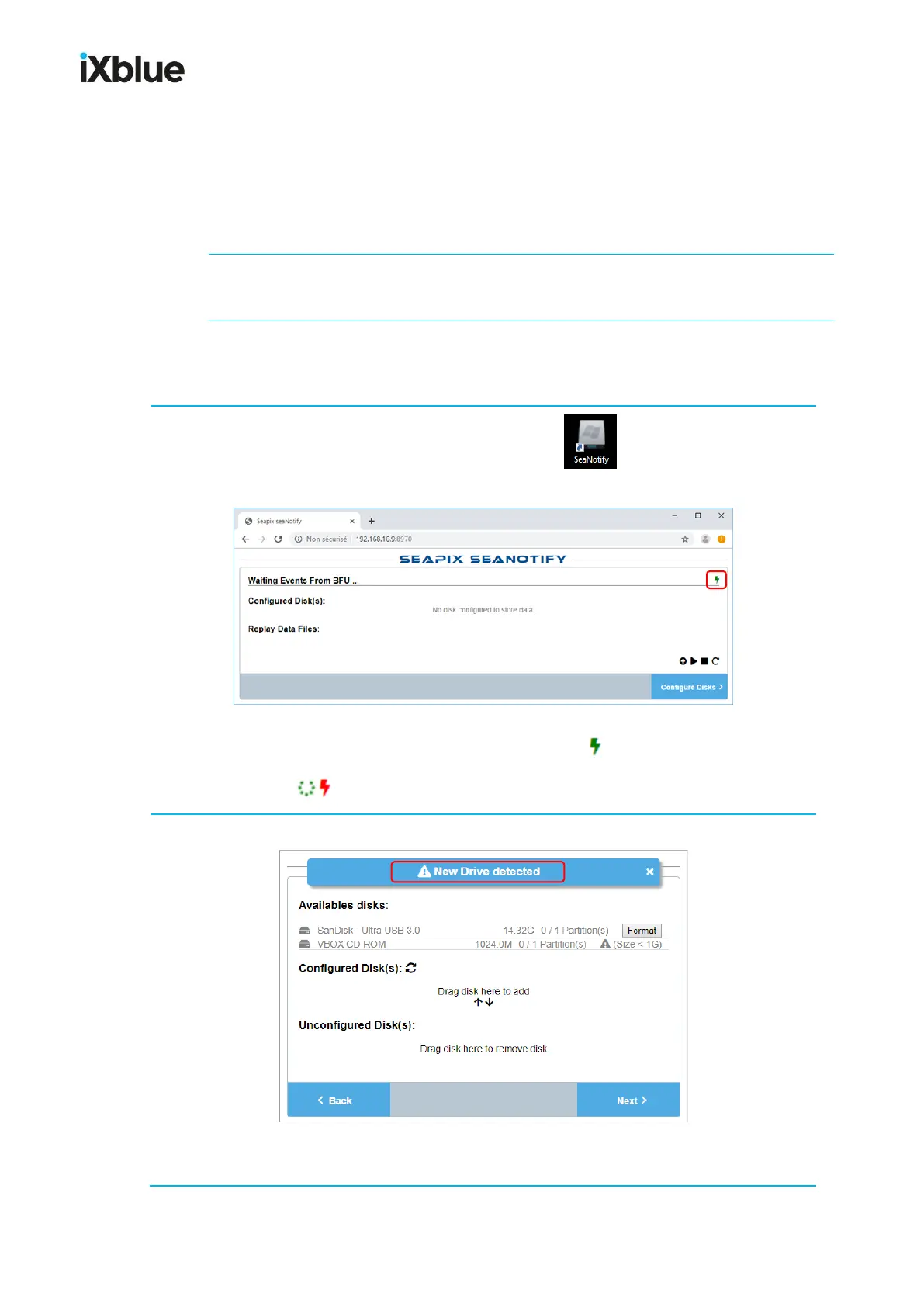
1. From Windows® desktop on the VPU, double-click to launch SeaNotify; the
following window opens:
Note: The BFU connection status must be (connected).
( not connected) usually indicates an issue in the BFU.
2. When a new disk (USB or SATA format) is detected, you get the following message:
Caution: Do not take the risk to click Format in front of a disk!



 To Next Page