SeapiX – Operation Manual
SSD-C-1302 Ed. A – 01/2020 85
8 Support through TeamViewer
iXblue Support is available through TeamViewer. Free of charge, this service has been
installed on your SeapiX VPU. Your ID and password have been recorded by iXblue
Support.
if you need iXblue support, you can directly use TeamViewer interface and follow the
process:
1. From Windows® desktop on the VPU, go to the notification area and click the
TeamViewer icon:
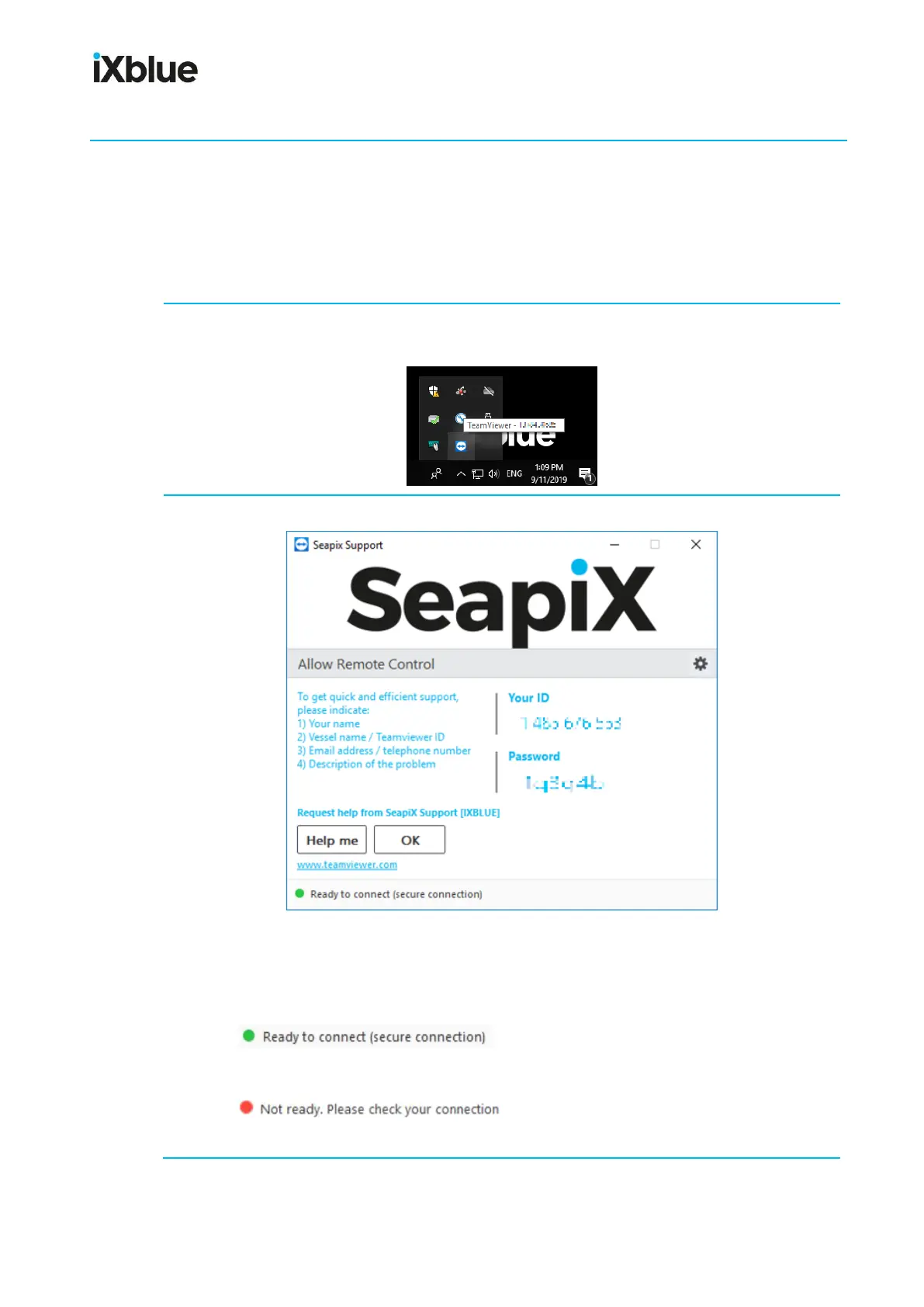
2. The Host interface opens:
As you can see, your ID and password (blurred here for confidentiality reasons)
automatically show up.
Have a look at the lower part of the window:
If shows up, as in the example above, click
Help me.
If shows up, it means that no internet connection
is available: you will have to fix it. When it is ready, click Help me.



 To Next Page