SeapiX – Operation Manual
SSD-C-1302 Ed. A – 01/2020 75
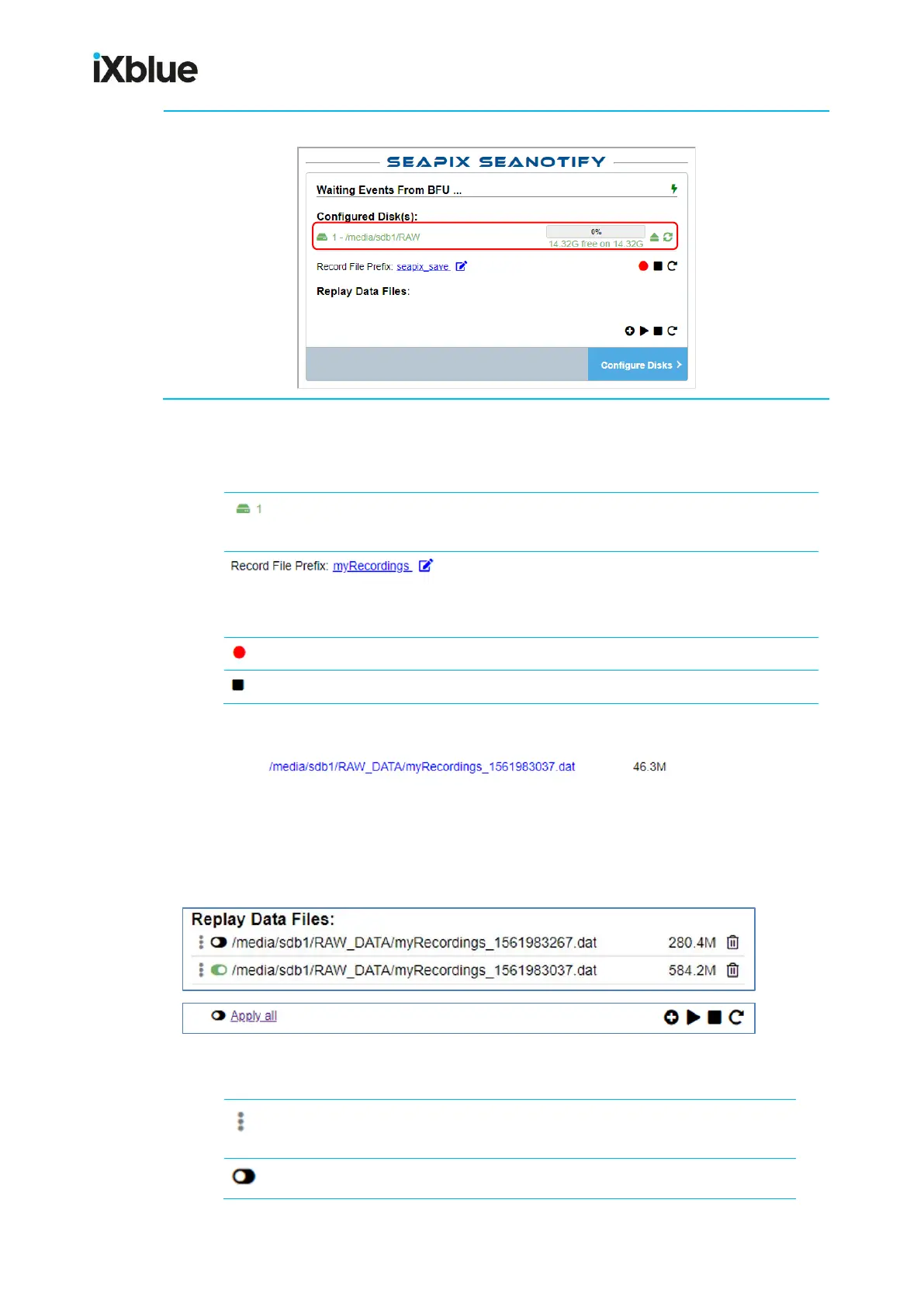
10. The main page now shows up: your disk is ready to record SeapiX data
5.5.2 RECORDING RAW DATA
The table below shows necessary information to record Raw Data:
Order in the disk list. The disk listed as #1 will be
used for the recording
Configuration of the recording file name. A
timestamp will be added at the end of this name.
For example, myRecordings_1561983037.dat
Start recording. It blinks when a record is running
During a recording, the following display appears instead of the Record File Prefix text:
It indicates the Raw Data file path, name and size (its size is growing while recording).
5.5.3 REPLAYING RAW DATA
You can add Raw Data file(s) to be replayed and manage the replay:
The table below shows necessary information to replay Raw Data:
Moves a recording up and down the list (turns blue
when movable)



 To Next Page