SeapiX – Operation Manual
SSD-C-1302 Ed. A – 01/2020 40
5.1.4.2 Toolbars & Buttons Customization
To customize the toolbars and buttons, either hover the cursor over a button, right-click then
press , or from System menu, select Settings > General Configuration >
Configuration window > Toolbar.
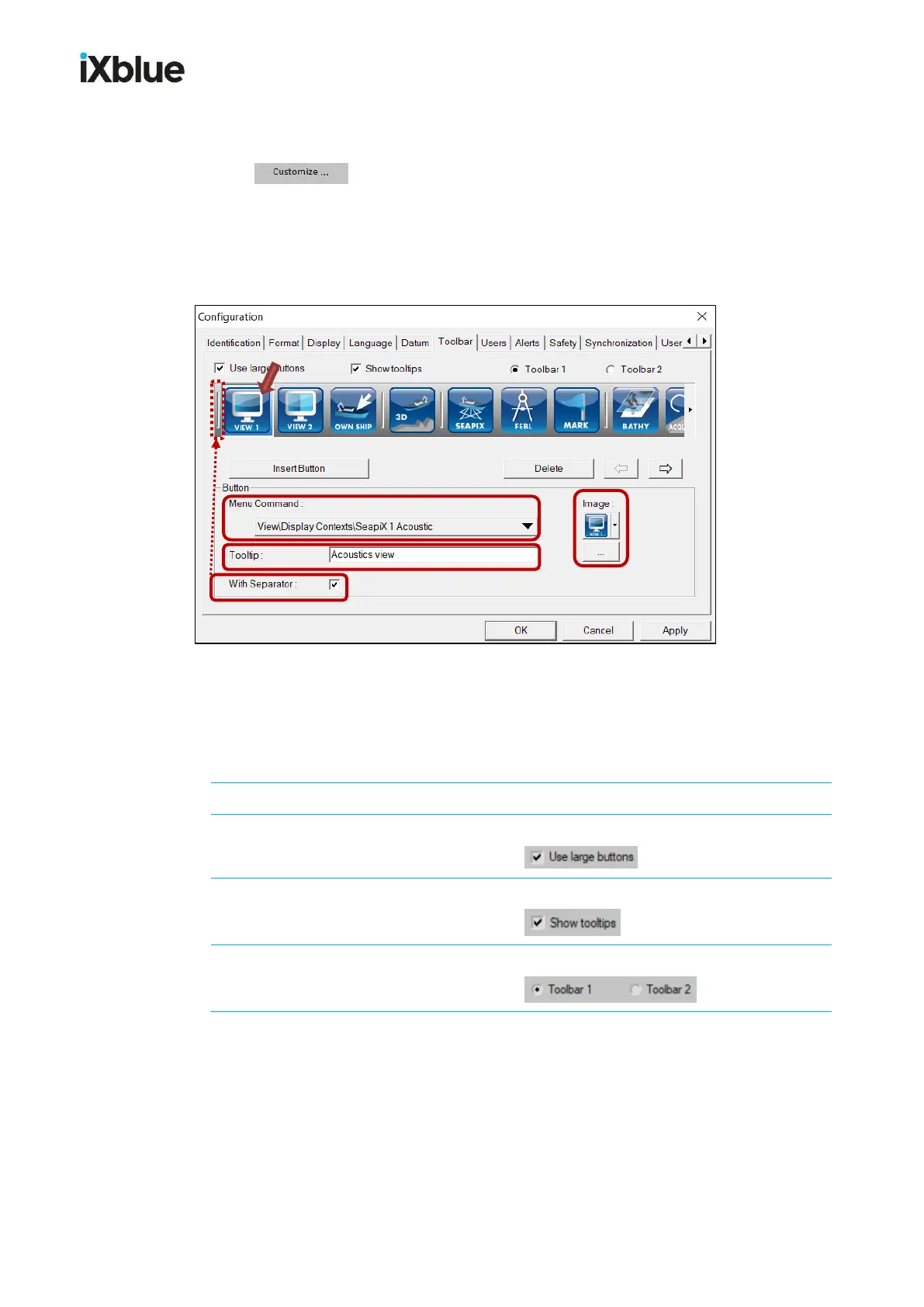
The Configuration window – Toolbar tab – opens:
Configuration window, Toolbar tab
From this Toolbar window, you can customize the toolbars and buttons. By default, the
selected button – the one with a blue background - is the first one to the left.



 To Next Page