EasyManua.ls Logo

iXBlue SeapiX - Sediments Menu

Default Icon
88 pages
Print Icon
To Next Page IconTo Next Page
To Previous Page IconTo Previous Page
Loading...
SeapiX Operation Manual
SSD-C-1302 Ed. A 01/2020 55
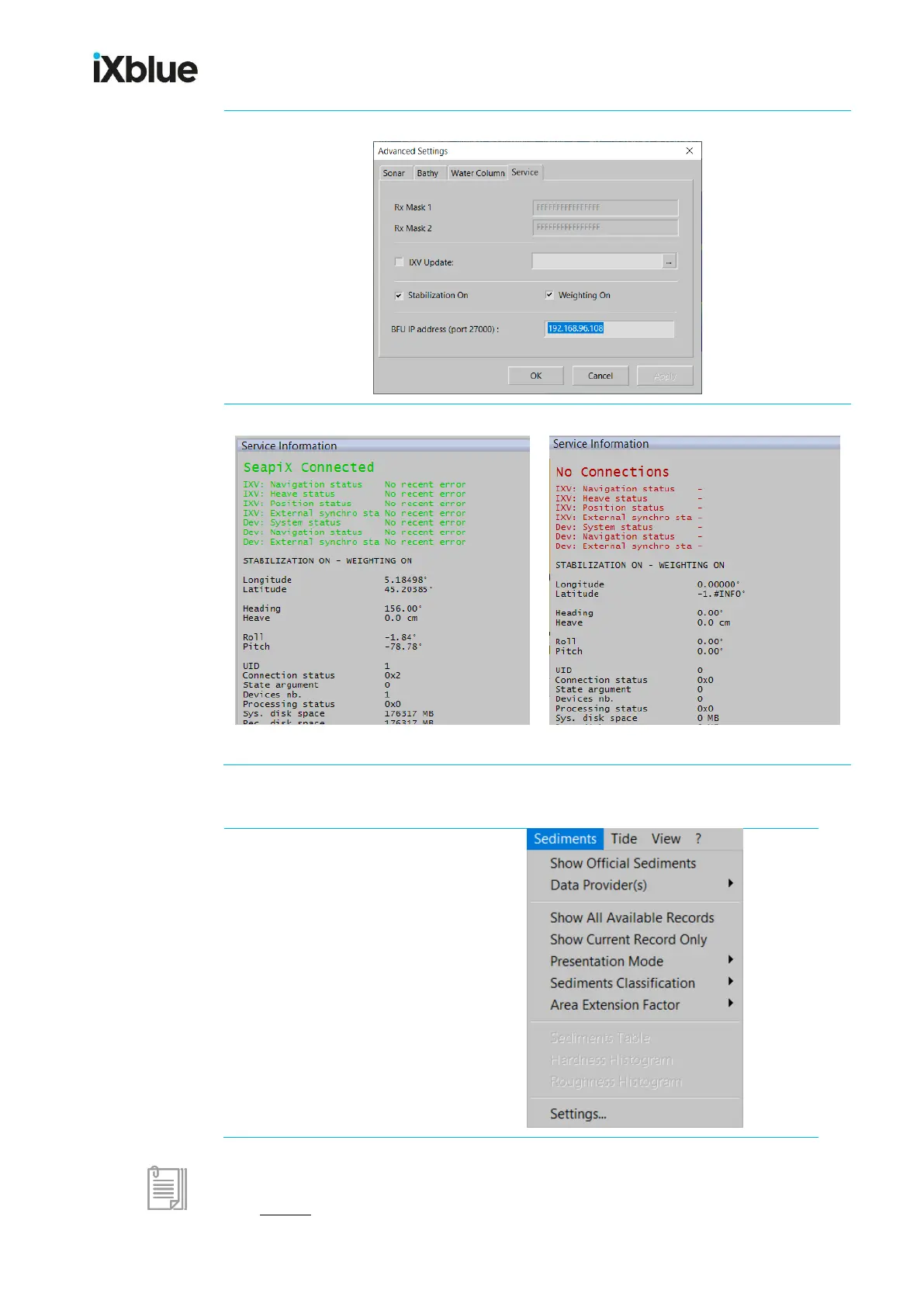
Service tab
View from SeapiX > Service Information:
Any No Connections part showing in red invites you to check the BFU-VPU connection.
5.1.5.9 Sediments menu
It has been designed to display or hide
sedimentary zones (silt, sand, rock,
gravel etc.) according to data from official
maps or data acquired from the sounder
you are using. This data can be
displayed in the main 2D view as well as
in the 3D view.

For any other information about this menu, refer to GECDIS User Manual that you can open
from ? menu.

Table of Contents

Other manuals for iXBlue SeapiX