SeapiX – Operation Manual
SSD-C-1302 Ed. A – 01/2020 30
5.1.2 USING THE TRACKBALL
The wireless trackball has been preconfigured for SeapiX.
Start or stop it using the On/Off button placed on its back.
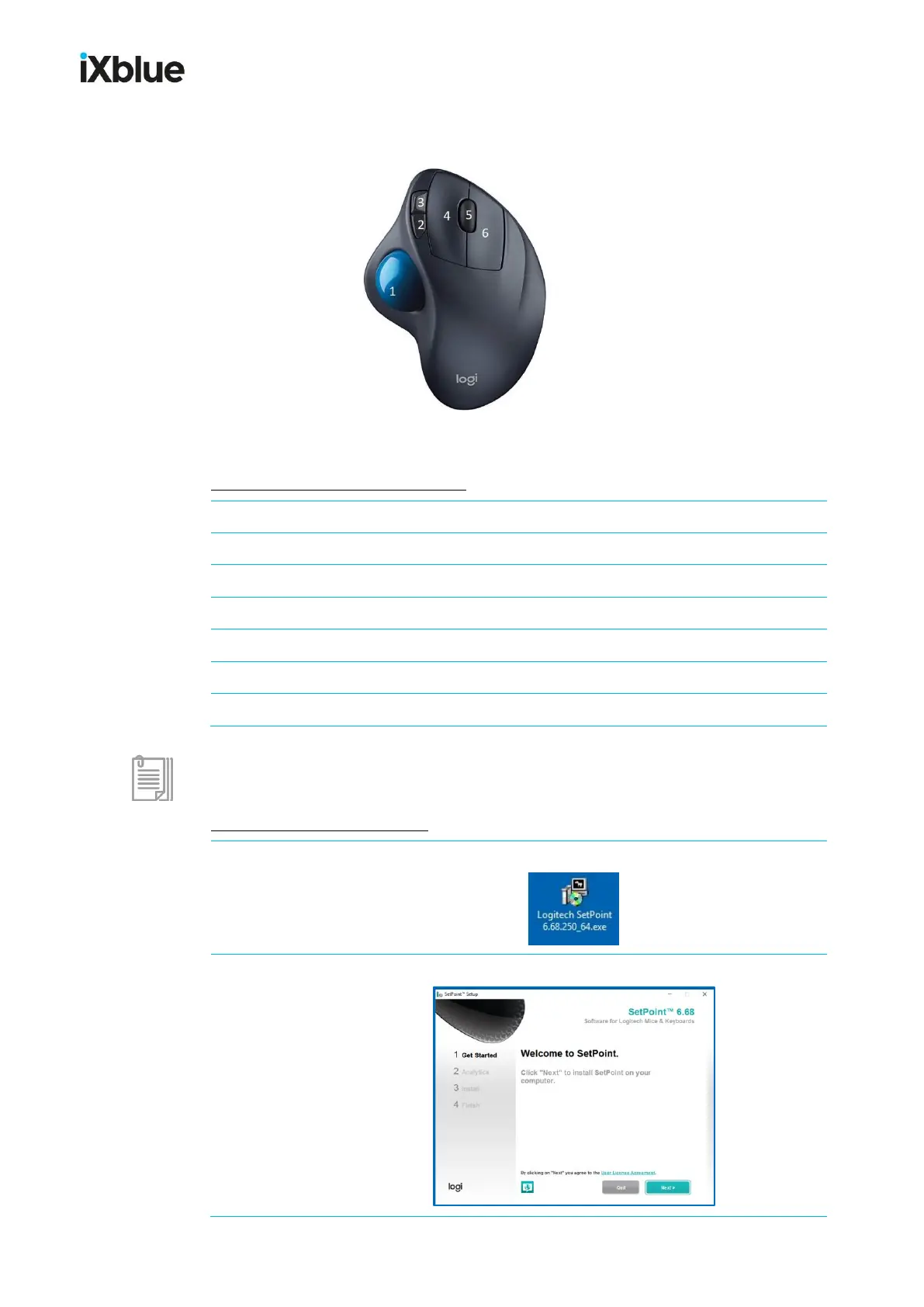
How to use this customized trackball:
Use the ball to move the cursor throughout menus and charts
Left click to stop, to close, ...
Customized: middle button
Right click to select, to enable, ...
If needed, here is the customizing process (steps 1 to 6).
How to customize this trackball:
Install Logitech program SetPoint 6.68.250_64.exe on your VPU.
Follow the installation process to the end.



 To Next Page