XT200 Setup XT200 User Manual
Janam Technologies LLC Version 2, April 2020 XT200 Setup 3—6
Using Direct Clone Backup & Restore
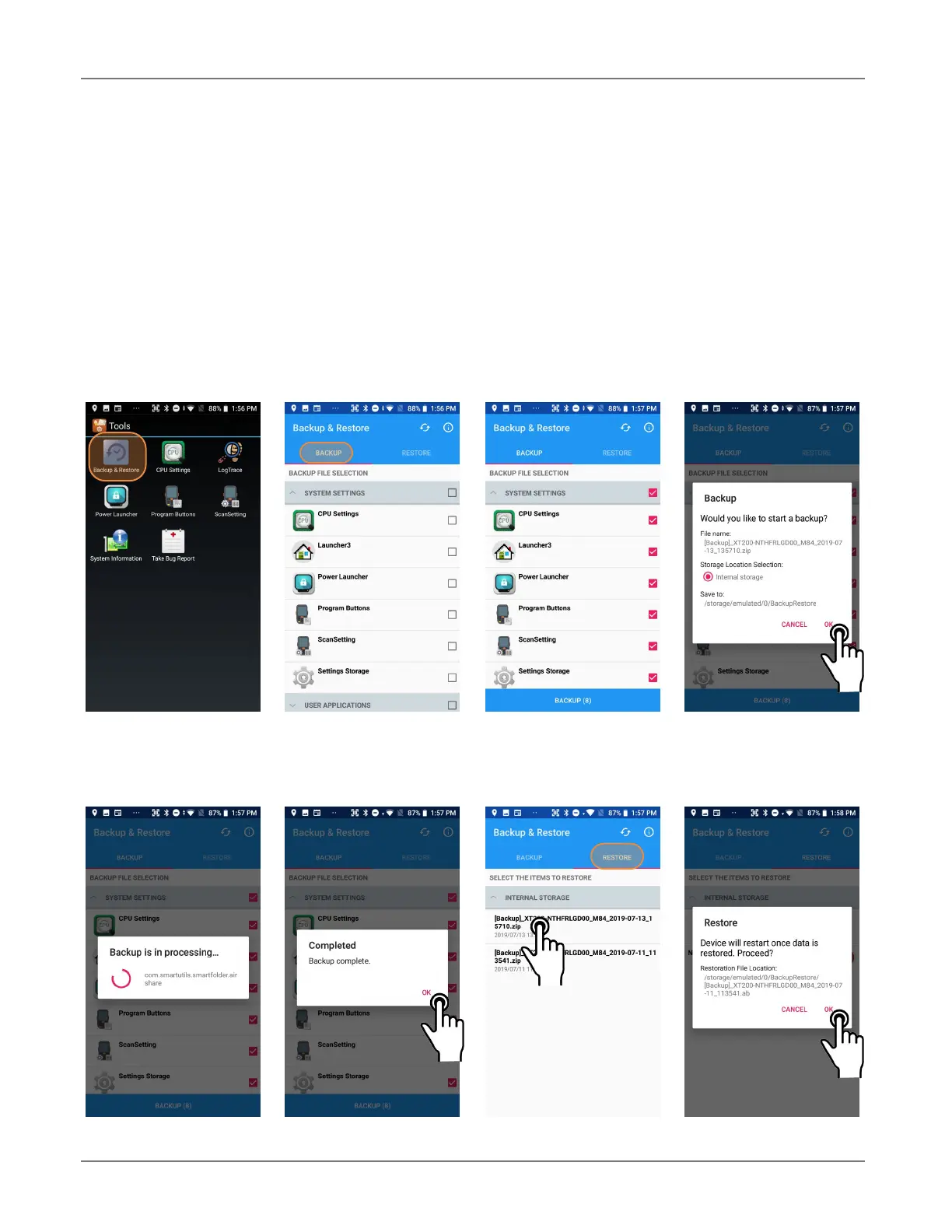
The XT200 comes with a separate Backup & Restore app that allows backing up and restoring of sys-
tem settings and user applications. To use the app, go to the app screen, tap the Tools icon, and
tap on the Backup & Restore app. Select which system settings and user applications you wish to
backup. Click on Backup. You may assign a password to an individual backup. Since the XT200 does
not have a storage card slot, the only backup location option is Internal Storage.
To restore a backup, go to the app screen, tap the Tools icon, and tap on the Backup & Restore
app. Tap on the Restore tab, select which backup you wish to restore.



 To Next Page