XT200 Setup XT200 User Manual
Janam Technologies LLC Version 2, April 2020 XT200 Setup 3—14
Device Settings (continued)
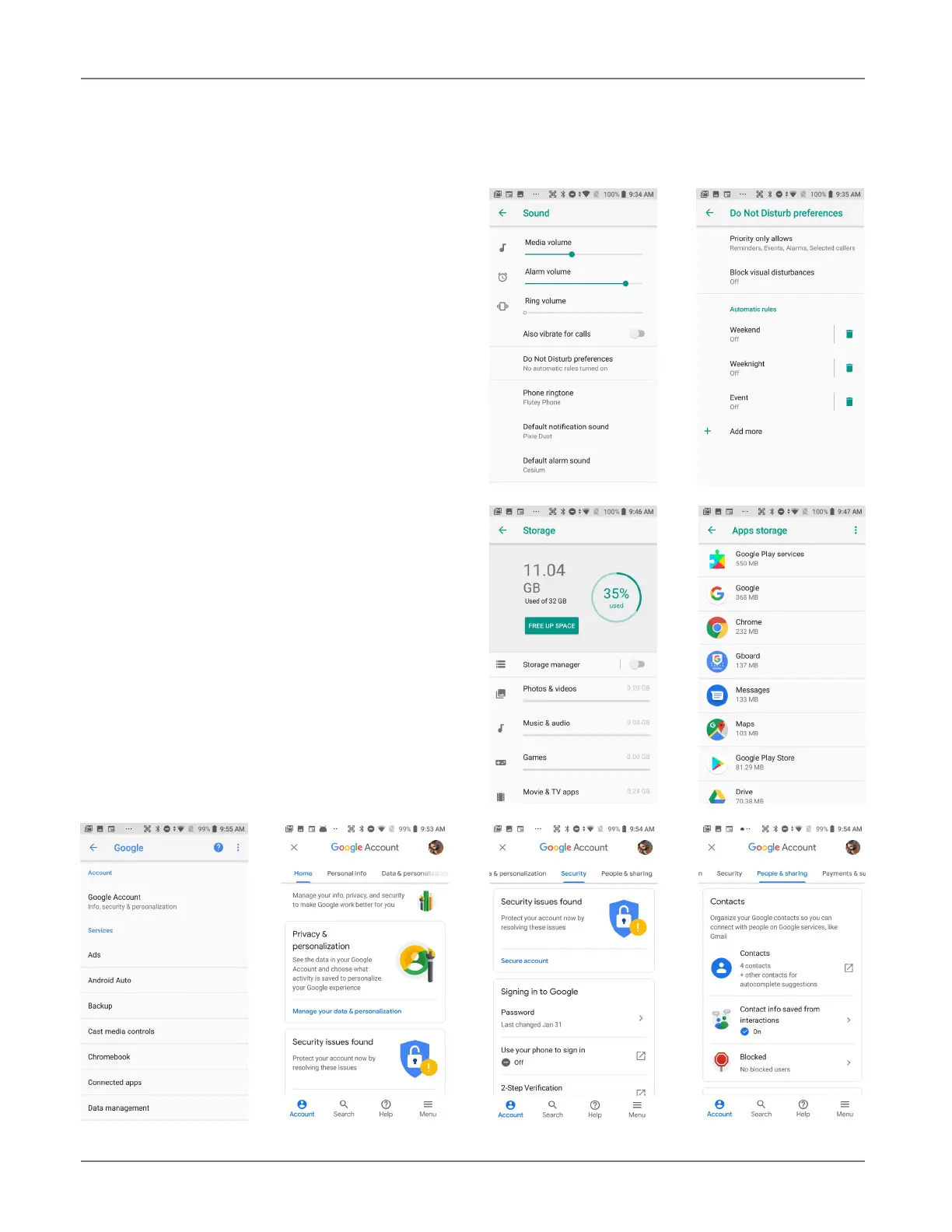
Sound
Allows setting of
media, alarm, and ring vol-
ume. Calls and taps can be set to vibrate or
not. You can set
Do not disturb preferences,
both Priority only allows and Automatic
rules. This includes getting reminders, calls,
messages, and restrictions on which calls and
messages should interrupt, and what days and
times they may and may not interrupt.
You can set phone ringtones, default notifi-
cation sounds and the default alarm sound.
And also dial pad tones, and screen locking
sounds and touch sounds.
The Sound screen is also from where you allow
and configure Emergency alerts and prefer-
ences. These include AMBER and threat alerts.
You can call up an Emergency alert history
and there are alert-related Developer options.
Storage
Touch Storage from the Settings screen to
view use and space statistics for the internal
storage on the XT200. Drill down to view stor-
age used by app, clear data, or manage space.
Google
Make sure to carefully examine all Google ac-
count settings at Settings > Google. Most of
these settings are on the Google servers, and
tapping on items to change them or view more
information will generally get you to your online
Google account.



 To Next Page