Phone Functionality XT200 User Manual
Janam Technologies LLC Version 2, April 2020 Phone Functionality 10—1
Phone Functionality
10
Introduction
The XT200, if equipped with an activated SIM
card and cellular service, is a full-function
smartphone in addition to a professional pro-
ductivity tool.
Phone screen
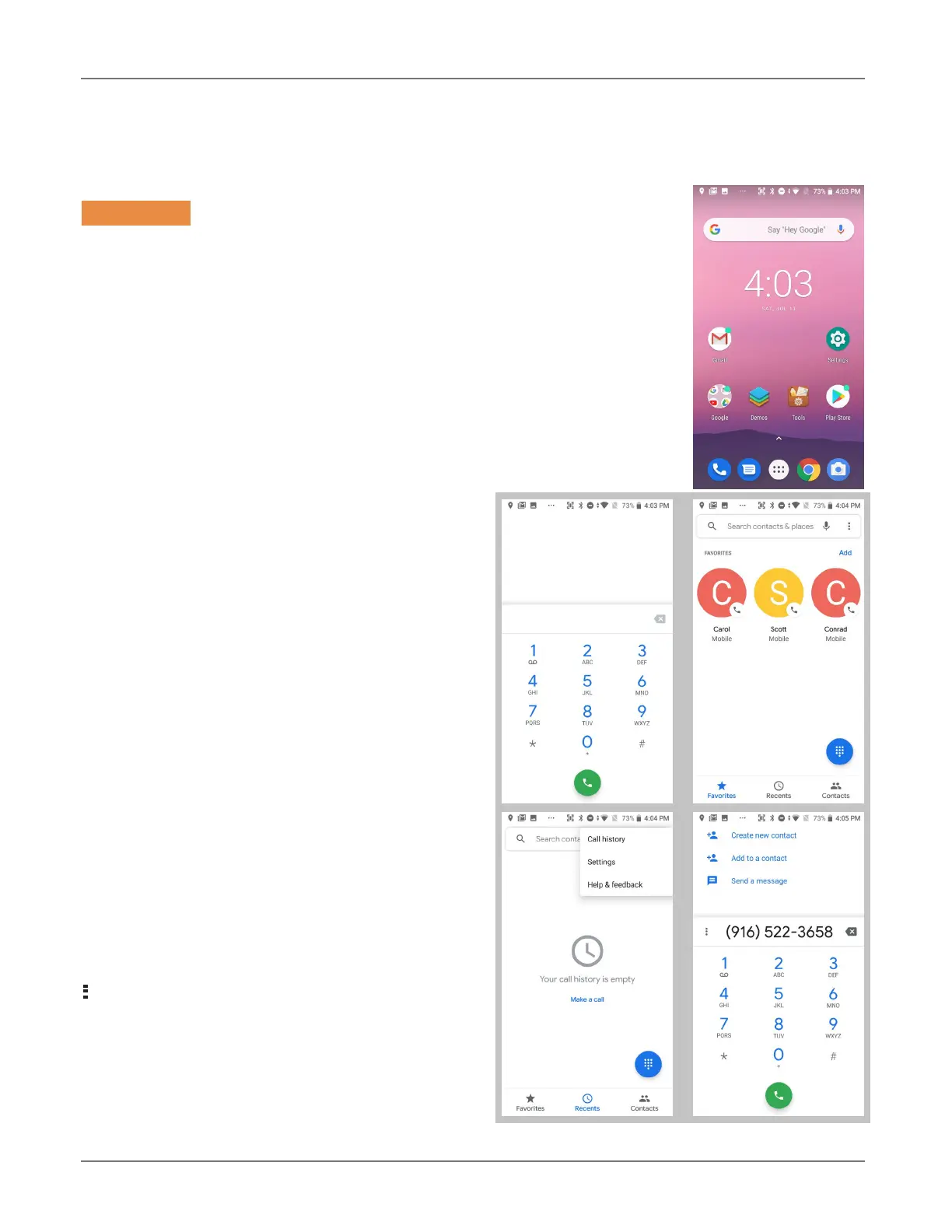
To make a call, tap the
dialpad icon on the
bottom of the display. The dialpad comes up to
allow typing in a phone number. Alternately,
tapping the area above the dialpad brings up a
search box to type in a name or phone number,
and another to redial a recent number.
Below those two boxes are tabs for Favorites
(star icon), Recents (clock icon), and Contacts
(people icon). You can select from Recents,
and Contacts.
Favorites is where you add important and fre-
quently used phone contacts.
Recents shows calls made, calls received, and
voice mail. Tapping on a listing will initiate a
call. Tapping on the people icon to the left of a
listing opens up more detail depending on the
type of the listing.
Contacts shows phone contacts. These can be
created on the device, or synchronized with
Gmail contacts or other contact lists. Tap the
options icon for Call history, Settings and
Help & feedback.
At any time, tapping the Phone dial icon re-
turns to the standard dial layout.



 To Next Page