Wireless Network Connection XT200 User Manual
Janam Technologies LLC Version 2, April 2020 Wireless Network Connection 4—3
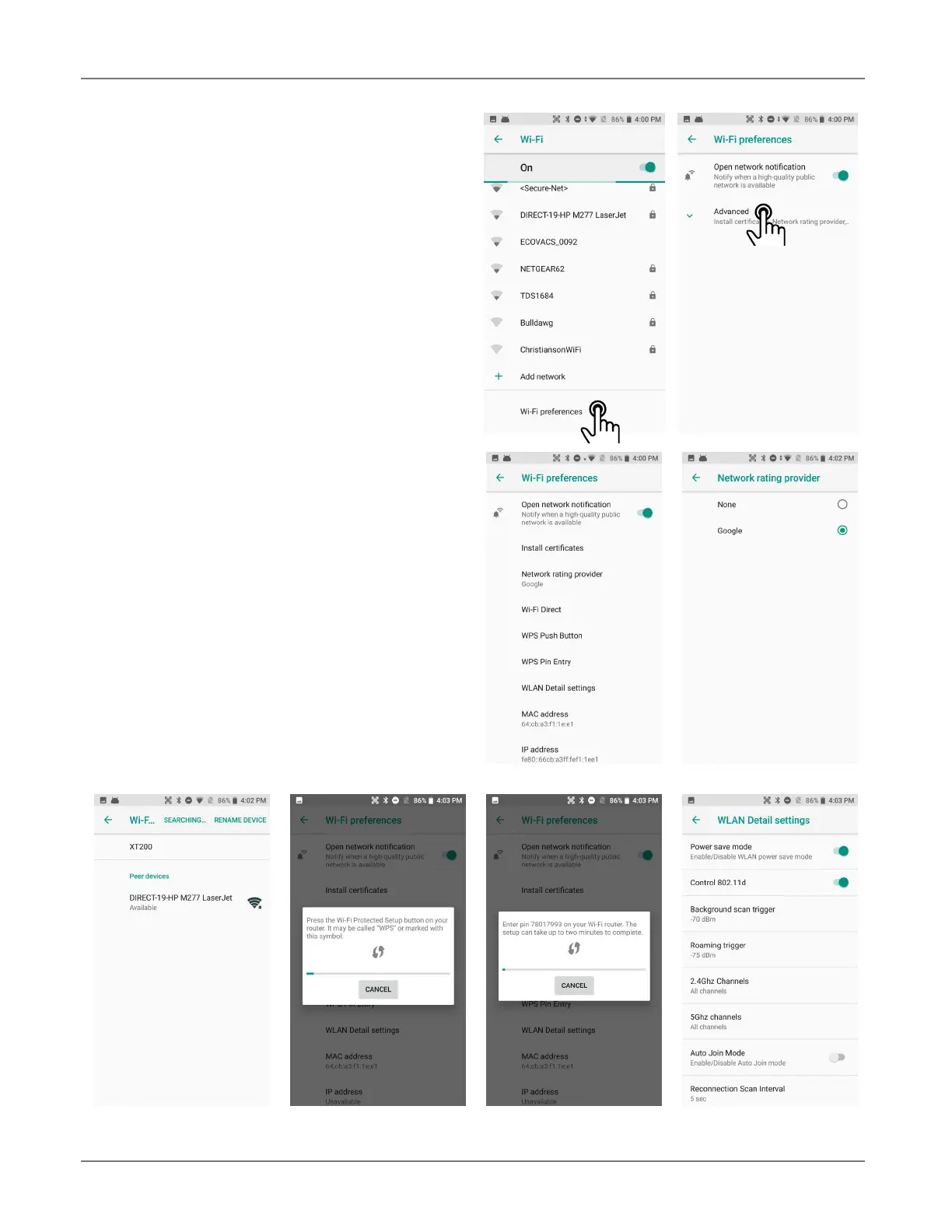
Wi-Fi preferences
In Settings > Network & Internet > Wi-Fi
> Wi-Fi Preferences > Advanced you may
also tap the options button on the upper right-
hand corner.
— Open network notification: If set on, device
notifies whenever high-quality public networks
are available.
— Install certificates: Certificates use a crypto-
graphic key to allow certain secure web connections.
Certificates are managed at Settings > Security
& location > Encruption & credentials > Cre-
dential storage.
— Network rating provider: Sets either Google or
a 3rd party as the source of what constitutes a
high quality public network.
— Wi-Fi Direct: Used for a peer-to-peer Wi-Fi con-
nections that do not need a Wi-Fi wireless access
point.
— WPS Push Button: Many routers have a WPS
(Wi-Fi Protected Setup) button for easy device
connection to a network.
— WPS Pin Entry: Some routers may offer WPS
(Wi-Fi Protected Setup), but still require entry of
a special PIN on the device.
— WLAN Detail settings: These are some detailed
options, such as enabling Wi-Fi power saver mode,
letting WLAN handle 802.11d geographical regu-
lations, setting the roaming trigger level (signal
at which the device starts looking for another
access point, determining which channels should
be used, enabling auto join mode, setting the re-
connection scan interval, and setting internet
access checking).



 To Next Page