Email XT200 User Manual
Janam Technologies LLC Version 2, April 2020 Email 7—2
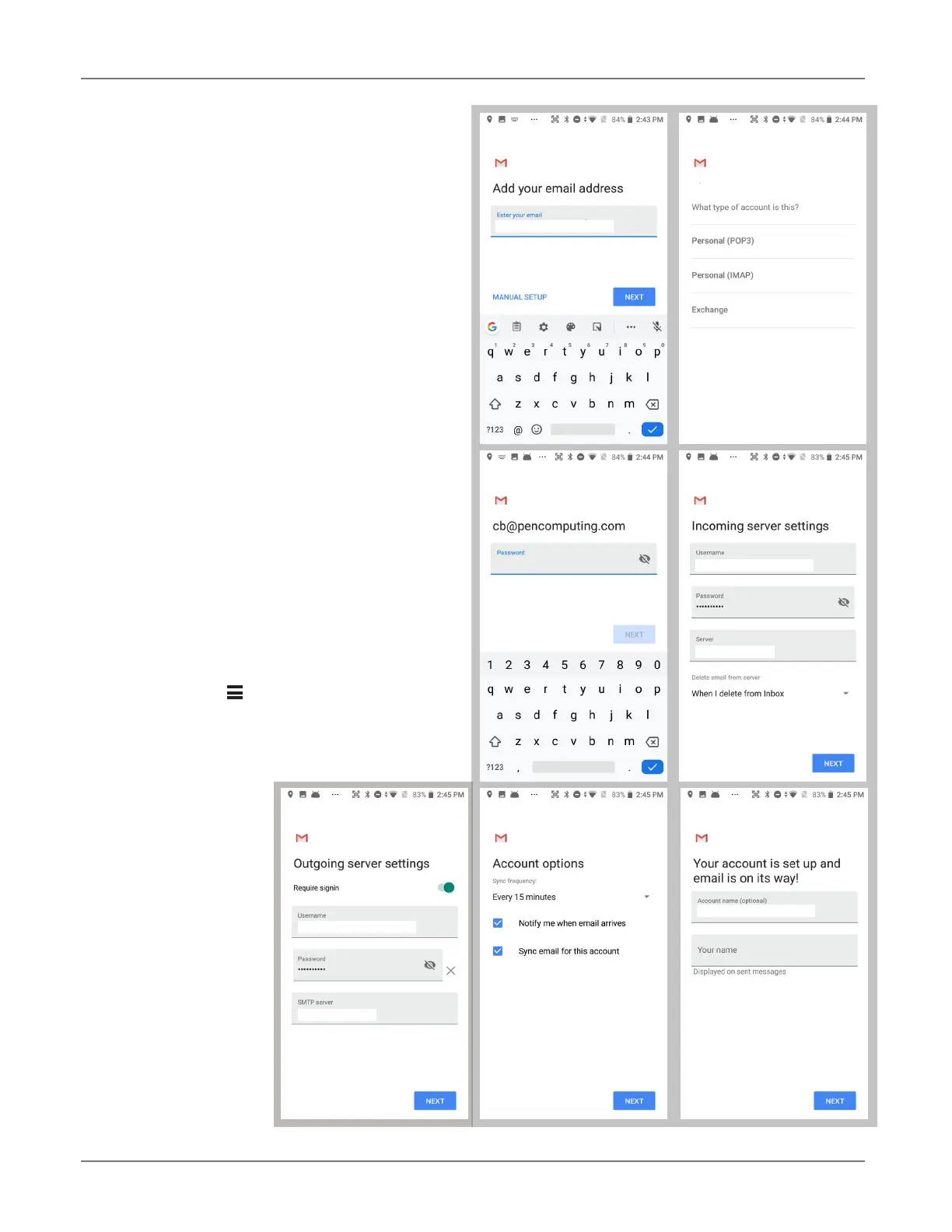
Manual Email Setup
If your email provider isn’t on the list of popular
email service providers (like Gmail or Yahoo), or
your email provider requires more during setup
than just email address and password, you need
to use the
Manual Setup option.
During Email Setup
During email setup you will be asked how often
you want your XT200 to check with your email
provider and update email. “Never” means you’ll
do it manually.
Note that if you set up a Gmail account that you’re
also using on other devices (like a laptop or home
computer), Google will send you an email inquir-
ing if this new device is legit and if it’s really you.
General and Account Settings
There are two different types of settings in email.
General settings applies to all of your email ac-
counts. Account Settings can be different for
each of your email accounts (if you have several).
To access, tap on to bring up the mail menu,
then select Settings. Here you can select either
the
General settings, or the Settings pertaining
to just a specific account.
user@mydomain.com
user@mydomain.com
user@mydomain.com
mydomain.com
user@mydomain.com
user@mydomain.com
mydomain.com



 To Next Page