Barcode Scanning XT200 User Manual
Janam Technologies LLC Version 2, April 2020 Barcode Scanning 9—3
Options
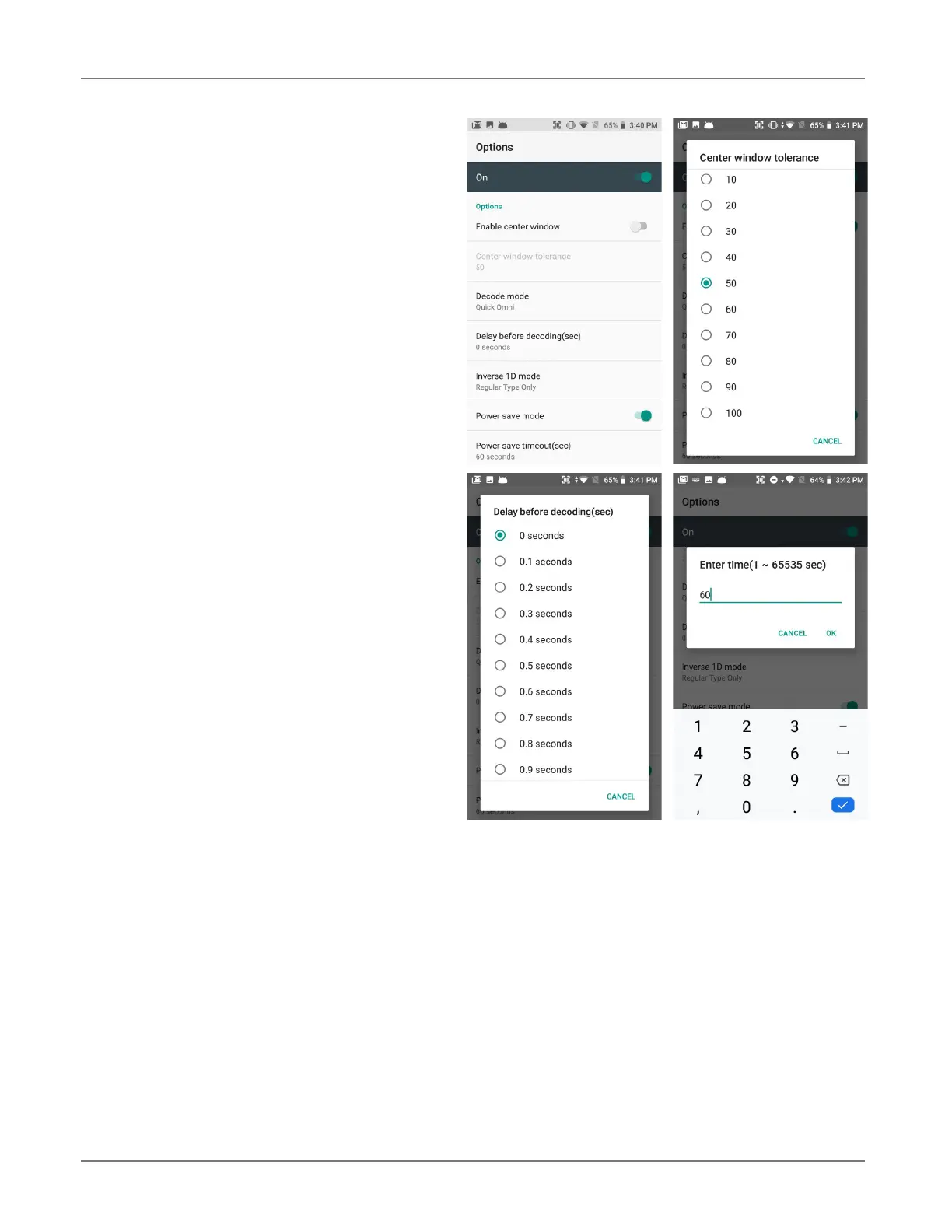
Settings > Scan Settings > Options sets:
Enable Center Window — Limits decoding to
codes inside the center window.
Center Window Tolerance — Set tolerance
from 0 to 100.
Enable aimer — On or off. When open, allows
setting of Aimer timeout.
Same read validation — Can be set from 0 to
10..
Power Save mode — Set Power Save mode
on and off.
Note that these settings can have great influ-
ence on both scan speed and scan decoding ac-
curacy. For detailed technical information on the
impact of redundancy, security and quiet zone
levels, as well as other scan-related settings,
please contact Janam Support.



 To Next Page