XT200 Setup XT200 User Manual
Janam Technologies LLC Version 2, April 2020 XT200 Setup 3—12
Device Settings (continued)
Battery
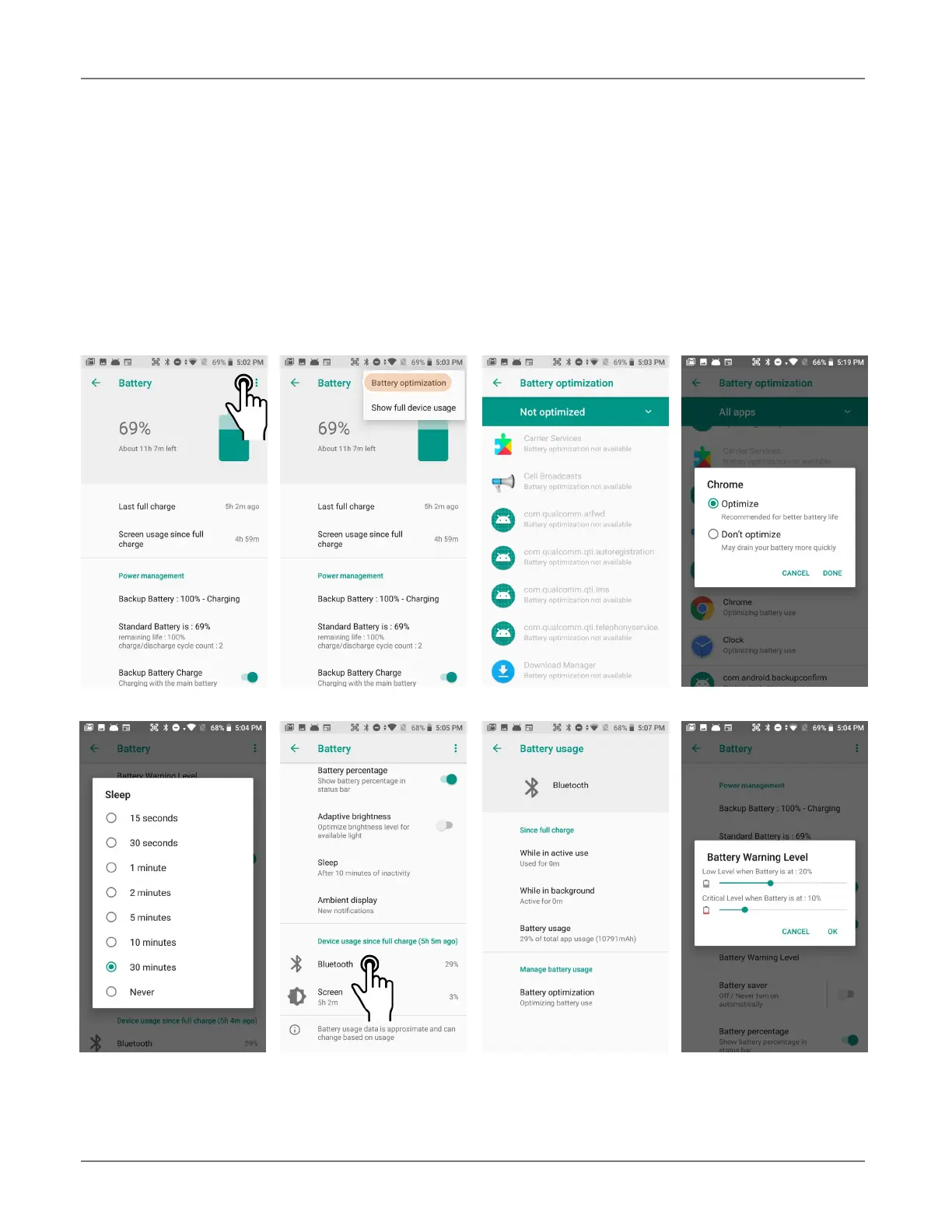
Touch Battery from the Settings screen to view battery statistics and also optimize power usage.
Battery optimization is available for many apps, allowing configuration for maximum or optimized
app performance. The battery warning level can be set, adaptive brightness and battery saver mode
can be set on or off, the display can be set to light up when a new notification comes in.
Both device usage and app usage since the last full charge can be displayed. Tap on apps to view de-
tailed activity and battery usage.



 To Next Page