XT200 Setup XT200 User Manual
Janam Technologies LLC Version 2, April 2020 XT200 Setup 3—8
Additional Screen Security Settings
Users can tailor screen lock security according to their preferences (or company policy) at Settings
> Security & location. The screen also provides a summary of the current Security status.
In addition to Screen lock, Device security allows setting Lock screen preferences (what noti-
fications to show) and there is a Smart lock feature that locks your device depending on certain cir-
cumstances. This can make using your XT200 both more convenient and more secure.
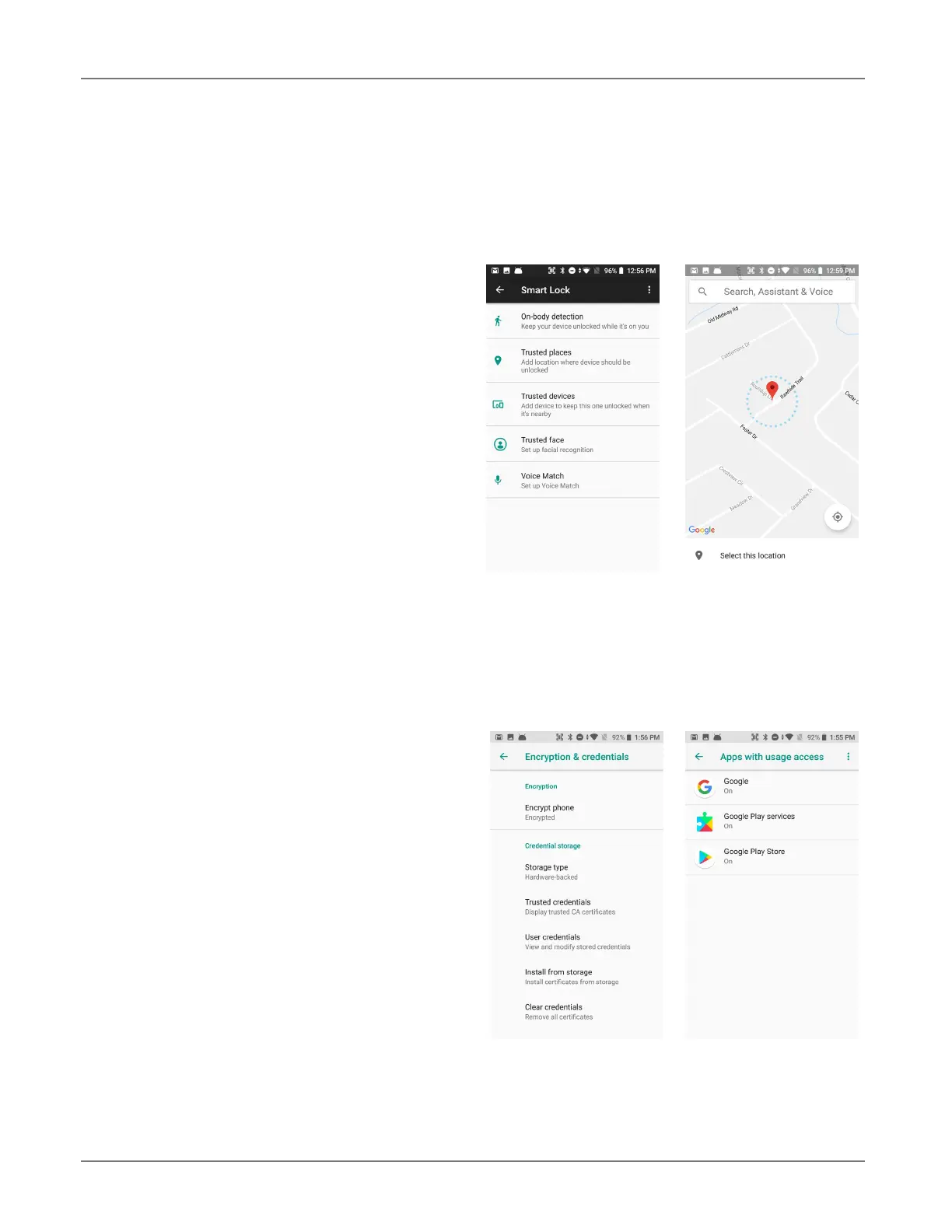
Smart lock settings
c
On-body detection
(device stays unlocked as long as it
is held or carried around)
c
Trusted places
(device stays unlocked within
defined geographic areas)
c Trusted devices
(device stays unlocked when close to,
for example, a Bluetooth watch, or a
Bluetooth-equipped vehicle)
c Trusted face
(face recognition can be used to
unlock the device)
c Voice Match
(“Ok Google” detects your voice)
Privacy settings
c
Location
Location — where the device is at any given time — can be turned on and off. If on, Mode
sets accuracy, App-level permissions sets which apps can use location information, and
Scanning adds Wi-Fi and Bluetooth scanning. Additional settings include Emergency Loca-
tion Service (on or off), Google Location History (on or off), and Google Location
Sharing. The screen also shows which apps have recently issued location requests.
c
Show passwords
Option to display passwords visibly.
c Device admin apps
There are several Device Administrator
apps that can be either turned on or off.
Users can also opt to allow installation of
apps from unknown sources.
c Encryption & credentials
Android 8 encrypts by default. “Credentials”
are used for secure transactions. The Cre-
dential storage section displays a list of
credentials, allows installation of credentials
form SD cards, as well as removal of cre-
dentials.
c
Trust agents
Android is using Trust agents. An example
is “Smart Lock.”
c
Screen pinning allows locking the device to a particular screen.
c
Apps with usage access lists local apps that monitor usage. Usage can be turned on or off.



 To Next Page