Spa Side Switch Menu
The Spa Side Switch menu allows you to define which equipment is controlled by the buttons (4 buttons per Spa Side
Switch) on the optional Spa Side Switch(es).
You may want to write down your spa side switch button assignments so that you can label the buttons on the switch
with the label pack provided.
To set the Spa Side Switch buttons
1. Press the MENU button, then press the FORWARD button and scroll through until you reach SYSTEM
SETUP. Press ENTER then press FORWARD to SPA SWITCH. Press ENTER again. The display will read 1
SWITCH <—>*. Use the FORWARD and BACK arrows to move between 1 SWITCH, 2 SWITCHES and 3
SWITCHES. Depending on how many Spa Side Switches you have, choose an option and press ENTER.
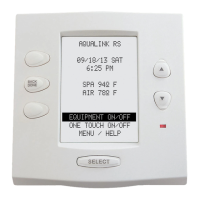
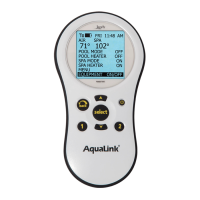
2. The AquaLink RS display will read SELECT DEVICE FOR BUTTON 1. Press the button on the Controller
for the piece of equipment that you want to control from the fi rst button of the Spa Side Switch (for example,
press the Spa button).
3. Repeat this process for each remaining button on the Spa Side Switch. When you are fi nished, the AquaLink
RS display will show the settings for each button.
NOTE If there is more than one Spa Side Switch on the system, the buttons on the second switch will be buttons 5-8, and the
buttons on the third Spa Side Switch will be buttons 9-12.
Page 15
SpaLink RS Menu
The SPA LINK menu allows you to define which equipment is controlled by the buttons (8 buttons per SpaLink RS)
on the optional SpaLink(s).
NOTE You may want to write down your SpaLink RS button assignments so that you can label the buttons on the switch with the
label pack provided.
To set the SpaLink RS buttons
1. Press the MENU button, then press the FORWARD button and scroll through until you reach SYSTEM
SETUP. Press ENTER then press FORWARD to SPA LINK. Press ENTER again. The display will read 1 SPA
LINK <—>*. Use the FORWARD and BACK arrows to move between 1 SPA LINK, 2 SPA LINKS and 3
SPA LINKS. Depending on how many SpaLinks you have, choose an option and press ENTER.
2. The AquaLink RS display will read SELECT DEVICE FOR BUTTON 1. Press the button on the Controller
for the piece of equipment that you want to control from the fi rst button of the SpaLink RS (for example,
press the Spa button).
3. Repeat this process for each remaining button on the SpaLink RS. When you are fi nished, the AquaLink RS
display will show the settings for each button.
NOTE If there is more than one SpaLink RS on the system, the buttons on the second switch will be buttons 9-16, and the
buttons on the third SpaLink will be buttons 17-24.


 To Next Page
 Loading...