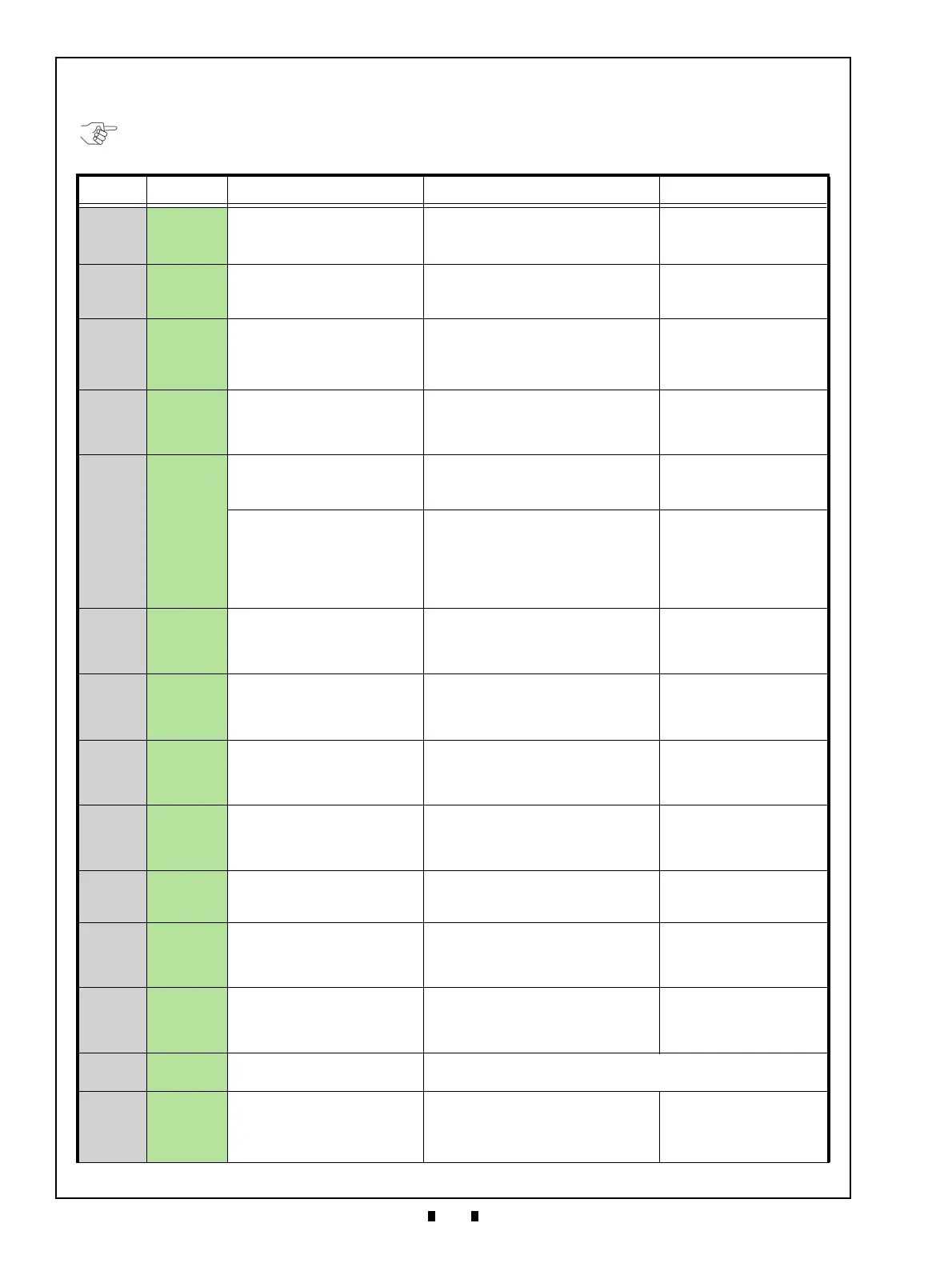
Section 8 RBA-40C™ Banknote Acceptor Troubleshooting
Issue #4119-IGE-01-00 © 2020, JAPAN CASH MACHINE CO., LTD.
LED Flash Reject Error Code Conditions; Banknotes
Table 18 lists the various LED Flash Reject Code causes & solutions for Banknotes.
Table 18 LED Flash Reject Error Codes For Banknotes
Red LED Green LED Error Causes and Solutions Relative Parts/Sensors
OFF
Green
(1)
Skewed Insertion Error
The Banknote has been inserted
in an incorrect/crooked direction
• Insert a Banknote in the proper alignment.
• Clean the Banknote Path and check the
Centering Mechanism for proper
operation.
• Validation Sensor
• Rollers
OFF
Green
(2)
Abnormal Magnetic Detection
The Magnetic Sensor detected an
abnormal Banknote Type
• Check the Banknote’s condition. Refer to
“Banknote Fitness Requirements” on
page 3 for the required Banknote
conditions.
• Magnetic Sensor
OFF
Green
(3)
Remaining Banknotes
Returned
While Initializing, a Banknote is
detected in the RBA-40C
• Clean the Banknote Path
• Clean or calibrate the relative Sensor(s).
• Rollers
• Centering Mechanism
• Validation Sensors
• Entrance Sensor
• Exit Sensor
OFF
Green
(4)
Abnormal Amplitude
The Sensors detected improper
levels
• Clean the Banknote Path.
• Check that the Banknote is not damaged
nor exhibiting unfit conditions. Refer to
“Banknote Fitness Requirements” on
page 3 for unacceptable Banknote types.
• Validation Sensor.
OFF
Green
(5)
Transport Time-out Error
The Sensors detected improper
movement of a Banknote
• Clean the Rollers and Banknote Path.
• Check that the relative part(s) is properly
assembled and/or Harness connected.
• Rollers
• CIS
• Entrance Sensor
• Exit Sensor
Anti-Pullback or Centering
Mechanism Home Position
Error
The Anti-Pullback or Centering
Mechanism is not returning to the
Home position
• Check that the relative part(s) is properly
assembled and/or Harness connected.
• Clean or calibrate the relative Sensor(s).
• Anti-Pullback Mechanism
• Anti-Pullback Home Position
Sensor
• Centering Guide
• Centering Guide Home
Sensor
• Transport Motor
• Transport Motor Encoder
OFF
Green
(6)
Denomination Error
The Sensor detected abnormal
Banknote Type
• Clean the Banknote Path.
• Check that the Banknote is not damaged
nor exhibiting unfit conditions. Refer to
“Banknote Fitness Requirements” on
page 3 for unacceptable Banknote types.
• CIS
OFF
Green
(7)
Pattern Error
The Sensor detected an
abnormal Banknote Type
• Clean the Banknote Path.
• Check that the Banknote is not damaged
nor exhibiting unfit conditions. Refer to
“Banknote Fitness Requirements” on
page 3 for unacceptable Banknote types.
• CIS
OFF
Green
(8)
Photo Level Error
While transporting a Banknote,
improper sensor levels were
detected
• Clean the Banknote Path.
• Check that the Banknote is not damaged
nor exhibiting unfit conditions. Refer to
“Banknote Fitness Requirements” on
page 3 for unacceptable Banknote types.
• CIS
OFF
Green
(9)
Inhibit Setting Abnormal
The Banknote has been inhibited
by DIP Switch Setting or Host
Command
• Check DIP Switch Block 1 Settings, refer
to the Software Information Sheet for
proper settings.
• Check Harness connections and
communications.
• DIP Switch Block 1
• Harnesses
OFF
Green
(10)
Return Commanded
The Banknote was returned in
response to a Host Command
• Check for proper communications with
the Host computer.
• CPU Circuit Board
OFF
Green
*
(11)
Operation Error
Received STACK is with
abnormal timing
• Clean the Banknote Path.
• Check that the Banknote is not damaged
nor exhibiting unfit conditions. Refer to
“Banknote Fitness Requirements” on
page 3 for unacceptable Banknote types.
• CIS
OFF
Green
(13)
Banknote Length Abnormal
The Sensors detected the
Banknote length was longer or
shorter than the specified value
• Clean the Banknote Path.
• Check that the Banknote is not damaged
nor exhibiting unfit conditions. Refer to
“Banknote Fitness Requirements” on
page 3 for unacceptable Banknote types.
• Rollers
• Validation Sensor
OFF
Green
(14)
Reserved
• Contact your local JCM Representative if this error occurs.
OFF
Green
(15)
Dyed Banknote
The Sensors detected an
improper Banknote pattern
• Clean the Banknote Path.
• Check that the Banknote is not damaged
nor exhibiting unfit conditions. Refer to
“Banknote Fitness Requirements” on
page 3 for unacceptable Banknote types.
• CIS
NOTE: If the error is not resolved, change the relative part(s).


 To Next Page