NT-2000 REF Manual
Control Panel Functions
2-10
2. Control Panel Functions (
continued – 10/10
)
⑯ Store Message Key
・ This key is used to place a specific NAVTEX message in permanent storage,
thereby protecting it from being erased from memory automatically after the
maximum message storage limit (200 messages) is reached.
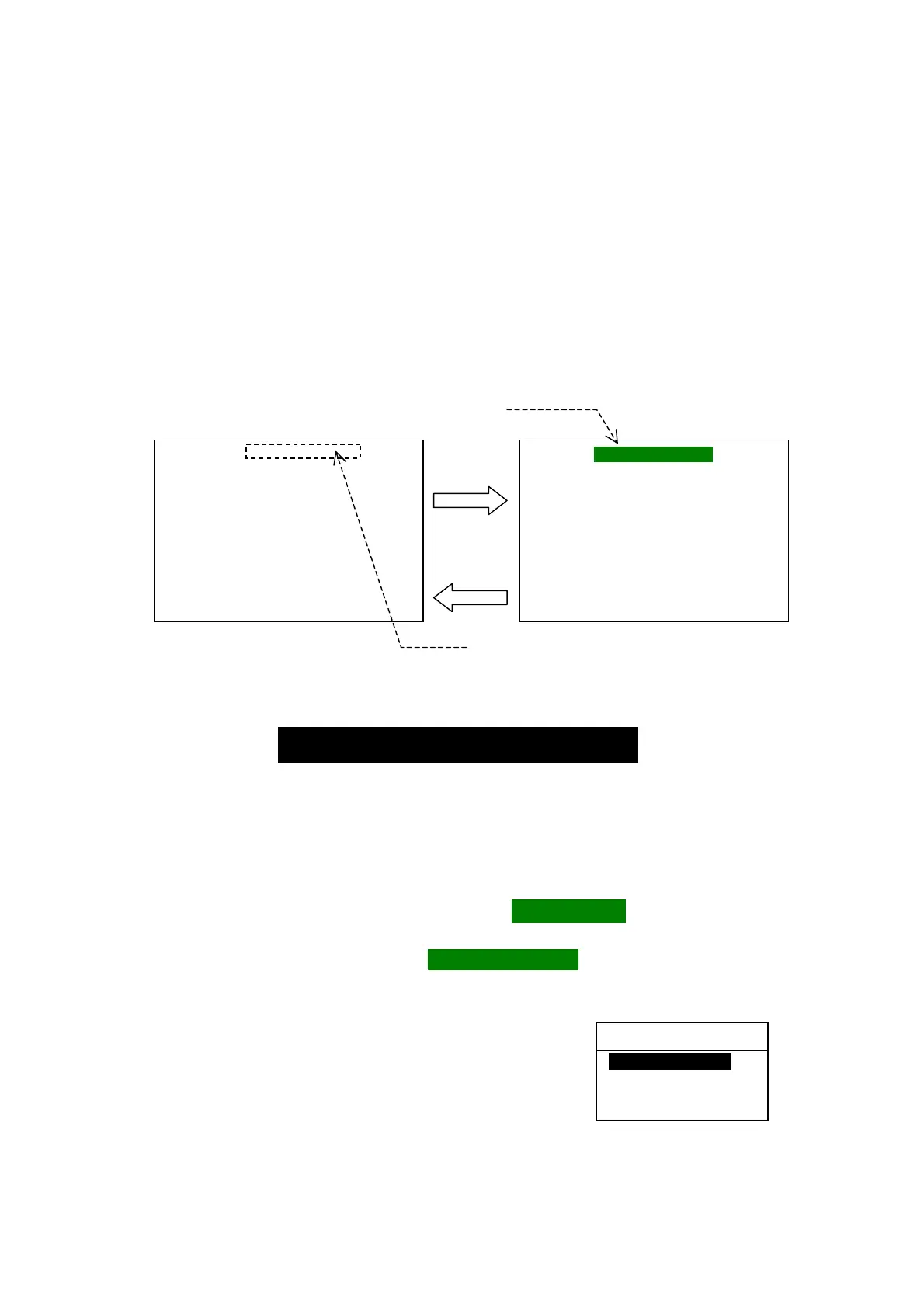
・ Pressing this key attaches a “PROTECTED” tag to the ID of the message you
wish to protect, and pressing
*
removes the tag from the message, as in the
example below.
*
User confirmation is required.
See
⑰
below
.
Figure 2-12 Attaching/ Removing Message Protection Tag – Example
・ Up to 50 messages can be protected. An attempt to protect messages beyond this
limit causes an operational error, turning on the following caution message in the
message prompt line (screen’s bottom line):
・ The message storage capacity will increase by 50 to 250 messages when 50
received messages are protected.
⑰ Clear Key
The major functions this key provides are:
・ *
1
removing the message protection tag ( PROTECTEDI ) from the currently
displayed protected NAVTEX message.
・ removing the new message tag ( IINEW MESSAGEII ) from a new message, and
・ turning off all menus at a time, returning to the first receiver message page when
making settings via the
*
2
menu system.
*
1
:
Removing the message protection tag requires
your confirmation, as shown at right
.
Use
/
to select the desired option and
then
press
.
*
2
:
See section 4 for more information
.
KA66 PROTECTED
170520 UTC JUN 05
UNDERWATER RESEARCH ・・・
OPERATED VEHICLE ・・・・・・・・・
・・・・・・・・・・・・・・・・・・・・・・・・・・・・・
・・・・・・・・・・・・・・・・・・・・・・・・・・・・・
・・・・・・・・・・・・・・・・・・・・・・・・・・・・・
NNNN
STORED
CER=00%
Protection tag is attached.
KA66
170520 UTC JUN 05
UNDERWATER RESEARCH ・・・
OPERATED VEHICLE ・・・・・・・・・
・・・・・・・・・・・・・・・・・・・・・・・・・・・・・
・・・・・・・・・・・・・・・・・・・・・・・・・・・・・
・・・・・・・・・・・・・・・・・・・・・・・・・・・・・
NNNN
STORED
CER=00%
Protection tag is removed.
RE YOU SURE ?
1: NO (CANCEL)
2: YES (EXECUTE)
[▲] [▼] [ENT]
STORAGE LIMIT IS REACHED !



 To Next Page