NT–2000 REF Manual
Customizing Operation via Menu System
4-6
4.8. Selecting and Rejecting Transmitters and Message Types
4.8.1. Selecting and Rejecting Transmitters
Initially all NAVTEX transmitters are selected so that the equipment will automatically
receive NAVTEX messages from every station on the air within the coverage area. The
following procedure allows you to reject transmissions from stations that are not of
concern to your navigational needs or that you do not wish to receive for some reason.
The rejected stations can be checked by simply pressing
while on the message
screen.
To reject a specific station, execute the following step–by–step instructions:
(1) Highlight option “4: MAKE SEL/REJ SETTINGS” by pressing
/
,
followed by
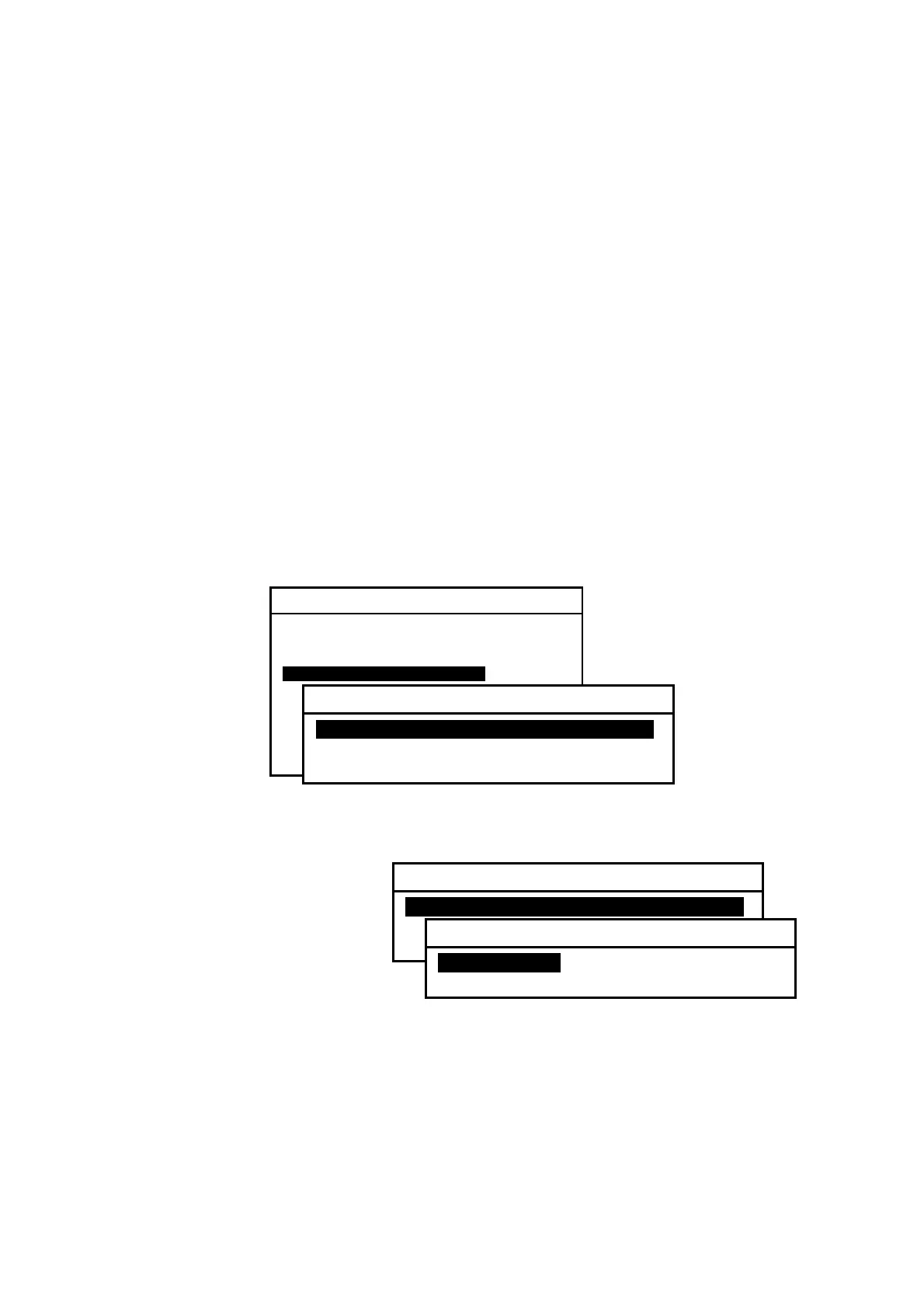
. This opens a submenu as shown below with the following options:
1: SYNCHRONIZE BOTH RECEIVERS:
Applies same settings to both receivers.
2: FIRST RECEIVER (518KHZ): Makes settings for first receiver alone.
3: SECOND RECEIVER:
Makes settings for second receiver alone.
Figure 4-9 Making Settings for Both Receivers Simultaneously or Separately
Figure 4-10 Rejecting Transmitters – Step 1
(2) Highlight the desired
option, and then press
. The example at right
shows that you selected
option “
1: SYNCHRONIZE
BOTH
RECEIVERS” to
apply the same settings to
both the first and second
receivers.
The following options then become available:
1: STATIONS: Selects or rejects transmitters.
2: MESSAGES: Selects or rejects message types.
(
continued on next page
)
SYSTEM MENU
1: MAKE DISPLAY SETTINGS
2: SELECT 2ND RECEIVER FREQUENCIES
3: TURN ON/OFF KEYPRESS BEEP
4: MAKE SEL/REJ SETTINGS
5 SEARCH STORED MESSAGES
6. SELECT OUTPUT MESSAGES
7. SET OUTPUT PORTS
8. START SELF–DIAGNOSTIC TESTS
9: TURN ON/OFF MESSAGE ALARM
0. RESET TO FACTORY DEFAULTS
4: MAKE SEL/REJ SETTINGS
1: SYNCHRONIZE BOTH RECEIVERSI
2: FIRST RECEIVER (518KHZ)
3: SECOND RECEIVER
4: MAKE SEL/REJ SETTINGS
1: SYNCHRONIZE BOTH RECEIVERSI
2: FIRST RECEIVER (518KHZ)
3: SECOND RECEIVER
1: SYNCHRONIZE BOTH RECEIVERS
1: STATIONSI
2: MESSAGES



 To Next Page