NT-2000 REF Manual
Customizing Operation via Menu System
4-28
4.14. Resetting the System
If, for any reason, you wish to reset the system to return all current operational settings
to the initial factory settings, follow the steps given below. Initialization of the settings
does not affect the message storage; all stored messages will be retained.
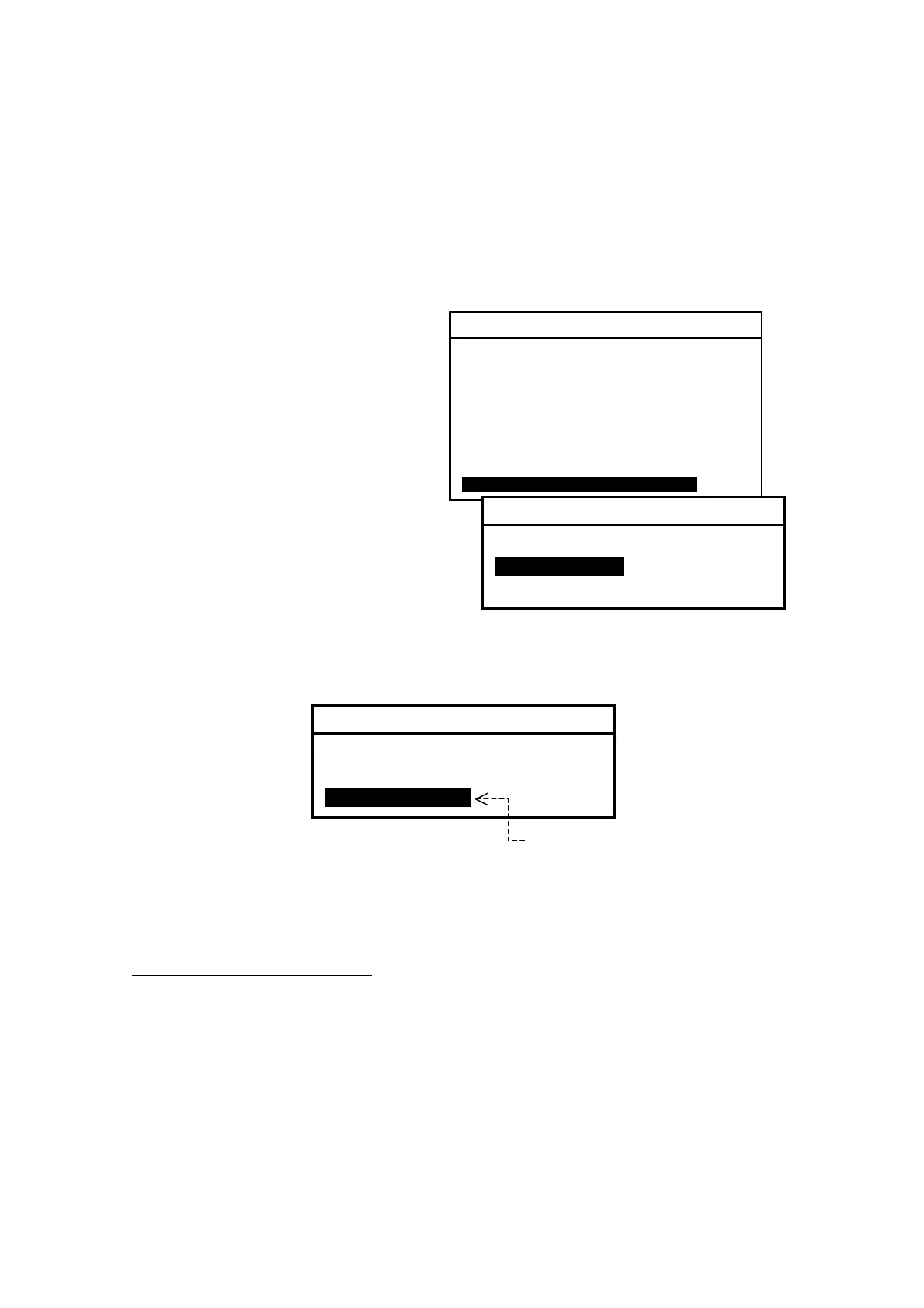
Figure 4-41 Resetting the System – Step 1
(1) Press
, opening the system
menu.
(2) By pressing
/
, highlight
“0:RESET TO FACTORY DEFAULTS”
and then press
. This opens a
submenu, asking you to confirm
whether to reset the system, as
illustrated at right.
(2) Press
to highlight “2: YES (EXECUTE)” as shown below.
Figure 4-42 Resetting the System – Step 2
(3) Press
. This will reset initialize all the settings you have made, and then
return you automatically to the first receiver text page.
Attention to Printer Users
If you are using an optional PR–900 printer or other serial printer plugged into the
RS–232C connector to print live NAVTEX messages on–line, be sure to set the menu
option RECEIVING MSG on the SELECT OUTPUT MESSAGES submenu to “ON” again
via the instructions in paragraph 4.10.2.
SYSTEM MENU
1: MAKE DISPLAY SETTINGS
2: SELECT 2ND RECEIVER FREQUENCIES
3: TURN ON/OFF KEYPRESS BEEP
4: MAKE SEL /REJ SETTINGS
5: SEARCH STORED MESSAGES
6. SELECT OUTPUT MESSAGES
7. SET OUTPUT PORTS
8. START SELF–DIAGNOSTIC TESTS
9: TURN ON/ OFF MESSAGE ALARMS
0. RESET TO FACTORY DEFAULTS
0: RESET TO FACTORY DEFAULTS
ARE YOU SURE ?
1: NO(CANCEL)
2: YES(EXECUTE)
0: RESET TO FACTORY DEFAULTS
ARE YOU SURE ?
1: NO(CANCEL)
2: YES(EXECUTE)
Press
after highlightin
this option with
.



 To Next Page