NT-2000 REF Manual
Customizing Operation via Menu System
4-19
4.11. Setting Output Ports
4.11.1. Introduction
In order for external devices (e.g. printer, IBS/INS component) to receive live or stored
NAVTEX messages properly through the desired rear panel I/O connectors (RS–232C,
RS–422 or I/O DATA port ), it is necessary to set the following parameters to the port
selected.
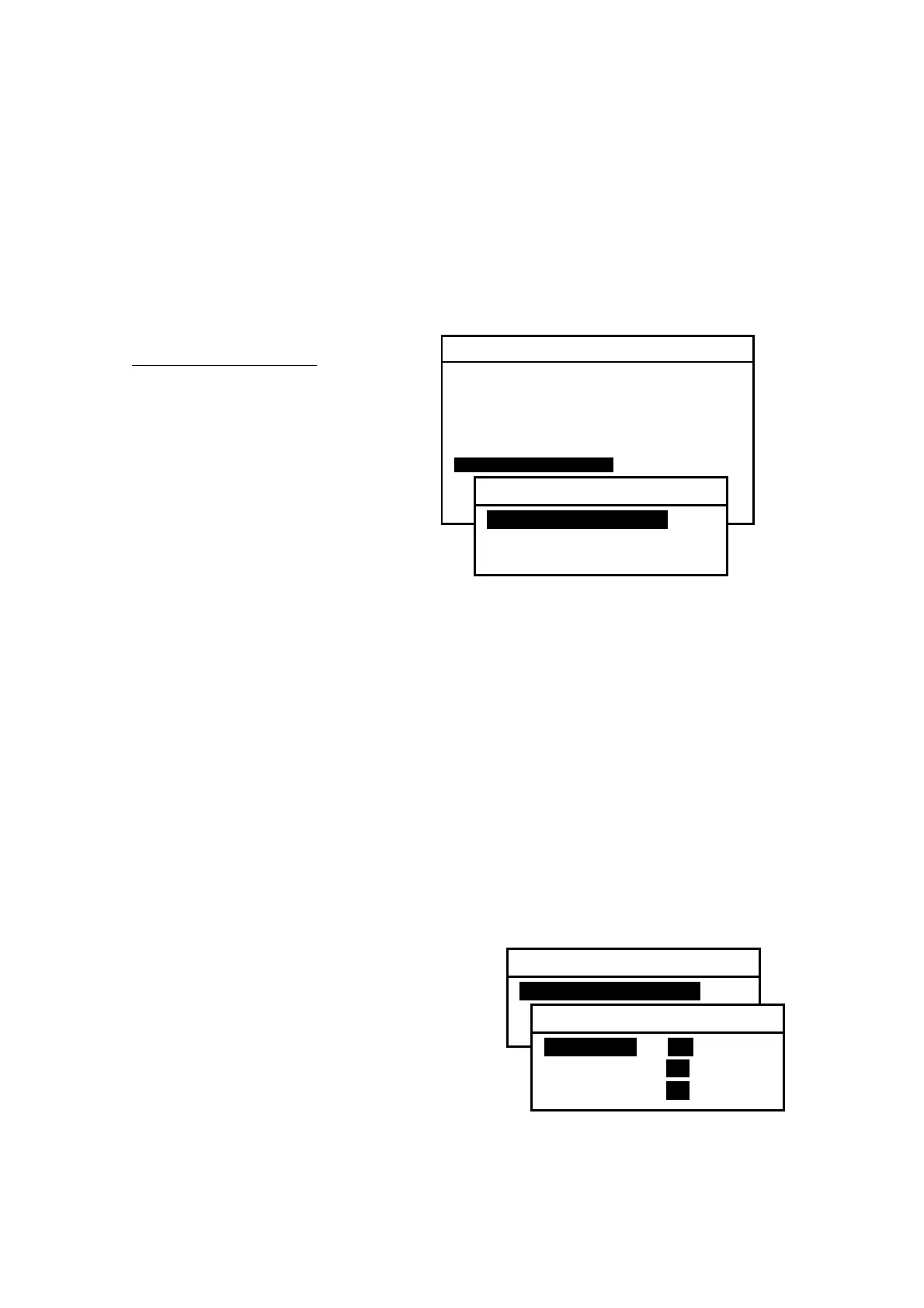
Figure 4-26 Opening Submenu for Setting Output Ports
Output Port Parameters
:
・ Status (enabled or disable d)
・ Communications Protocol
・ Bit Format and Output Rate
The following instructions allow you
to set these parameters as required
by the data–receiving device plugged
into the desired connector.
(1) Press
, opening the SYSTEM MENU.
(2) Highlight “7: SET OUTPUT PORTS” by pressing
/
,
followed by
.
This opens a submenu as illustrated above, with the following output options:
1: SET PORTS ON/OFF: Enables or disables desired port.
2: SELECT PROTOCOLS: Selects protocols for desired port.
3: SET BIT FORMAT & RATE: Sets correct bit format and data rate.
4.11.2. Enabling/Disabling I/O Ports
4.11.2.1. RS–232C Port
The RS–232C port is mainly designed as a printer interface, and is initially enabled so
that the messages selected in paragraphs 4.10.2 through 4.10.8 will be output via this
port. If, for any reason, you wish to disable it, follow the steps given below.
Figure 4-27 Selecting Output Ports for Enable/Disable Settings – 1
(1) Highlight “1:RS–232C” and press
.
(2) Using
/
, highlight “OFF.”
(3) Press
to complete or
to cancel.
(4) Press
to return to the previous
submenu or
to return to the first
receiver text page.
SYSTEM MENU
1: MAKE DISPLAY SETTINGS
2: SELECT 2ND RECEIVER FREQUENCIES
3: TURN ON/OFF KEYPRESS BEEP
4: MAKE SEL / REJ SETTINGS
5: SEARCH STORED MESSAGES
6. SELECT OUTPUT MESSAGES
7. SET OUTPUT PORTS
8. START SELF–DIAGNOSTIC TESTS
9: TURN ON/ OFF MESSAGE ALARM
0. RESET TO FACTORY DEFAULTS
7: SET OUTPUT PORTS
1: SET PORTS ON/OFF
2: SELECT PROTOCOLS
3: SET BIT FORMAT & RATE
7: SET OUTPUT PORTS
1: SET PORTS ON/OFF
2: SELECT PROTOCOLS
3: SET BIT FORMAT & RATE
1: SET PORTS ON/OFF
1: RS–232Ci ON OFF
2: RS–422 ON OFF
3: I/O DATA ON OFF



 To Next Page