NT–2000 REF Manual
Customizing Operation via Menu System
4-3
4.5. Turning on/off Screen Sleep Mode
4.5.1. Introduction
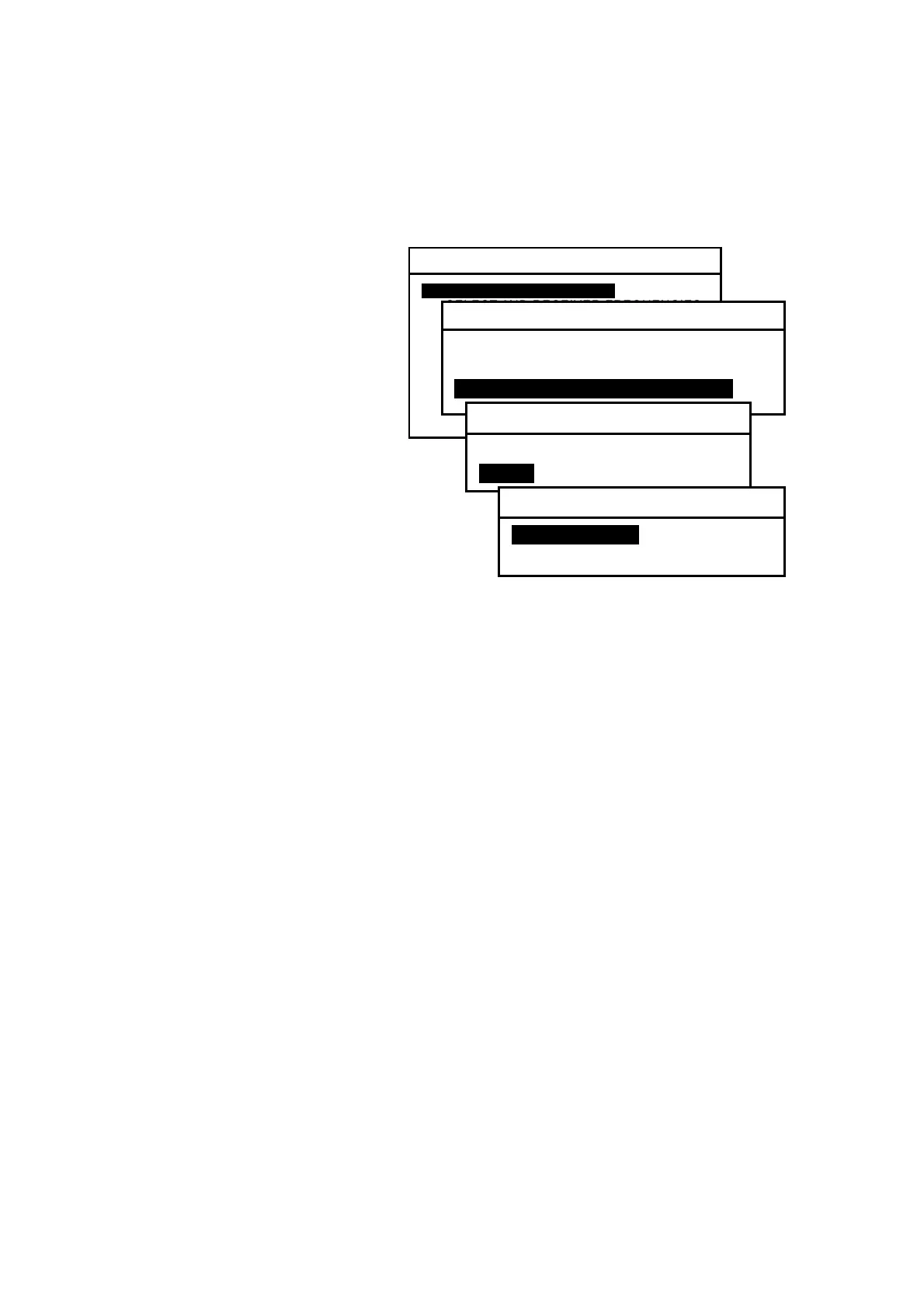
Figure 4-5 Turning Screen Sleep Mode on
The screen brightness initially
remains at the level set by
pressing
.
To extend the service life of the
backlighting lamp (fluorescent
lamp), a screen sleep mode can be
activated, which automatically
reduces the brightness level in
two steps when no key is pressed
for a time period defined by the
user.
The sleep mode is initially turned off. To
activate its function and set the time to
the sleep mode, follow the steps given in
the following paragraphs.
4.5.2. Turning Sleep Mode on
(1) Highlight option “1:MAKE DISPLAY SETTINGS” by pressing
/
,
followed by
.
(2) Select option “2:TURN ON/OFF SLEEP MODE” in the same manner.
(3) Select option “2: ON” in the same manner.
The following options are now selectable:
1:STANDARD:
1 minute to reduced level 1, 15 minutes to reduced level 2
2:USER–DEFINED MODE:
times to reduced levels 1 and 2 are selectable in 1–minute
steps
NOTE:
Reduced level 1 = approx. half maximum brightness level
Reduced level 2 = backlighting switched off
(4) Select the desired option, and press
.
(5) If you selected “USER–DEFINED MODE” at the above step, proceed to the next
paragraph (4.5.3) for the instructions.
(6) Press
or
to return to the text screen.
SYSTEM MENU
1: MAKE DISPLAY SETTINGS
2: SELECT 2ND RECEIVER FREQUENCIES
3: SELECT 2ND RECEIVER LANGUAGES
4: TURN ON/OFF KEYPRESS BEEP
5: MAKE SEL /REJ SETTINGS
6. SELECT OUTPUT MESSAGES
7. SET OUTPUT PORTS
8. START SELF–DIAGNOSTIC TESTS
9: TURN ON/OFF MESSAGE ALARM
0. RESET TO FACTORY DEFAULTS
1: MAKE DISPLAY SETTINGS
1: SELECT BACKGROUND COLORS
2: SELECT MESSAGE FONT TYPES
3: TURN ON/OFF SLEEP MODEi
3:TURN ON/OFF SLEEP MODE
1: OFF
2: ONI
2:TURN ON/OFF SLEEP MODE
1: STANDARDI
2: USER–DEFINED MODE



 To Next Page