NT-2000 REF Manual
Customizing Operation via Menu System
4-21
4.11.3. Selecting Communications Protocols
The following communications protocols are initially assigned to the three output ports
described in paragraph 4.10.1.
・ IEC 61162–1 ( NMEA–0183 Ver. 2.0 & greater): RS–422 Port
・ Asynchronous non–handshaking: RS–232 Port and I/O DATA Port
Of the three ports, only the I/O DATA port can select either the IEC 61162–1 or the
asynchronous non–handshaking transfer mode. If your application using that port
requires the IEC 61162–1 as its protocol, follow the steps given below.
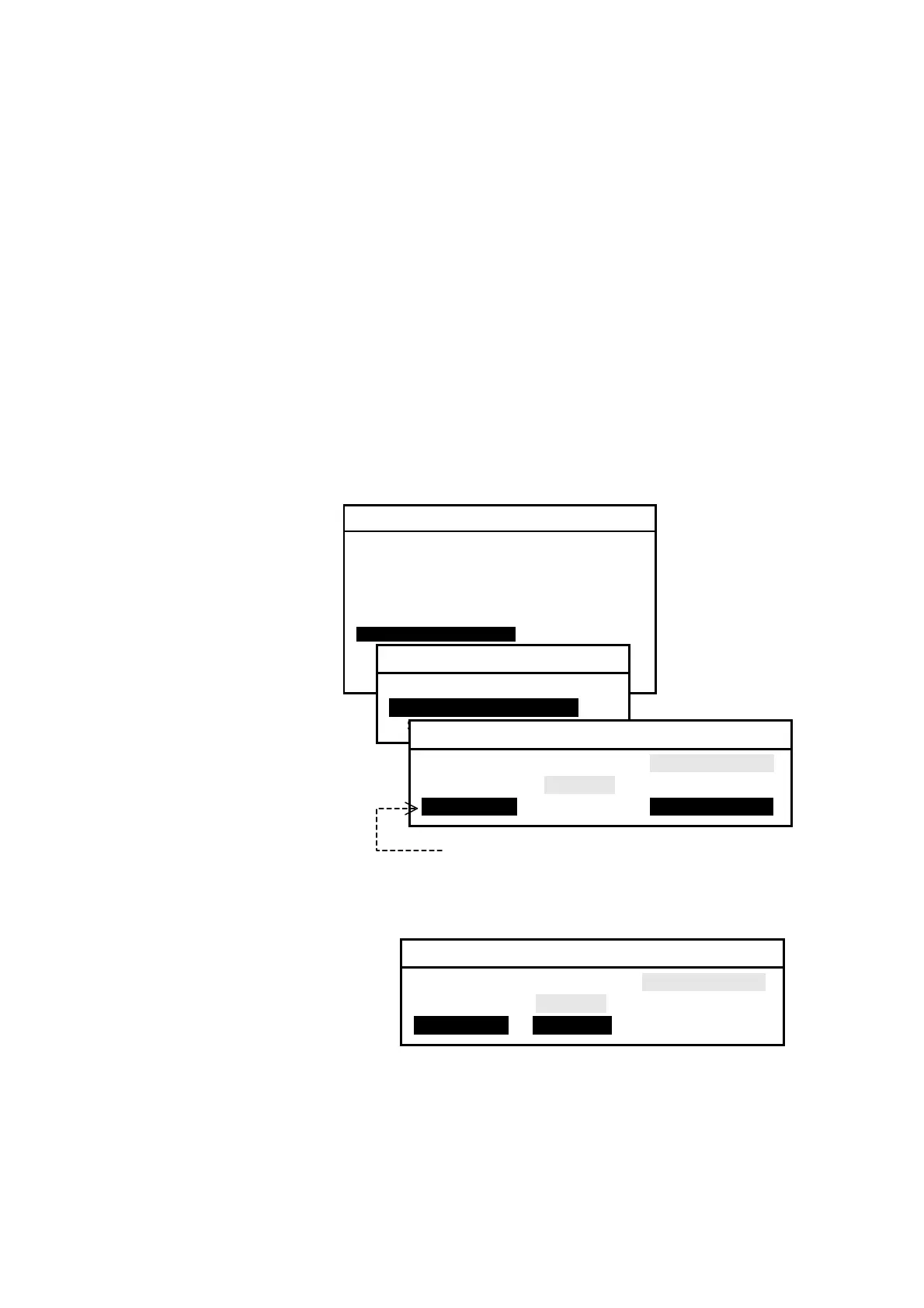
(1) Highlight option “2:SELECT PROTOCOLS” on the SET OUTPUT PORTS submenu,
and press
. This turns on another submenu for selection of the protocols, as
illustrated below.
Figure 4-30 Accessing Submenu for Selection of Protocols for I/O DATA Port
(2) To change the protocol
for the I/O DATA port
to the IEC 61162–1,
press
, highlighting
option IEC 61162 , as
shown below.
Figure 4-31 Selecting Protocol for I/O DATA Port
(3) Press
to complete
the selection.
(4) Press
to return to the previous submenu or
to return to the first receiver
text page.
Protocols are selectable only for this port.
SYSTEM MENU
1: MAKE DISPLAY SETTINGS
2: SELECT 2ND RECEIVER FREQUENCIES
3: TURN ON/OFF KEYPRESS BEEP
4: MAKE SEL / REJ SETTINGS
5: SEARCH STORED MESSAGES
6. SELECT OUTPUT MESSAGES
7. SET OUTPUT PORTS
8. START SELF–DIAGNOSTIC TESTS
9: TURN ON/ OFF MESSAGE ALARM
0. RESET TO FACTORY DEFAULTS
7: SET OUTPUT PORTS
1: SET PORTS ON/OFF
2: SELECT PROTOCOLS
3: SET BIT FORMAT & RATE
2: SELECTT PROTOCOLS
1: RS–232C IEC61162 NONE (ASCII)
2: RS–422 IEC61162 NONE (ASCII)
3: I/O DATAI IEC61162 NONE (ASCII)
2: SELECTT PROTOCOLS
1: RS–232C IEC61162 NONE (ASCII)
2: RS–422 IEC61162 NONE (ASCII)
3: I/O DATAI iIEC61162i NONE (ASCII)



 To Next Page