NT-2000 REF Manual
Installation
7-13
7.3.2. Connector Pin Assignments and Connections (
continued
–
7/8
)
⑧ RS–232C Connector
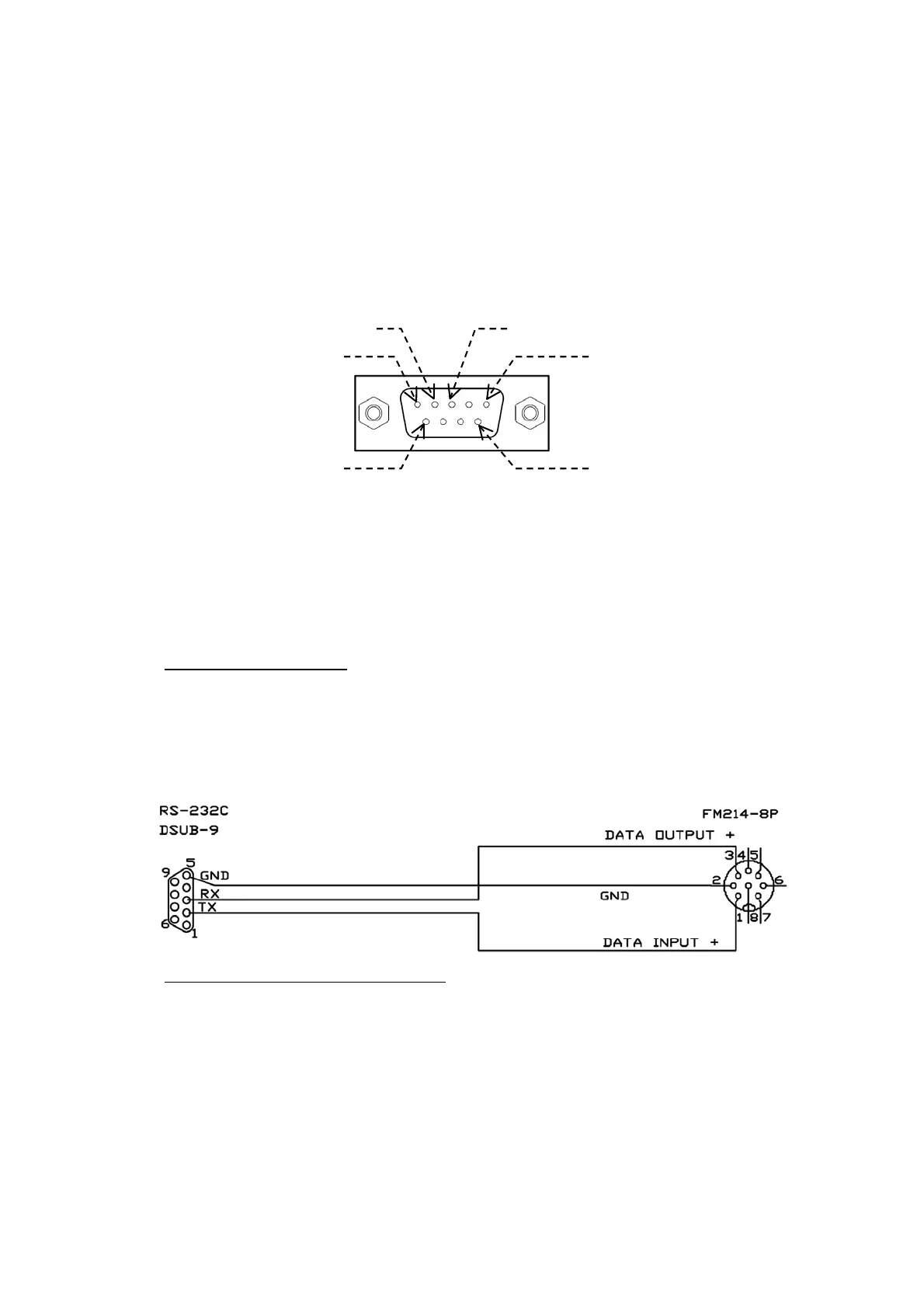
An optional serial printer (PR–900) is to be plugged into this receptacle. A D–Sub 9
female type plug mates with this connector. The pin assignments are illustrated
below.
Figure 7-13 RS–232C Connector Pin Assignments (Front View)
NOTE: Pins #1, #4, #5, #6, #7, #8 and #9: No internal connections
(NC)
・ Mating Plug: HDEB–9S (supplied) or equivalent
After making connections, check to be sure that the RS–232C port is enabled (as
per paragraph 4.11.2) and that a correct set of parameters is selected (as per
paragraphs 4.11.3 and 4.11.4) for your applications.
Connections to PR–900
The connections from the RS–232C port to the PR–900 serial printer are illustrated
below. A 2–meter cable, terminated in appropriate mating plugs at both ends is
normally supplied with each printer.
Figure 7-14 Connections between RS–232C Port and PR–900
Port Parameter Settings for PR–900
The PR–900 requires the following parameter settings for the RS–232C port:
DATA BITS: 8
STOP BITS: 1
PARITY: NONE
BIT RATE: 0.11 (=110 baud)
See paragraph 4.11 for instructions.
(
continued on next page
)
Pin #1 (NC)
Pin # 2 ( RXD) Pin # 3 ( TXD)
Pin# 5 (GND)
Pin # 6 ( NC) Pin # 9 (NC)



 To Next Page