DP321 User's Manual
- 20 -
You can use a push tractor and a pull tractor (optional) at the same time to strengthen the function of
dealing with the tractor papers, which is fit for the printing requiring high precision in the print position,
such as continuous forms with printed tables, multiple sheets and labels.
Here’s how to load tractor paper:
Printing in the push tractor position
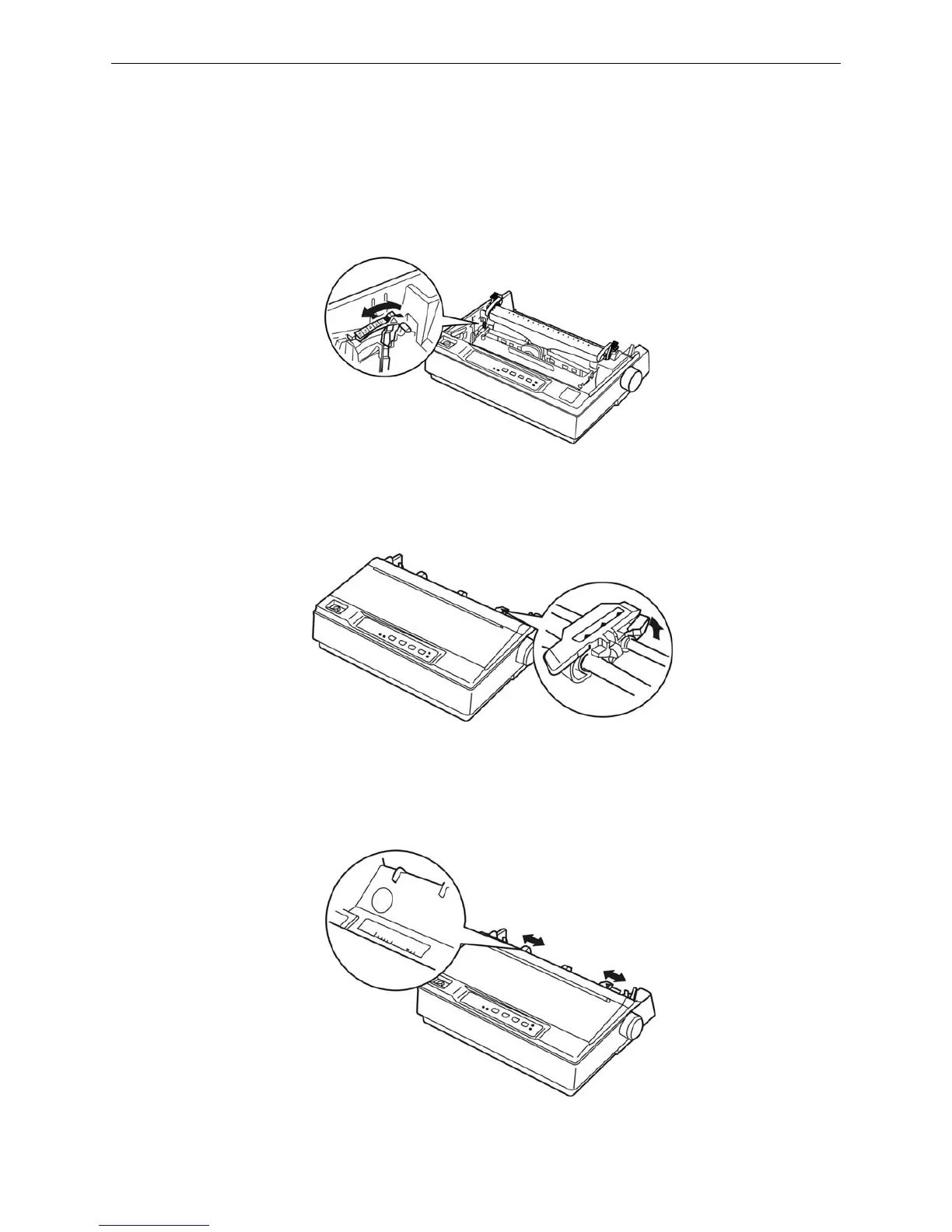
1. Make sure the printer is turned off. Remove the paper guide and place the paper-select lever in
the tractor paper position. Open the printer cover, adjust the gap adjust lever base on the paper
type.
2. Make sure the tractor is installed correctly (refer to chapter 1).
3. Release the sprocket units by pulling the sprocket locks upwards.
4. Slide the left sprocket unit using the scale on the printer as a guide. The printer prints to the right
of the position marked 0. Push the sprocket lock lever back to lock it in place. Then slide the right
sprocket unit to match the width of your paper, but do not lock it. Move the paper support so it is
midway between the sprocket units.
Figure 3-6 Adjust gap adjust lever
Figure 3-7 Release the sprocket
Figure 3-8 Adjust the position of the sprockets



 To Next Page