DP321 User's Manual
- 23 -
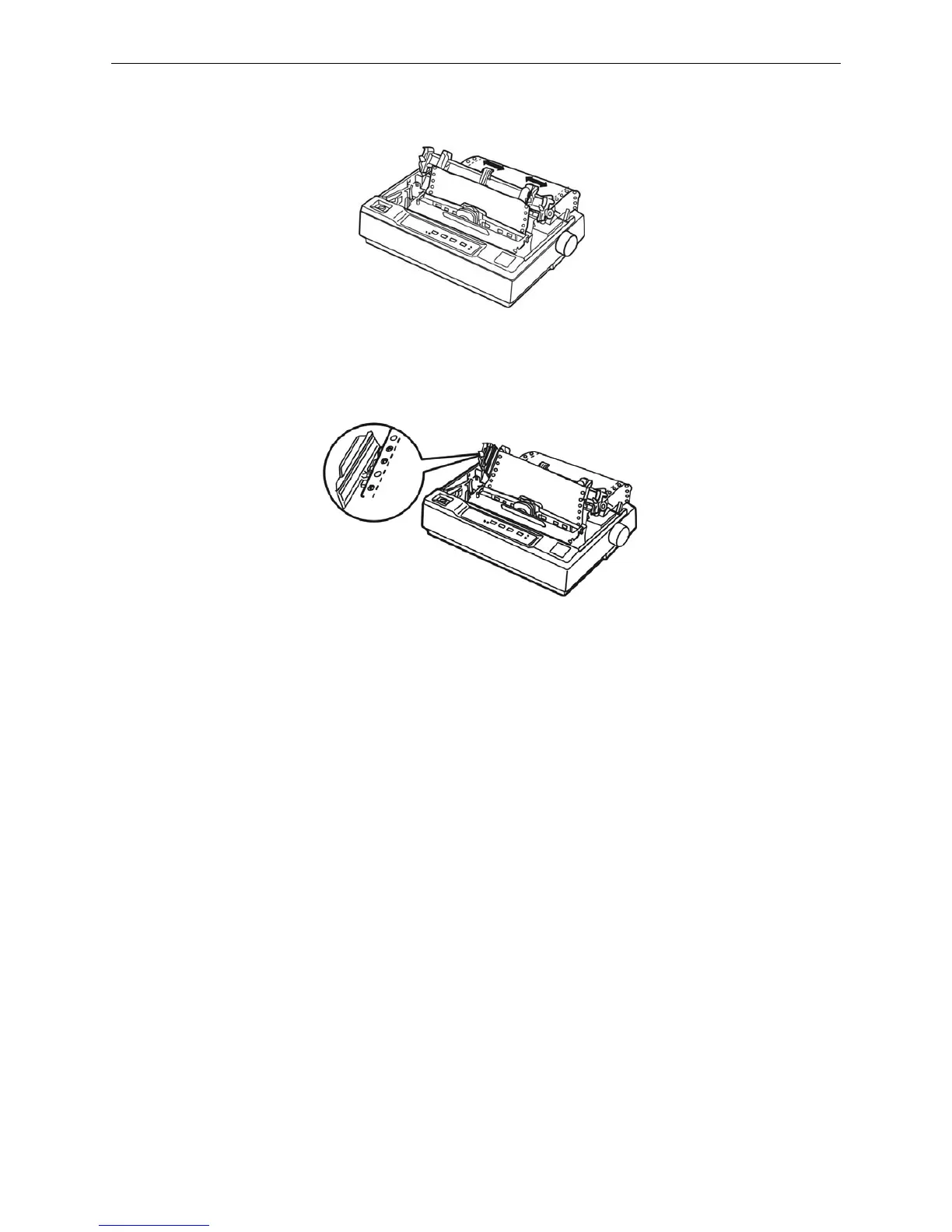
5. Slide the left sprocket unit so that its sprockets match the position of the holes in the paper and
lock the unit in place. Then slide the right sprocket unit to match the width of your paper, but do
not lock it. Move the paper support midway between the two sprocket units.
6. Make sure your paper has a clean, straight leading edge. Open the sprocket covers. Fit the first
holes of the paper over the sprocket pins and then close the sprocket covers. Slide the right
sprocket unit to remove any slack in the paper and lock it in place.
7. To separate the incoming paper from the printed paper, attach the paper guide. Hold it horizontally
and fit its notches over the printer’s mounting posts. Then slide the paper guide toward the back
of the printer until you feel it click.
8. Slide the left and edge guides to the center until it stops at the triangle shaped guide mark.
9. Make sure the printer cover is closed. Then turn on the printer. When the printer receives data, it
begins printing automatically.
When using push tractor and pull tractor at the same time
1. Turn the printer off; then remove the paper guide. Pull the paper-select lever forward to the tractor
paper position. Remove the printer cover, adjust the gap adjust lever according to the paper type.
2. Make sure the tractor installed correctly (refer to chapter 1).
3. Load the tractor paper on the sprocket of the push tractor refering to “Printing in the push tractor
position”.
4. Turn on the printer, press LOAD/EJECT button to load the paper automaticly and the print head is
at the printing home position of the first page. Adjust the printing home position of page layout if
necessary. Hold LF/FF button, the printer feeds one page automatically.
5. Release the sprocket lock of the pull tractor and open the sprocket cover. Pull straight the paper
upwards, adjust the left and right sprockets unit they match the width of your paper. Then clip the
perforation of the paper into the sprockets of the pull tractor, lock the prockets at last. The paper
should be without twisted.
Figure 3-14 Adjust the position of the sprocket
Figure 3-15 Load paper in the pull tractor



 To Next Page