ACU-5000 Operations Manual
4-4 Interoperability Now
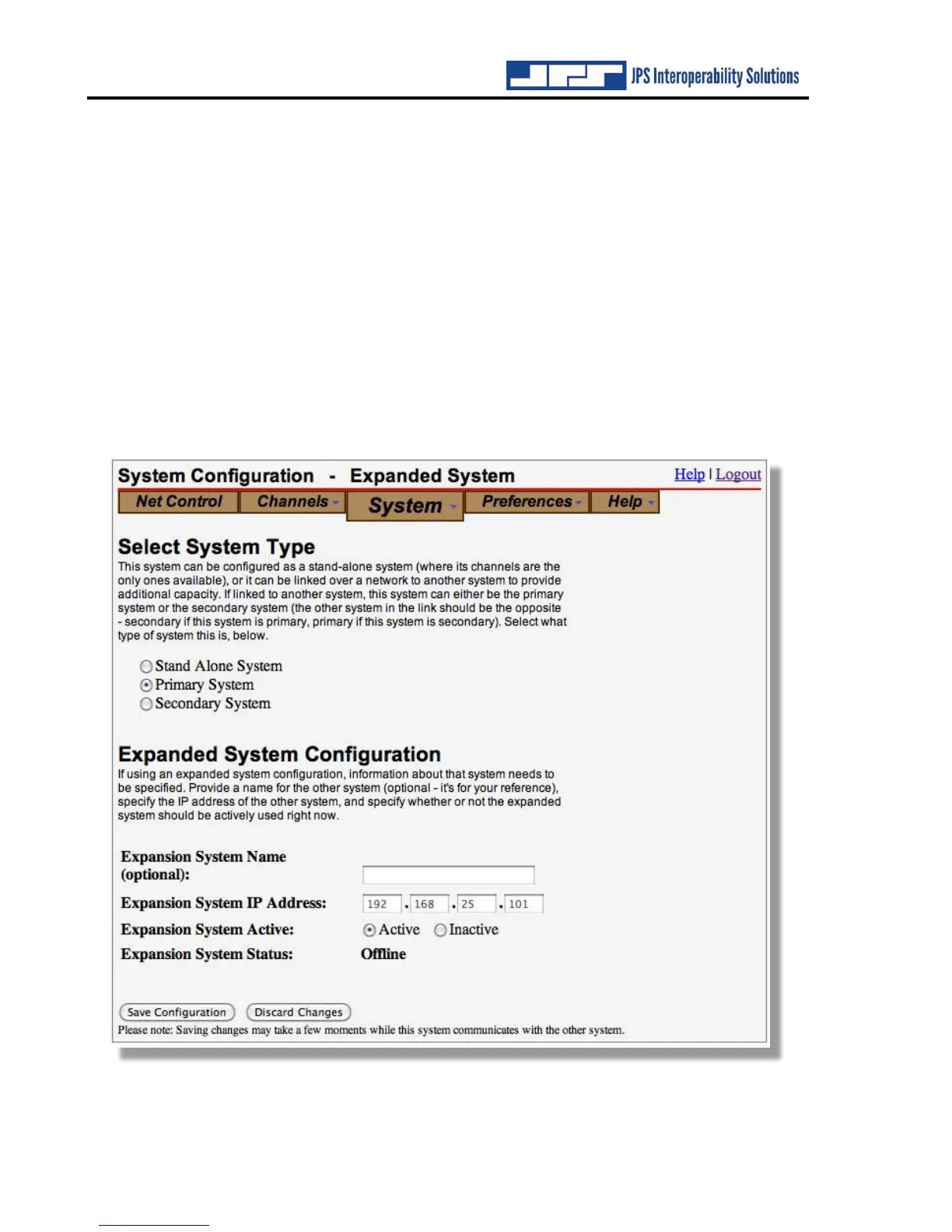
In the web page below, the Primary System type has been selected and the Expanded System
configuration information and entries are therefore available for use. If the expansion unit (that
is, the other ACU-5000 that the one being configured will be connected to) is set to “Inactive”
this means that, though configured for future use as an Expanded System, the chassis is currently
functioning as a Stand Alone System. Note that to create a functional Expanded System, both
chassis must be configured for their appropriate roles (one as primary, the other as secondary),
have the IP address of the other chassis listed, and be set to Active.
If one of the systems loses power, has its expanded system configuration status changed, or is
simply set to Inactive, the other chassis of the expanded system will revert to Stand Alone
operation. The same is true if network connectivity between the two chassis is lost. To regain
connectivity, re-apply the expanded system settings (or set one system to inactive and save, then
set to active and save). Alternatively, simply restarting or power cycling one of the systems will
also cause it to re-establish expanded system operation.



 To Next Page