ACU-5000 Operations Manual
Interoperability Now 9-1
9 Operating Instructions
This section describes the ACU-5000 operational procedures. All operation is performed either
by web browser or via DTMF Control. The web interface’s Graphical User Interface (GUI) is
carefully designed to provide a range of easily accessible context-sensitive help information.
DTMF operations are similar for phone, VoIP, or radio operation. Voice prompts are included to
guide the user through the steps required to create and terminate cross-connections.
See Section 10 for information related to recent feature additions or changes. A notable addition
is the new Drag & Drop Net Management Capability.
9.1 Web-Based Operation- Net Management
9.1.1 Initial Net Control Page
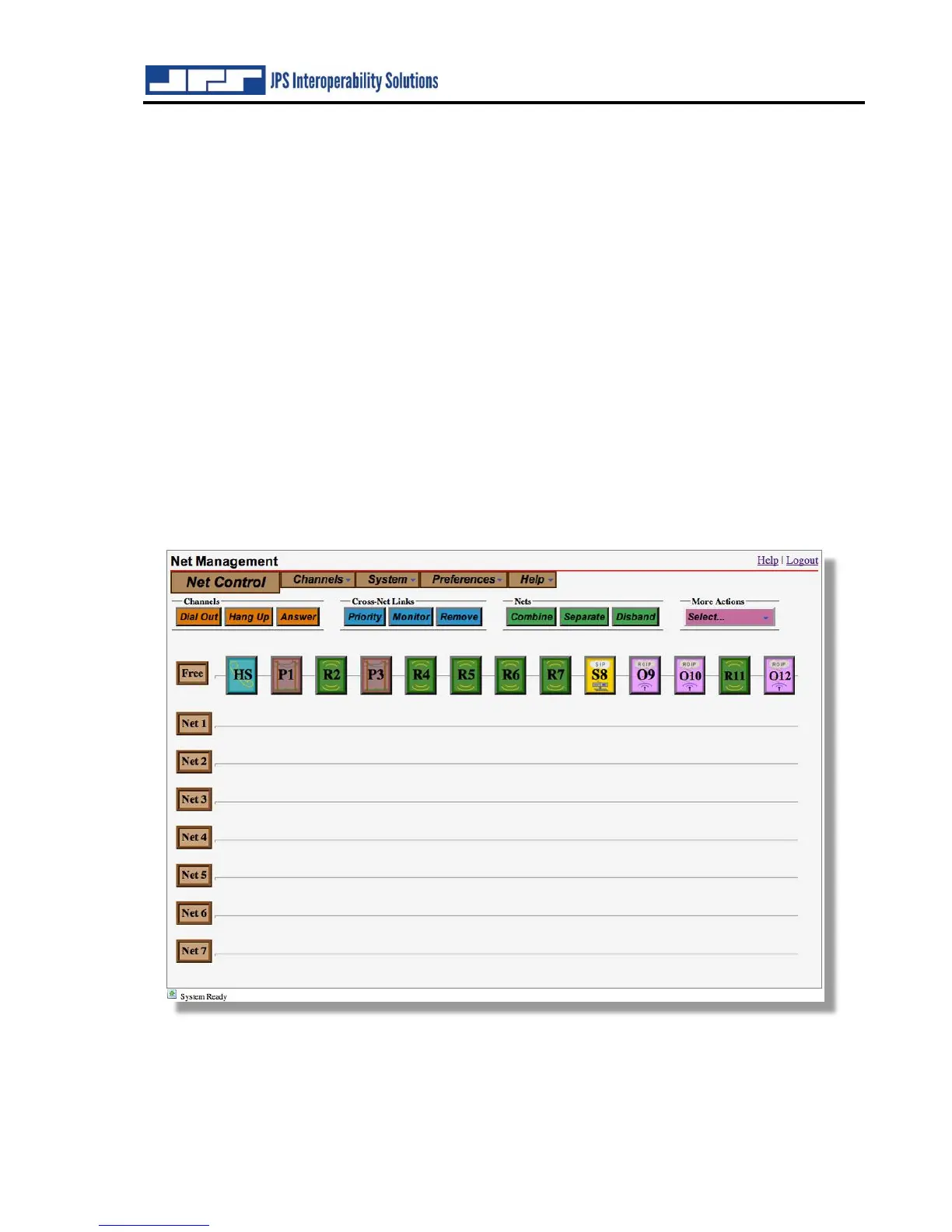
The figure below shows the Net Control GUI when none of the ACU-5000 channels are engaged
in interoperability cross-patches. The channels are configured in the various types available; all
channels are situated in the top "Free" net. Whenever any channel is in the Free net it is not
communicating with any other channels (Monitor Mode operation and monitor communication
excepted – see Section 9.1.5).
9.1.2 How to Connect and Disconnect Channels
Begin to connect channels in a new net by clicking on the channel icons one at a time. After two
are selected, they will be moved to an empty net, and they will then be immediately able to
communicate with each other. To add more channels to a net, simply select the net (from the



 To Next Page