ACU-5000 Operations Manual
5-6 Interoperability Now
5.5 Channel Configuration - Radio
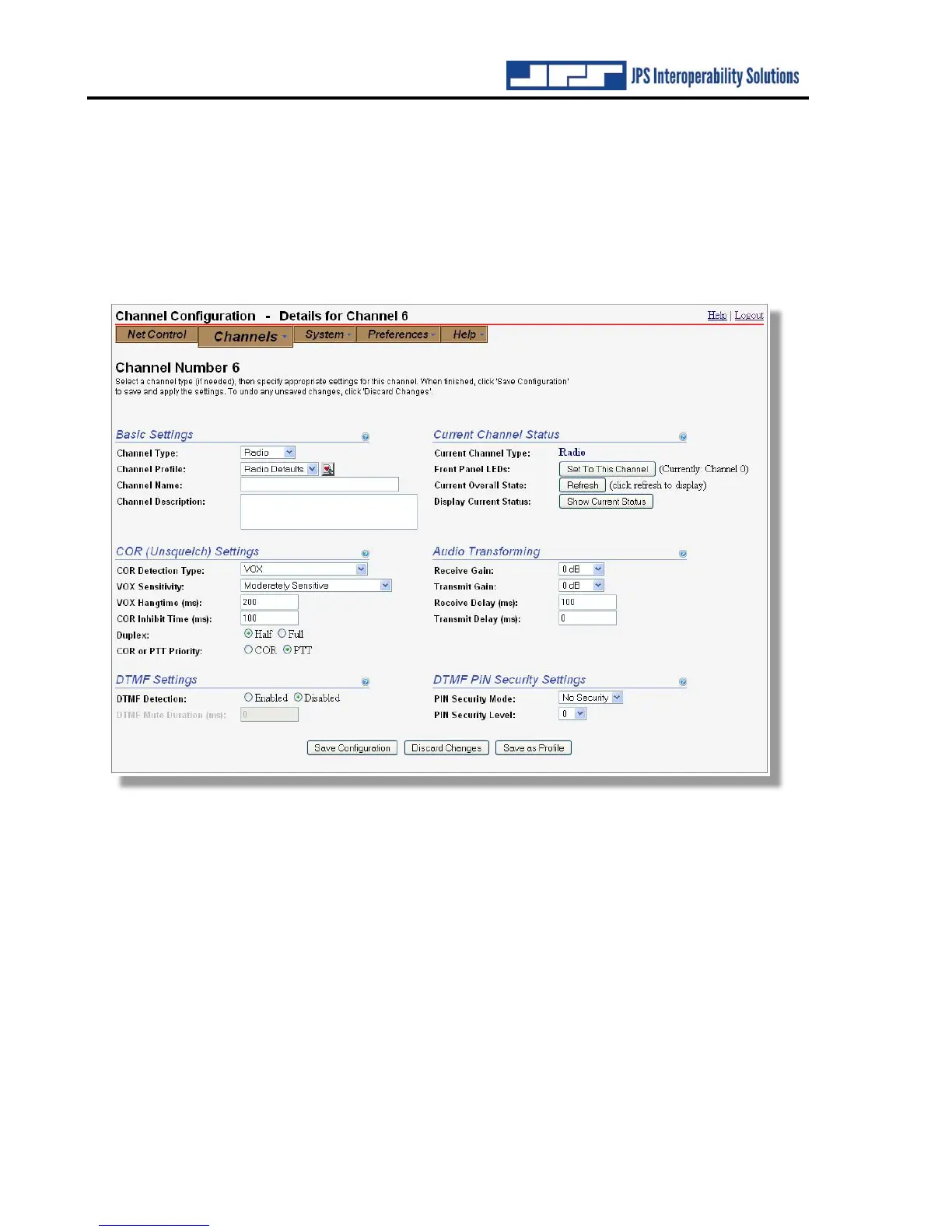
Any of the channels one through 12 can be configured to the Radio channel type. The 12 RJ-45
connectors on the ACU-5000 rear panel provide the radio hardware interfaces. As can be seen
on the associated configuration page, along with the Basic Settings and Current Channel Status
settings, there are a variety of settings to optimize the interface. The first step is to select, from
the Basic Settings Channel Profile dropdown menu, a profile corresponding to the radio or other
four-wire device being interfaced (if the profile is available).
The Radio Channel type includes an additional COR Type – that is, VMR (Voice Modulation
Recognition). VMR is useful for noisy signals such as HF, because, rather than being activated
by any type of audio, it is triggered only by audio that approximates human speech and it ignores
noise and tones.
The Radio channel type also includes a DTMF Detection configuration option. When enabled,
system radios with DTMF keypads can use DTMF to make and break interoperability nets. See
Section 9.3. External DTMF control is also available with PSTN and SIP channels.
The context-sensitive help information provides further information and guides proper
configuration.



 To Next Page