ACU-5000 Operations Manual
Interoperability Now 5-5
5.4 Channel Configuration - Handset
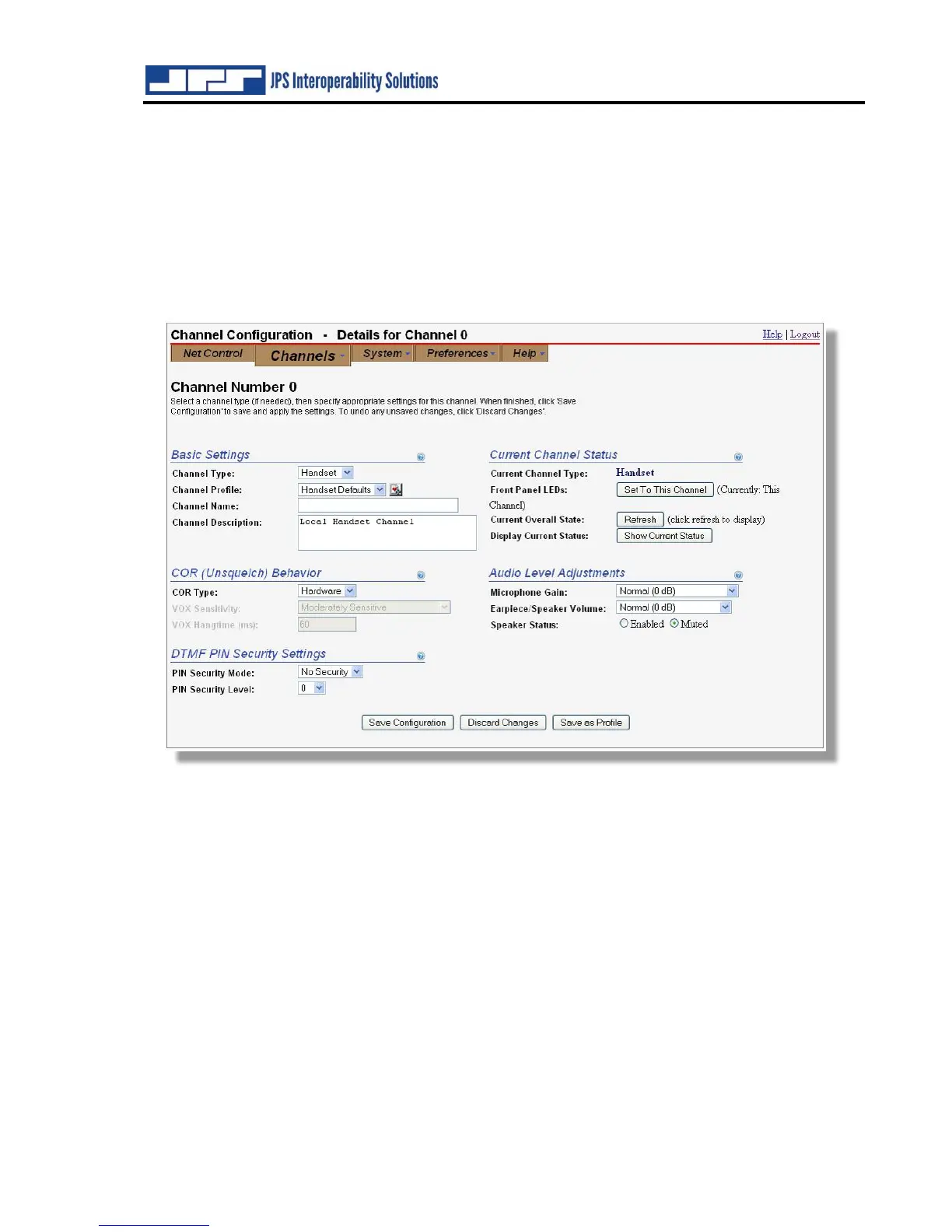
Channel “zero” can be configured only as the handset channel, and no other channel can have
this configuration. The handset with PTT switch (provided in the ACU-5000 accessory kit) is
plugged into the Handset connector on the unit’s front panel.
Note that the handset earpiece and the speaker are run by the same audio driver, and changing
the volume by the GUI or the front panel controls) changes both.
However, the Mute control affects the speaker only.
The configuration options available with the handset are COR Type and Audio Level
Adjustments. COR Type determines what type of control signal will indicate that a valid audio
signal is present and cause the channel to indicate active COR (unsquelched condition). This is
important for an interoperability gateway because, for a group of communications systems
patched together in an interoperability net, whenever one device in the net has active COR (is
unsquelched), the other devices in the net will be placed in transmit mode (active PTT) and will
transmit the audio from the unsquelched device.
The COR Type selection options are Hardware (the PTT switch on the handset) and VOX
(detection of audio in the handset microphone). Use of the switch will prevent loud background
noise from tripping the VOX and inappropriately keying any connected devices (and transmitting
this background noise over those devices)
The context-sensitive help information provides further information and guides proper
configuration.
Note: For Expanded systems, the Handset in the expansion unit is channel #13 (if used).



 To Next Page