ACU-5000 Operations Manual
Interoperability Now 6-1
6 System Preferences
This section explains optional behaviors that can be selected via the Preferences pull down menu.
Some preferences are stored on a per-user basis (e.g control preferences & password), while
others apply to the system as a whole (such as system preferences and speed dials).
6.1 Preferences - Overview
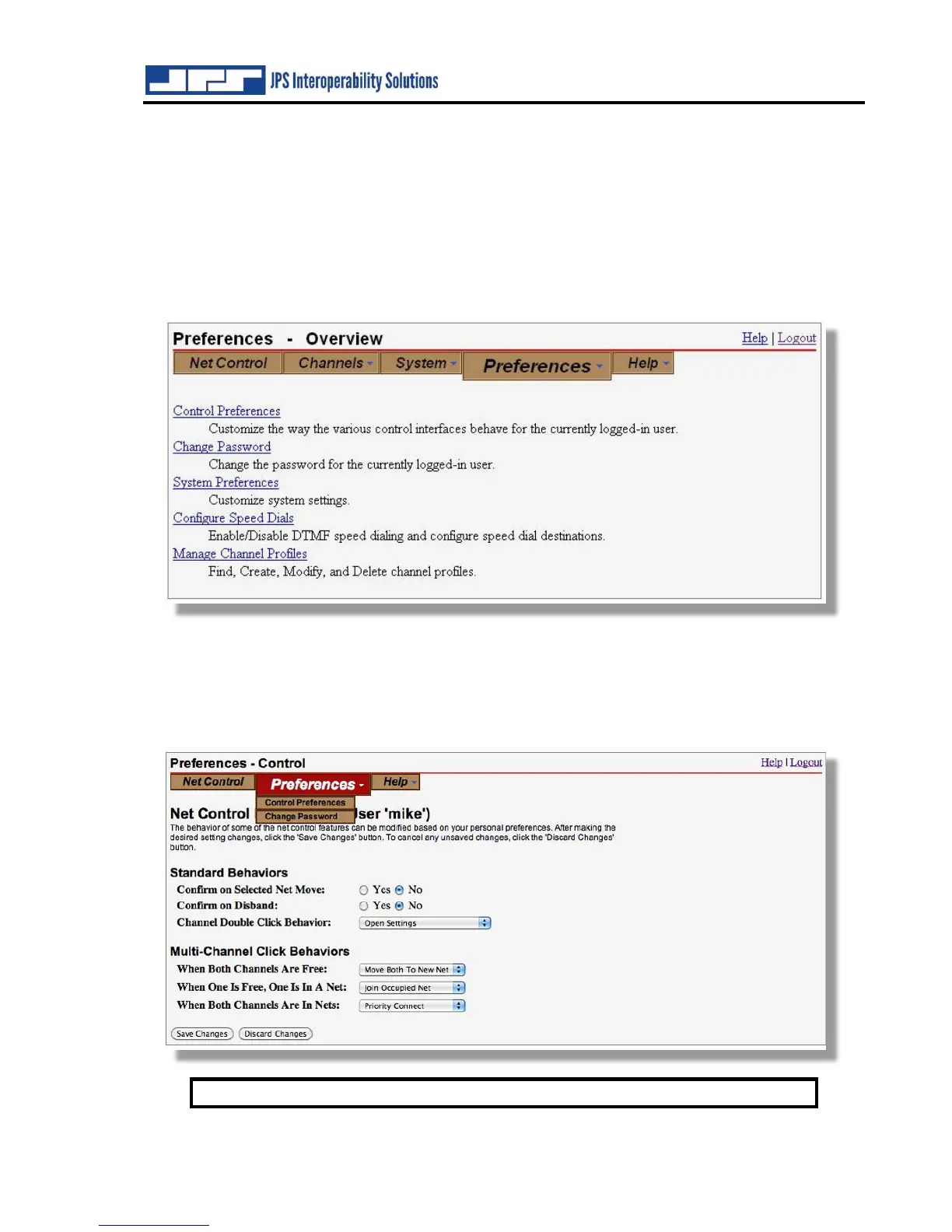
The Preferences – Overview screen lists the permission sets and provides a brief description:
Users with limited permission sets will not be able to view or modify all settings. For example,
the screen shot below shows the set of preferences available to user ‘mike’ who has only the most
basic permissions (as defined Section 4.2.3). This basic ‘Nets Only’ designation allows him only
to make and break interoperability connections. The preferences available allow him only to
change his password and customize his use of the Net Control GUI.
Note: Changes do not take place until “Save Changes” is clicked.



 To Next Page