ACU-5000 Operations Manual
Interoperability Now 5-3
5.2 Channel Configuration – Basic Settings
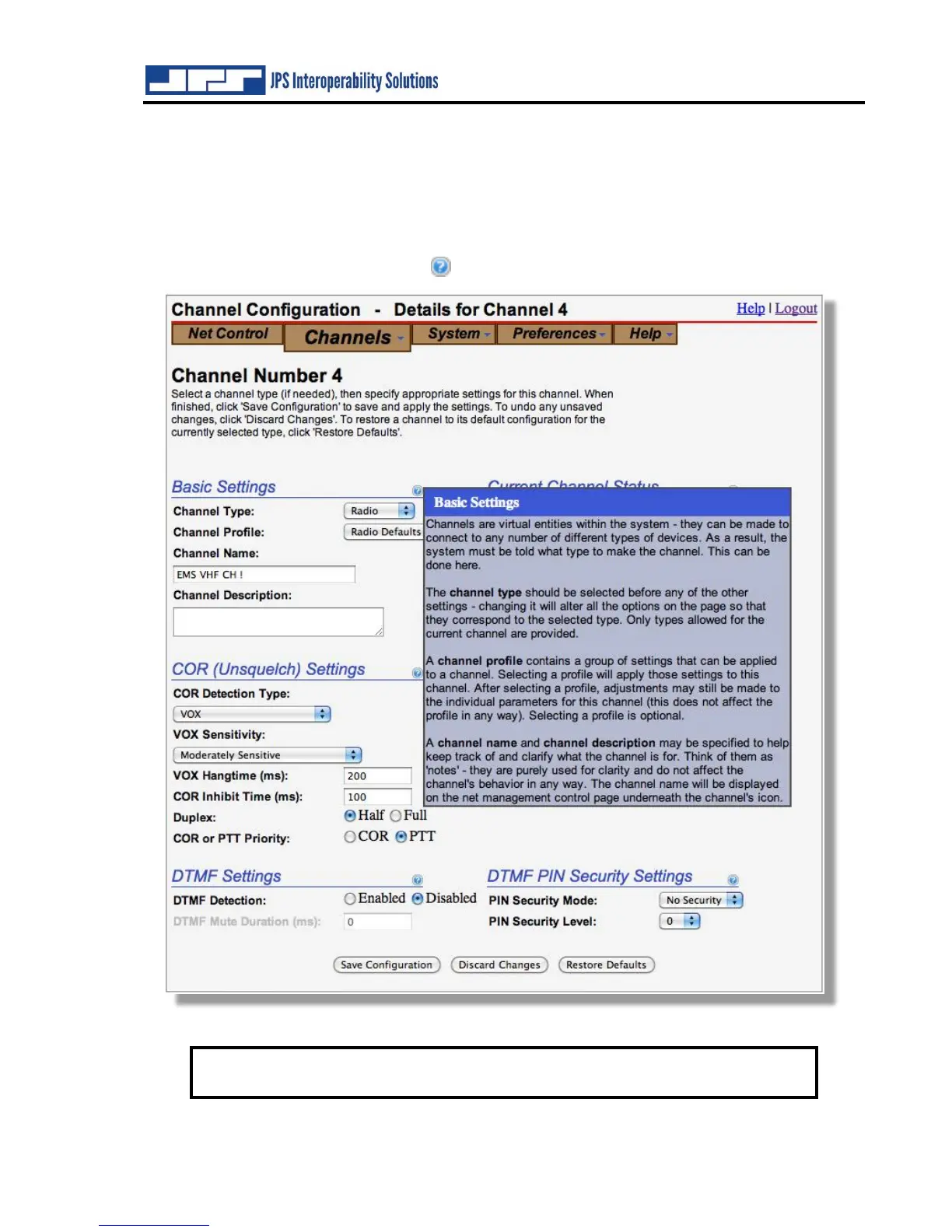
The first step is to select the desired channel type and other basic settings that apply to all channel
types. These basic settings appear at the top of each settings page. Subsequent sections in this
manual will provide details related to proper configuration of each channel type.
As with the other configuration settings, context-sensitive help is available by hovering over the
adjacent circular blue question mark.
Note: No settings are applied until the Save Configuration button (at the
bottom of each Channel Configuration page) is pressed.



 To Next Page