ACU-5000 Operations Manual
4-10 Interoperability Now
4.2.7 Restore Defaults
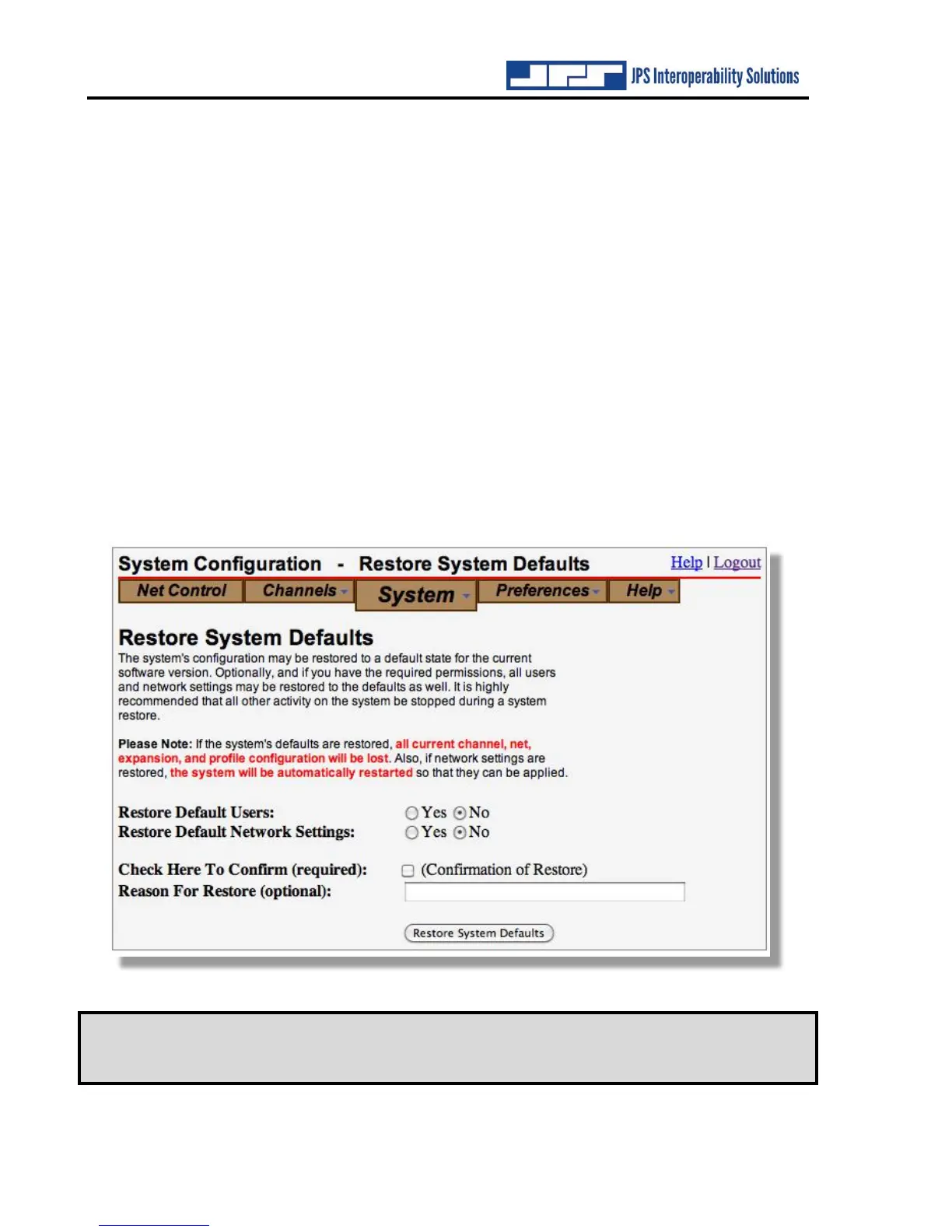
If necessary, the unit can be reset to its factory default settings.
If Restore Default Users and Restore Default Network Settings are both set to No, the following
are reset:
• Channel configuration (type of channel & all settings)
• All net configuration including monitor
• Stored channel profiles
• Expansion system settings
• Stored speed dials
If Restore Default Users is set to on, all User configuration data is erased. The only user will be
the default “su” superuser with the password “su.” Users currently logged in will remain logged
in.
If Restore Default Network is set to On, all related configuration settings; including the unit’s IP
address, are erased and reset to factory defaults. This will generate an automatic system restart.
Users currently logged in are still logged in following the restart. Software revision history is not
deleted, and the system software remains at its current version.
Note: It is highly recommended that all system activity be terminated prior to
performing a system restore. Any actions taken during the restore operation
may be erratic and unpredictable.



 To Next Page