ACU-5000 Operations Manual
Interoperability Now 4-3
4.2.2 Expanded System Configuration
The ACU-5000 can be used as an individual 12 channel unit, or two units can be connected to
create a 24 channel expanded system. The following rules apply to expanded systems:
• The two ACU-5000 units may be connected together via a standard CAT5 cable plugged
into one of the LAN ports on each of the units.
• The units must be part of the same LAN, either connected directly via CAT5 cable or
connected via a network switch. There cannot be a router between the two units.
• The “Primary” system provides a handset and channels 1-12. The “Secondary” system
provides an additional handset and channels 14-25. You may browse to either system to
configure or control the overall ACU-5000 interoperability system. Changes made on
one system will automatically propagate to the other.
• Information related to expanded system operation is provided in Section 9.1.9.
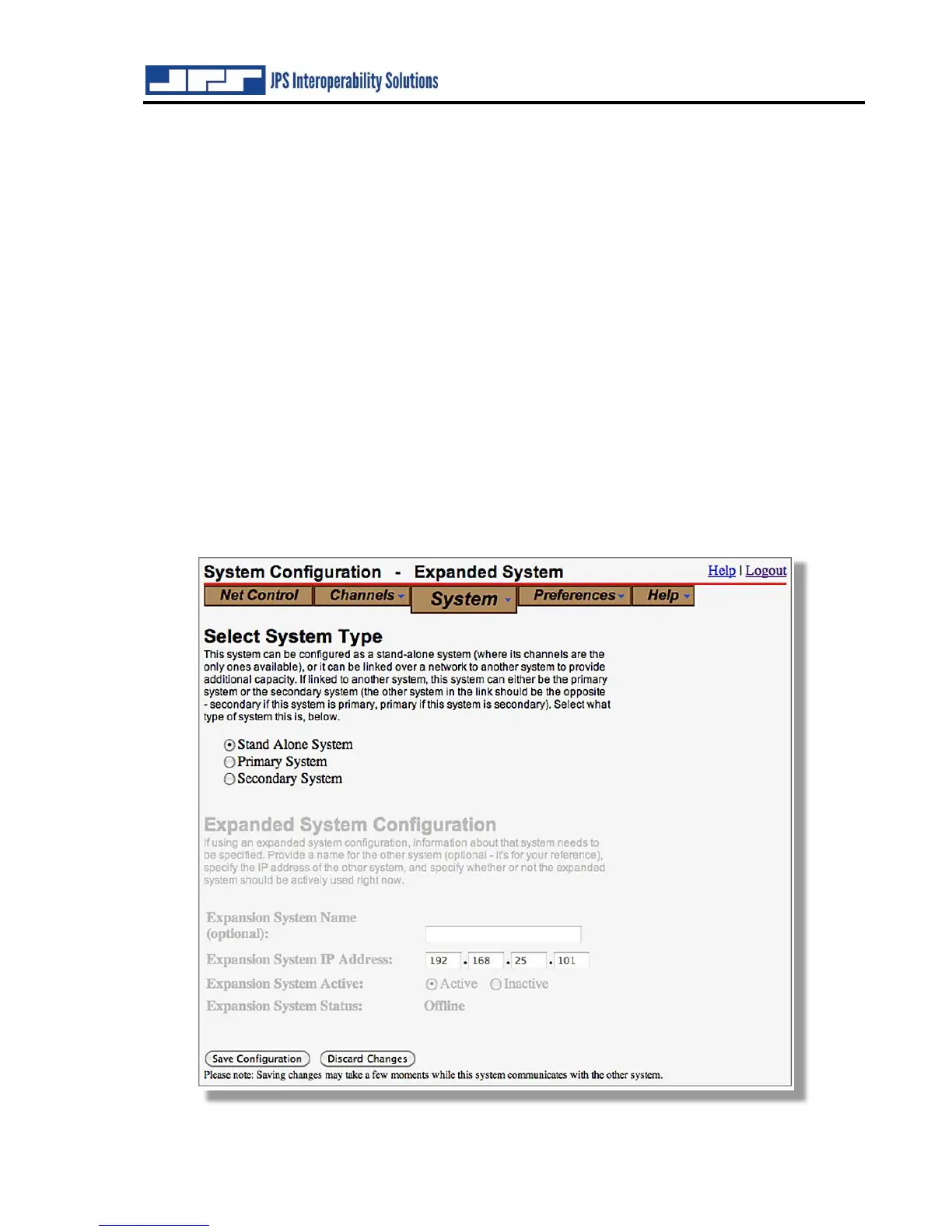
As can be seen in the screen shots below, any configuration text or settings options that are not
currently applicable are visible but grayed out. The Expanded System Configuration portion is
not relevant unless the ‘Expanded System” system type is selected.



 To Next Page